How to add and manage your username key on WhatsApp
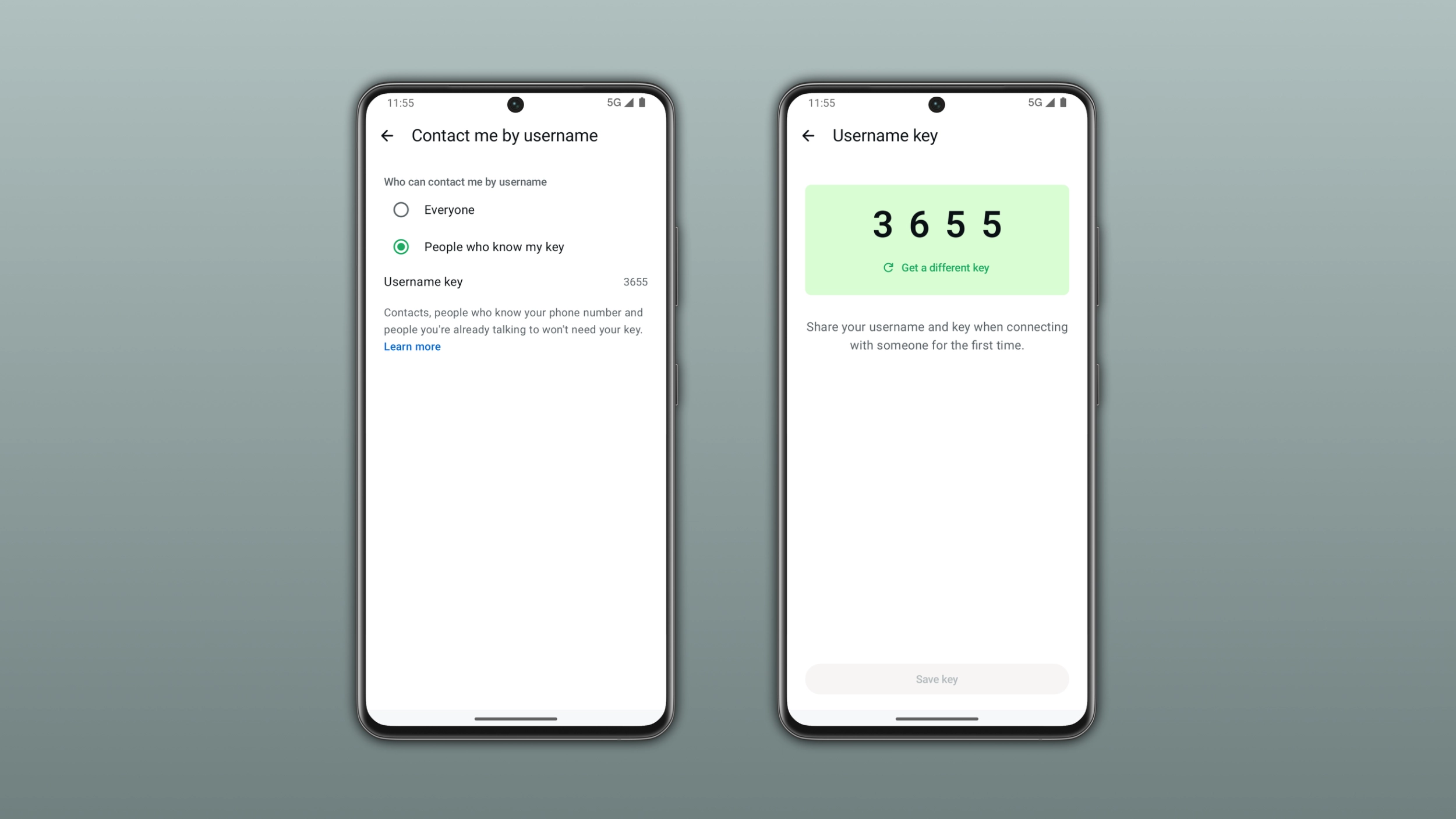
A username key is an optional code that adds a new layer of control over who can contact you by username on WhatsApp. When it is active, others will also need to enter your username key when they want to contact you for the first time. You can share the key alongside your username whenever you want someone new to contact you.
WhatsApp is gradually rolling out usernames. This feature is not widely available yet. This rollout should not be considered a global launch yet. In the meantime, you can reserve your username.
What a username key actually does
A username key does not affect people who already know you on WhatsApp. When the contact knows your phone number or has previously chatted with you, they do not need to enter the username key. Anyone who is in a group with you can contact you without your username key. The same applies to anyone who scanned your QR code or received a message from you first. As a result, only people who never interacted with you on WhatsApp before need your username key. It is a privacy tool for strangers. It is not a barrier for new people you want to communicate with.
How to add a username key
Users can manage their username key only from the primary mobile device. At the moment, WhatsApp Web and desktop apps do not support this feature. To create a username key, open WhatsApp Settings > Account > Username. Here, you will find the option to turn on a username key. WhatsApp generates the key for you automatically. This means that you cannot set a custom code. If you want a different key, tap "Get a different key" and WhatsApp will generate a new one.
How to share your username key
Once you have a username key, you can share it alongside your username when you want someone new to contact you. Without the key, people who try to contact you for the first time via username will not be able to start a conversation. WhatsApp will not notify you if someone fails to contact you because they do not have your key. So you should always include your key when you share your username with someone new.
How to change or remove your username key
You can update or remove your username key at any time from the same settings screen where you created it. If you update or delete your username key, you can still send messages to your existing conversations. This means that people you have already chatted with can continue to message you without needing a new key. If your WhatsApp account is linked to a Meta account that identifies you as under 18, your username key is turned on by default. You can change this setting at any time.