WhatsApp is rolling out improved polls, @all mentions, and a faster way to create new groups from existing ones. These features solve different problems in group chats, making it easier to manage them. WhatsApp confirmed this update in a new blog post today.
| Key Points | Details |
|---|---|
| Feature: | New group chat features |
| Status: | Rolling out |
| Availability info: | These features are available to users on iOS and Android. |
| Previous news: | WhatsApp is rolling out update controls for the Mac app! |
WhatsApp upgraded group chats earlier this year
WhatsApp has added many new features to group chats throughout 2026. Earlier this year, WhatsApp launched group message history, which lets new members access past messages when they join. With member tags, users can easily identify specific members in large groups. WhatsApp also introduced reminders for events, making it harder for group members to miss what is coming up. With these updates, WhatsApp has turned group chats into a more complete tool to help users connect with others.
WhatsApp is now announcing three new group chat features
WhatsApp keeps working on improving the experience in group chats. Specifically, WhatsApp is introducing new features to help users make decisions faster in their groups. Today, WhatsApp published a new blog post to announce three important features for group chats. The update cover polls, a new @all mention, and a new option to quickly create a new group from an existing one. These features make it easier for group members to communicate.
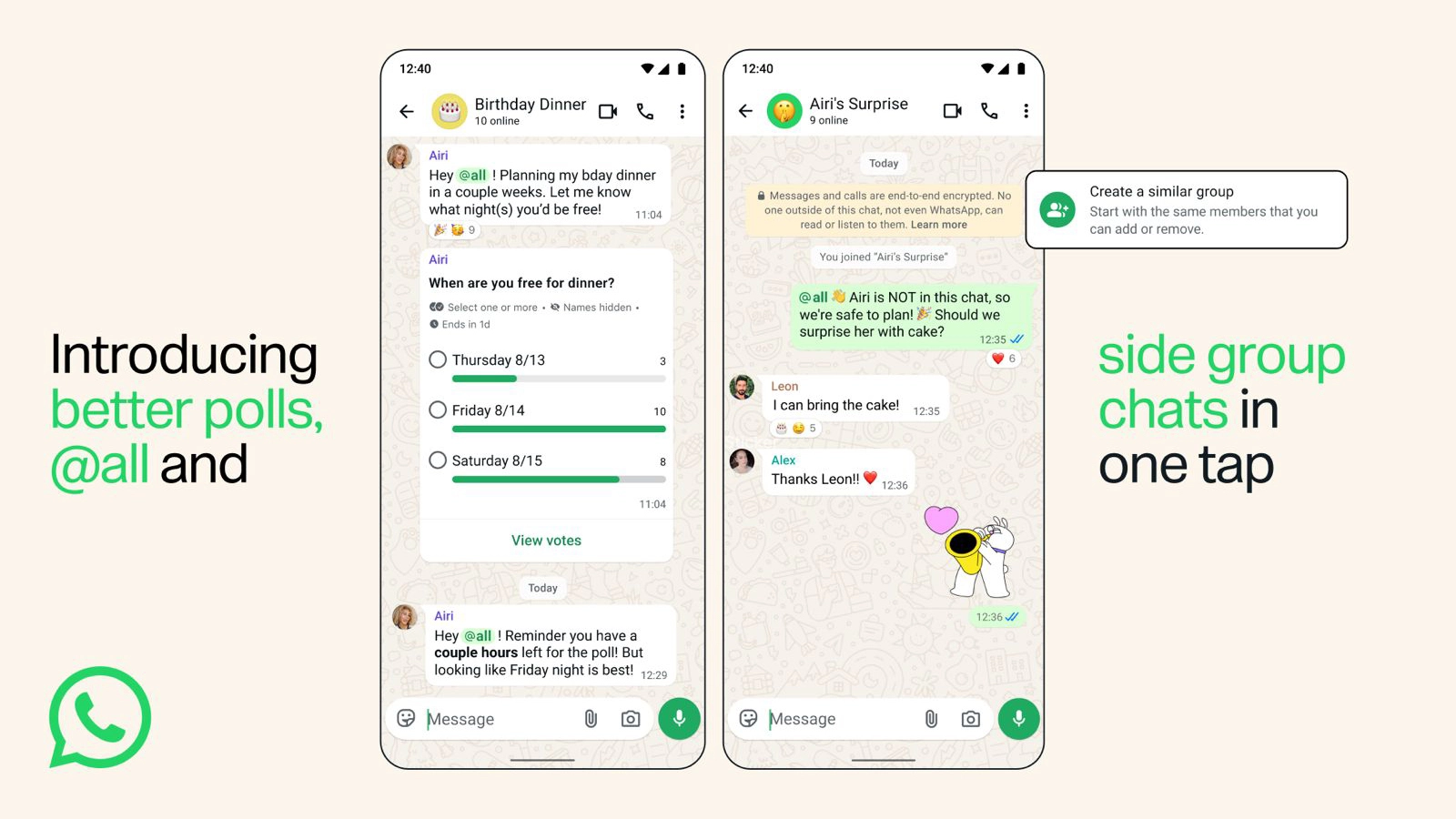
Polls get three useful improvements
WhatsApp is bringing three new options to polls in group chats. Users can now set an end time for a poll. This means that users can decide when others in the group can no longer cast their vote. Now, the poll creator can decide to hide voter names. When this feature is active, participants can share their preferences anonymously. Others cannot see who voted a specific option, not even the poll creator. In addition, the poll creator can edit the question within 15 minutes of sending it. This is useful to fix a typo or clarify the wording before too many people vote. These three improvements make polls a more helpful tool for group chats.
@all lets members and admins alert everyone at once
WhatsApp is widely rolling out the @all mention. This feature allows users to send a notification to every member of the group at once. Users who need to share an important announcement can use @all to make sure nobody misses it. To prevent the feature from being misused in larger groups, WhatsApp restricts @all to admins only in groups with more than 32 members. In smaller groups, any member can send it. WhatsApp sends the notification to all members, regardless of whether they muted the group.
Users can mute @all notifications from the group info screen
Not everyone wants to be interrupted by @all mentions, even for important messages. As a result, WhatsApp is introducing the option to mute @all notifications without disabling other alerts. Users can find this option in the group info screen, right within the notification settings. When users enable this option, they do not mute other alerts like mentions or replies. Instead, users can receive these alerts while opting out of the @all alerts specifically.
Creating a new group from an existing one is now faster
WhatsApp is also making it easier to create a new group from people already in an existing one. Before this update, users had to create a new group and then add members one by one. Now, this feature lets users start a new group with people from any existing group. This is particularly useful when a conversation needs to split off from the main group. For example, it's helpful when users want to discuss something that does not involve everyone.
WhatsApp is widely rolling out these features to all users
All three group chat features are available to users on iOS and Android. WhatsApp did not specify separate timelines, but the blog post confirms all three are already rolling out. If any of the three features does not appear yet, users should keep the app updated and check back over the coming days.
Connect with WABetaInfo
Follow WABetaInfo on X and visit our About page to learn more about what we do. We always appreciate your feedback on posts like this one.