WhatsApp is finally releasing the ability to schedule messages for everyone. Users can choose when the app should send their messages, from 10 minutes to 14 days in advance. The feature works in both individual chats and group conversations.
| Key Points | Details |
|---|---|
| Feature: | Scheduled messages |
| Status: | Rolling out |
| Availability info: | WhatsApp is rolling out scheduled messages globally on Android and iOS over the coming weeks. |
| Previous news: | WhatsApp is building a new Stickers app to make packs public! |
WhatsApp rolled out scheduled messages on Android beta
In the post about the WhatsApp beta for Android 2.26.40.7 update, we announced a feature to schedule messages. With this functionality, users can compose a message and choose a specific date and time to send it. The feature works with text messages, photos, videos, and links, and it is compatible with both individual chats and group conversations. For group chats, WhatsApp delivers scheduled messages only to the members in the group when the user scheduled them.
WhatsApp is introducing scheduled messages on Android and iOS
WhatsApp is now making scheduled messages available to everyone on Android and iOS. Today, WhatsApp officially announced scheduled messages in a blog post. WhatsApp revealed that it is one of the most requested features users ever asked for. With scheduled messages, users can write a message when they think of it and choose when others receive it.
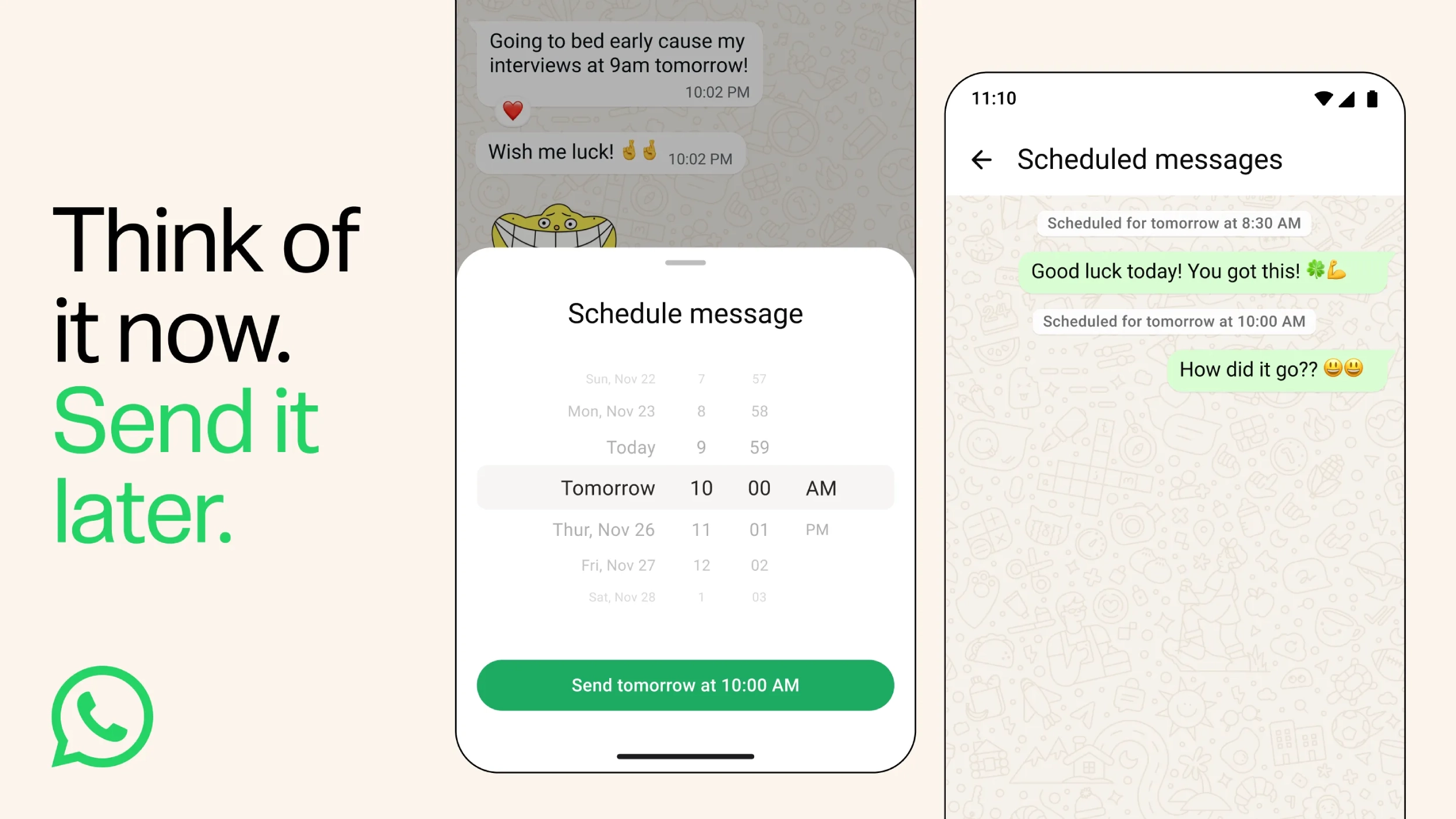
How to schedule a message on WhatsApp
Users can schedule a message from the chat interface. After typing a message or selecting a photo or video, they need to tap and hold the send button. This action will present a date and time picker where users can choose when to send the message. Once users confirm when they want to send the message, WhatsApp schedules the message and does not send it immediately. The scheduled message is not different than other messages, so the recipient cannot see if it was scheduled in advance.
How far ahead users can schedule a message
WhatsApp gives users a flexible window to plan their messages. Specifically, the minimum scheduling time is 10 minutes from the current moment. This gives users enough time to delete their scheduled message before the app sends it. Instead, the maximum is 14 days in advance. This allows users to schedule a message in advance for specific events. For example, users can schedule a message for a friend's birthday two weeks before the date.
How scheduled messages work when the phone is off
WhatsApp sends scheduled messages even if the device is offline. This means that users do not need to keep the app open to send the message. Once users schedule a message, the app sends it to the server. The server will deliver it to the recipient at the chosen time, regardless of whether the sender's device is on or off. WhatsApp also secures scheduled messages with end-to-end encryption, so only the sender and the recipient can read them.
How to view and cancel a scheduled message
After scheduling a message, users can find it in the chat info screen. Here, WhatsApp shows messages users scheduled for that specific conversation. Users can review and delete their scheduled messages before the app sends them. The recipient never receives a notification when a user deletes a scheduled message. As a result, they cannot know if the sender scheduled a message.
How scheduled messages work in group chats
Scheduled messages are also compatible with group chats. When users schedules a message in a group, WhatsApp sends it only to the members who are in the group at the time of scheduling. If someone joins the group after the user scheduled the message, they cannot receive it. This feature prevents the message from being delivered to people who were not part of the group chat.
WhatsApp is rolling out scheduled messages globally
WhatsApp is rolling out scheduled messages on Android and iOS globally. Note that WhatsApp is introducing the feature over the coming weeks, so not every user will see it immediately. If the option to schedule a message does not appear yet, it should become available in a future update. Users should keep WhatsApp up to date to get the feature as soon as it becomes available to their account.
Connect with WABetaInfo
Follow WABetaInfo on X and visit our About page to learn more about what we do. We always appreciate your feedback on posts like this one.