WhatsApp is officially rolling out a feature that lets users invite anyone to their call, even if the other person does not have a WhatsApp account. The call is free, end-to-end encrypted, and has no time limit. Guests can join from their browser without downloading the app or creating an account.
| Key Points | Details |
|---|---|
| Feature: | Guest calls for people without an account |
| Status: | Rolling out |
| Availability info: | This feature is available to users on the latest versions of WhatsApp for Android and iOS. |
| Previous news: | WhatsApp is rolling out a softer edge effect for the chat interface! |
WhatsApp was testing guest calls for people without an account
In September 2026, we announced that WhatsApp was developing a feature to let people without an account join calls through a link. The feature would use the same technology that already powers guest chats. The guest opens the link in their browser and joins without installing the app. The host needs to approve every request before the guest could enter, and this step is not optional. This makes it easier for users to communicate with others who do not have an account.
WhatsApp officially introduces guest calls today
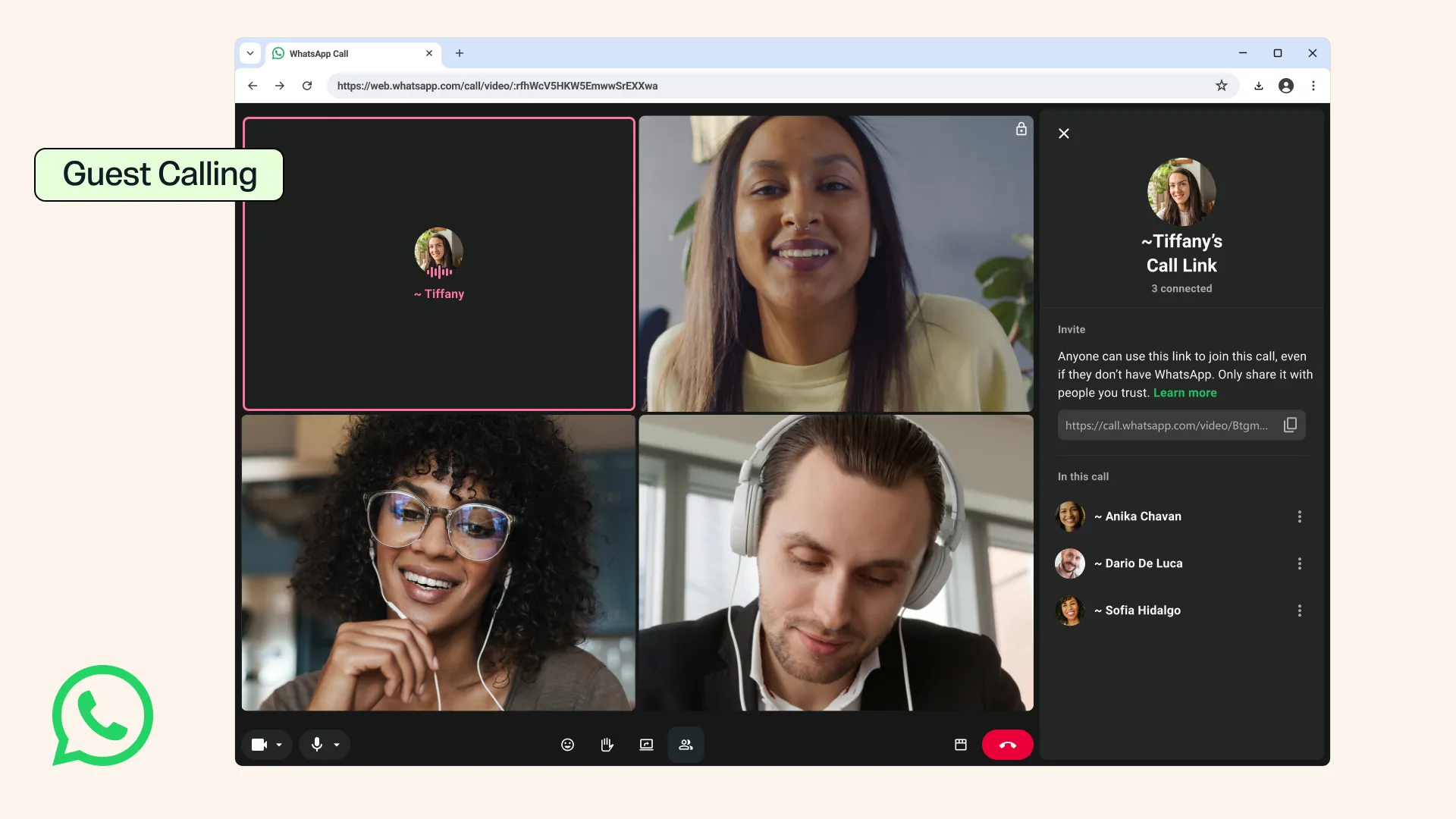
Today, WhatsApp published a blog post where it announced the guest calling feature. It is free and with no time limits. It is also compatible with end-to-end encryption since the web client generates a unique identifier to encrypt the call. Only users with a WhatsApp account can create a call link, but anyone can join as a guest.
How guest calls work for people without WhatsApp
Users can start a guest call by opening the Calls tab. Here, users need to tap the "+" icon to create a call link. It is possible to send the link to anyone without worrying about whether the other person installed WhatsApp. For example, a colleague, a classmate, or a family member can receive the link and join without installing the app. Guests need to open the link in their browser, type in their name, and enter the waiting room. As soon as they're in the waiting room, the host needs to approve the request to let them join the call. Guest calls support individual and group calls, up to 32 participants.
What guests can and cannot do during a call
With guest calls, WhatsApp gives guests access to the same features available in standard calls. For example, it is possible to share the screen to collaborate on a document. Users can react to the call with an emoji like a thumbs up or a heart. They can also raise their hand to ask for permission to speak. However, guests cannot see the phone numbers of other participants, send messages during the call, or add anyone else to the call. These restrictions help protect the privacy of other participants in the call.
Why the host must always approve guest requests
The user who creates the call link will have to approve every guest before they can join the call. This is not optional but it applies to all participants who join without an account. Since anyone with the link could try to join, the host needs to verify who sent the request before approving it. The host can also remove a guest from the call. Additionally, they can end the call for all participants at any time.
WhatsApp is also working on calendar integrations
WhatsApp is not limiting the blog post to just one announcement. WhatsApp is also working on calendar integrations to let users create a WhatsApp call from Google Calendar or Outlook. Users will be able to install the WhatsApp plugin, connect their account, and add a call link to any calendar invite. Anyone invited to the meeting will be able to join the call, even if they do not have a WhatsApp account. WhatsApp announced that it will release this update later this year.
WhatsApp is rolling out guest calls to all users
The feature is available to users who install the latest versions of the app. WhatsApp is rolling it out gradually, so not every user will see the option to create a guest call link. If the option does not appear, it should become available to more accounts over the coming weeks. WhatsApp has not announced when this feature will be available to everyone. As a result, it may take a while before you can create a call link for a guest.
Connect with WABetaInfo
Follow WABetaInfo on X and visit our About page to learn more about what we do. We always appreciate your feedback on posts like this one.