WhatsApp is rolling out a softer edge effect for the chat interface
WhatsApp is finally restoring a softer gradient effect for the navigation bar in the chat screen on iOS 27. The update replaces the navigation bar with the previous one introduced with iOS 26. It is currently limited in the chat interface, and it is available only when the Liquid Glass design is enabled.
| Key Points | Details |
|---|---|
| Feature: | Softer edge effect for the chat navigation bar |
| Status: | Rolling out |
| Compatibility: | WhatsApp beta for iOS 26.41.10.18 is a compatible update. |
| Availability info: | This feature is available to some beta testers, and it is rolling out to more people over the coming weeks. |
| Previous news: | WhatsApp is rolling out a redesigned Settings tab on iOS! |
WhatsApp introduced a gradient effect in the chat navigation bar
In the post about the WhatsApp beta for iOS 26.25.10.16 update, we announced the Liquid Glass design for the chat interface. This update introduced a subtle gradient effect to the navigation bar at the top of the conversation screen. When users scrolled through their messages, they could see them fading gradually behind the navigation bar. The transition was immersive and there was no visible line between the bar and the chat. Many users appreciated this look as one of the more elegant tweaks of the Liquid Glass update.
WhatsApp is now restoring the soft edge effect in the navigation bar
After Apple introduced iOS 27, WhatsApp updated the navigation bar to match the new one with a sharper boundary. This brought a more defined edge to the navigation bar, and many users noticed this difference immediately. They shared negative feedback on social media by asking to restore the original look, and WhatsApp is finally listening to it. We discovered this with the WhatsApp beta for iOS 26.41.10.18 update, which is available on TestFlight. With this update, WhatsApp is rolling out a softer edge effect for the chat navigation bar. The update restores the gradual blur introduced with iOS 26.
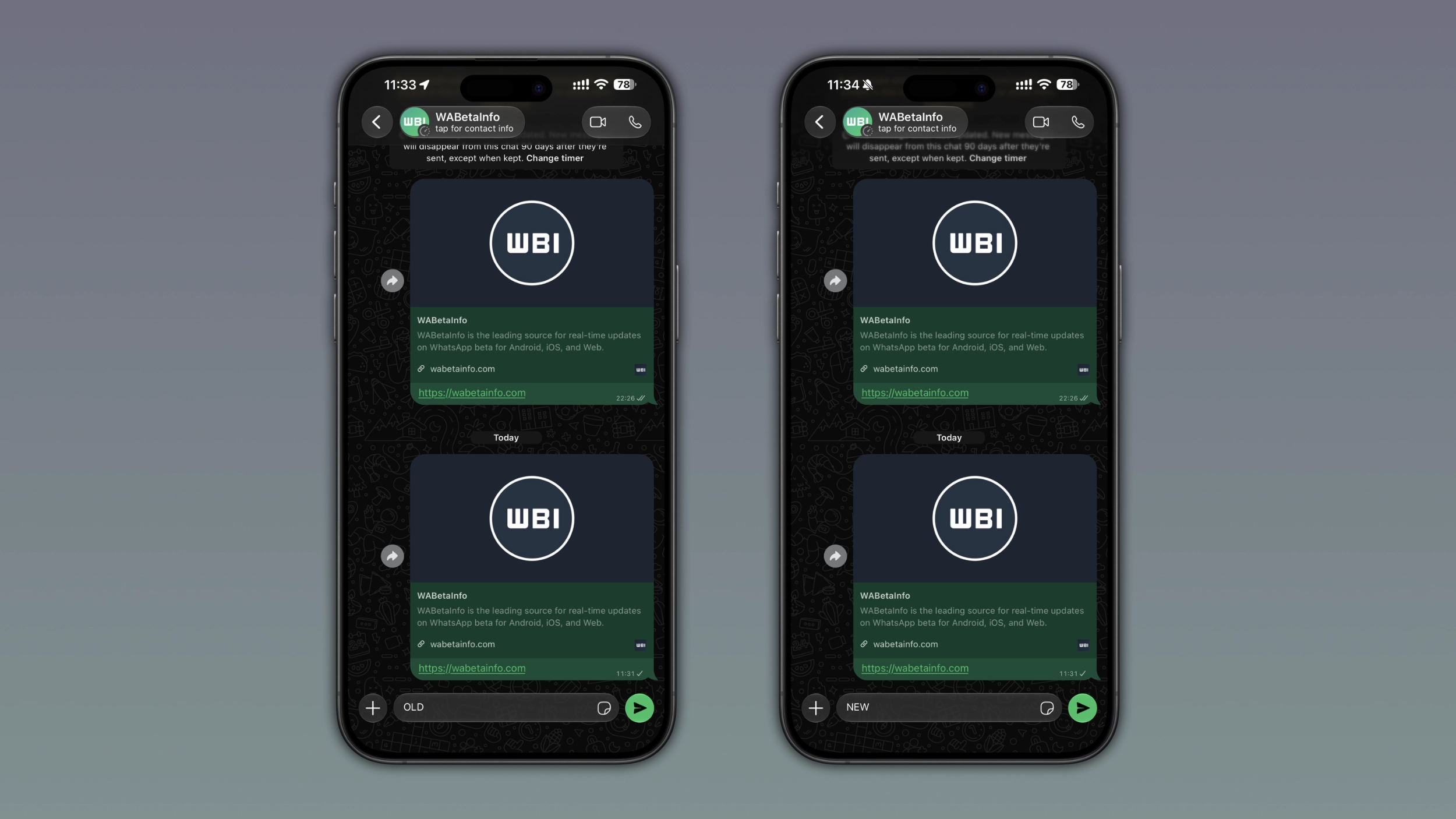
What the soft edge effect looks like in the navigation bar
When the soft edge effect is active, WhatsApp applies a gradual blur below the navigation bar. As users scroll their messages behind the bar, the content fades in slowly from the bottom of the bar rather than appearing behind a hard line. The wallpaper and messages show through the transition view, giving the chat screen a more immersive look. This update makes the navigation bar feel like it belongs to the same layer as the conversation.
How the navigation bar changed with iOS 27
On iOS 26, the scroll edge effect below the navigation bar was soft by default. When Apple introduced iOS 27, Apple changed the default scroll edge effect to hard. This introduced a visible line between the navigation bar and the chat screen. WhatsApp adopted the default navigation bar introduced with iOS 27, which changed the look of the navigation bar in the chat interface. Users who know the original navigation bar wanted the old version back.
How WhatsApp responded to user feedback
Nothing forced WhatsApp to revert the navigation bar since its new style was the default setting on iOS 27. Instead, WhatsApp decided to override it and restore the look that users had asked for. On iOS 27, developers can explicitly set the scroll edge effect to soft. This allows developers to restore the gradual gradient for the navigation bar. This is exactly what WhatsApp is rolling out with the latest update. WhatsApp listened to user feedback by choosing the soft effect over the one introduced with iOS 27.
Whether this will extend to other sections of the app
At the moment, the updated navigation bar is only visible in the chat screen. This makes the chat interface look more modern. Instead, the default navigation bar on iOS 27 is still available in other sections of the app. However, it is not clear whether WhatsApp will extend the soft effect to other sections.
WhatsApp is rolling out the softer edge effect to iOS beta testers
The softer edge effect for the navigation bar is available to some users who install the latest update from TestFlight. It is also compatible with the latest version available on the App Store. WhatsApp is rolling it out gradually, so not every beta tester will see the updated navigation bar. If WhatsApp still shows the old navigation bar in the chat screen, users will have to wait for a future update. WhatsApp has not announced when it will be available to everyone.
Connect with WABetaInfo
Follow WABetaInfo on X and visit our About page to learn more about what we do. We always appreciate your feedback on posts like this one.