WhatsApp is introducing a feature that lets channel admins share status updates in their channels. The update makes it easier for iOS and Android users to share temporary updates without creating a permanent post in their channels.
| Key points | Details |
|---|---|
| Name of the feature: | Channel Status |
| Feature availability: | Some features may be under development, and they are not available to beta testers. Others may become available to users over time. If you're unable to access a certain feature, you will need to wait for a future update. Keep reading to learn more. |
| News shared last week: | WhatsApp launches status lists to choose who can see your updates! |
| Previous article: | WhatsApp finally restores the address book photo feature on Android! |
Weekly WhatsApp Beta Updates: New Features and Improvements
This new weekly roundup brings together all the latest updates about WhatsApp beta shared this week. As a result, you can finally catch up on everything you might have missed from our past announcements. You can consider this summary as a way to keep up new features, improvements, and fixes. This week's highlight focuses on Channel Status, a feature that lets admins share ephemeral content from their channels. See what else has been announced this week.
WhatsApp introduces Football Central 2026 hub to suggest new channels to follow
WhatsApp is rolling out a dedicated hub for the World Cup 2026 right within the Updates tab. Here, users will see the "Football Central 2026" section. This category helps users discover new channels related to the event. It provides direct access to official updates from national teams, highlights relevant communities where users can follow news, and features channels that actively participate in or cover the event.
Channel Status enables WhatsApp users to share temporary updates on Android and iOS
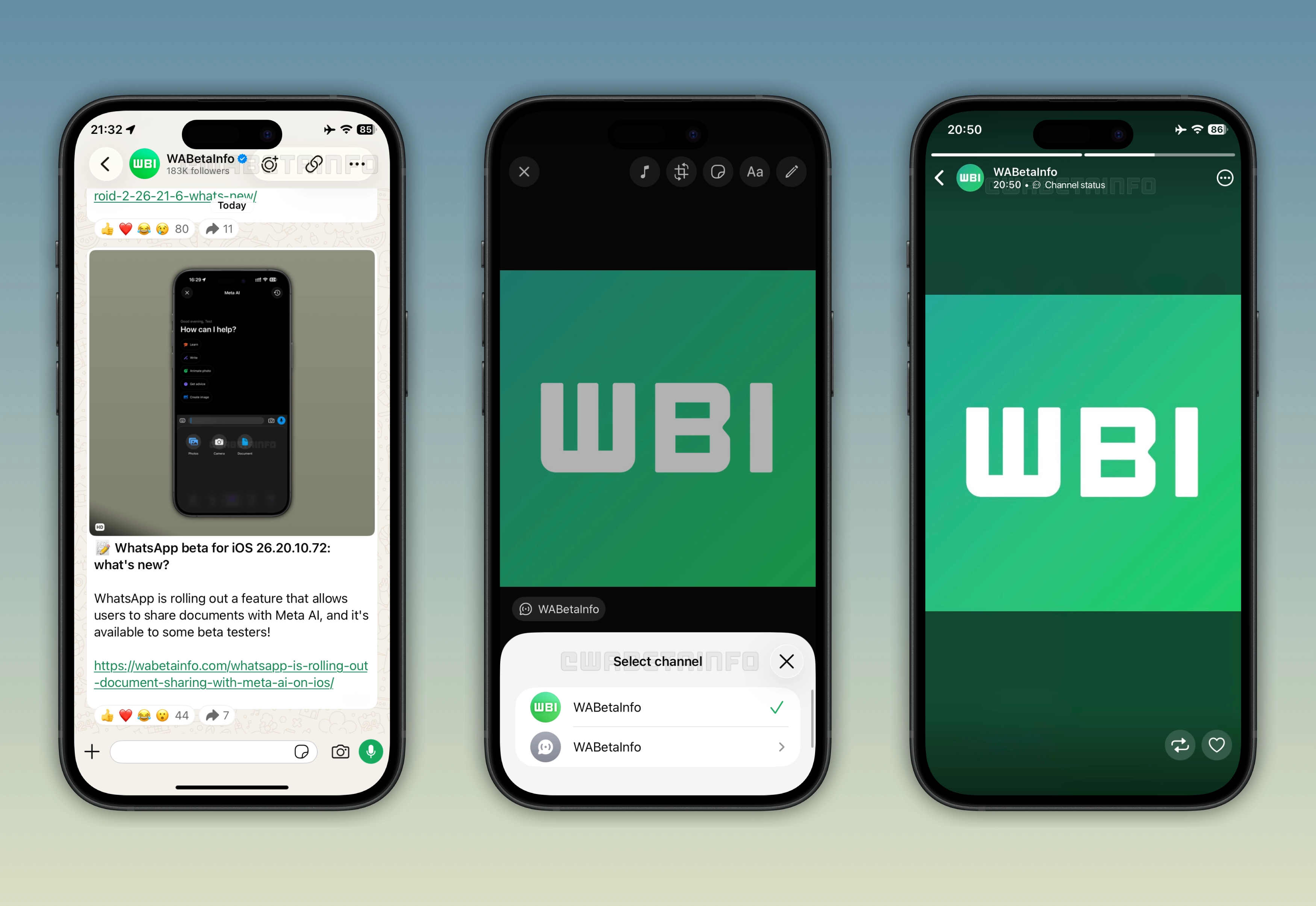
This week, WhatsApp launched Channel Status. It is a feature designed to offer ephemeral content to channels. Channel admins can now share status updates within their channels by following the same familiar flow to share personal status updates. Status updates shared by channels appear directly in the Status tray, right within the Updates tab. Followers will see the "Channel Status" label at the top of the interface when opening a status shared by a channel. They can share the status with their own audience and react to the update by sending a like.
WhatsApp is rolling out the new logout option to Android beta testers
The WhatsApp beta for Android 2.26.21.9 update allows users to log out of the app without deleting it or losing data. With this feature, users no longer need to uninstall the app if they want a break from messaging. Instead, they can now use the native feature to log out. Before logging out, WhatsApp will present some suggestions that could help them avoid logging out in specific situations. If these suggestions do not address their needs, users can simply continue with the sign-out as planned.
WhatsApp is working on implementing the Klipy GIF provider
WhatsApp is developing a feature that replaces Tenor with the Klipy GIF provider. Since Tenor will deprecate its official API, WhatsApp is already working on a replacement. Klipy is a third-party GIF search service that lets users discover animated GIFs through a structured API. After the deprecation, users who search for GIFs using Tenor will be migrated to the new service automatically. This way, users won't be affected by any disruption of the service once Tenor becomes unavailable.
WhatsApp tests document sharing with Meta AI on Android
With the WhatsApp beta for Android 2.26.21.6 update, users can now share documents with Meta AI. Sending documents to Meta AI enhances its ability to offer better assistance. Instead of sending a screenshot or manually copy the document content, users can easily share it without effort. As the AI market continues to evolve rapidly, bringing the ability to share documents to Meta AI enables the assistant to provide more context-aware support to users.
WhatsApp launches document sharing with Meta AI on iOS
The WhatsApp beta for iOS 26.20.10.72 update brings the same document sharing capability to Meta AI. In the chat attachment sheet within the conversation with Meta AI, users can now choose the option "Documents". By selecting this option, users can choose a documents from the Files app. Additionally, it's possible to share a document with the chatbot from other apps. By sharing a document with Meta AI, users can get more personalized assistance based on the information contained in the document.
WhatsApp introduces status updates at the top of the chat list
The WhatsApp beta for iOS 26.20.10.71 update introduces status updates to the top of the Chats tab. When users open WhatsApp and their contacts have shared status updates, these will appear within the navigation bar. If users need to scroll down the chat list, the will see the horizontal status feed. In this feed, users can quickly see who has shared a status update and what it contains.
WhatsApp is rolling out the address book photo feature on Android
After installing the WhatsApp beta for Android 2.26.21.9 update, WhatsApp is introducing the address book photo feature. With this functionality, the contact's address book photo appears automatically in the chat list and inside the conversation. This occurs when the contact doesn't have a profile photo or their privacy settings don't allow others to see it. So the app automatically connects contacts with the photos saved in the address book. It's important to note that these photos are not shared with other people. They do not replace the real profile photo of the contact on WhatsApp.
WhatsApp displays the local contact card photo for your own account
WhatsApp can also use photos from the address book for the user's own profile. If the user does not have a profile photo on WhatsApp, the app may use the image saved in their contact card on the phone. However, the photo is only visible to the user on their own device. This means that other users will see the default image (or the one available in their address book) if the contact has not set a profile photo on WhatsApp.
Connect with WABetaInfo
Follow WABetaInfo on X to learn more about new features and updates. We love hearing your feedback, so please let us know what you think! You can also visit our About page to explore all our services and keep up with the latest announcements.