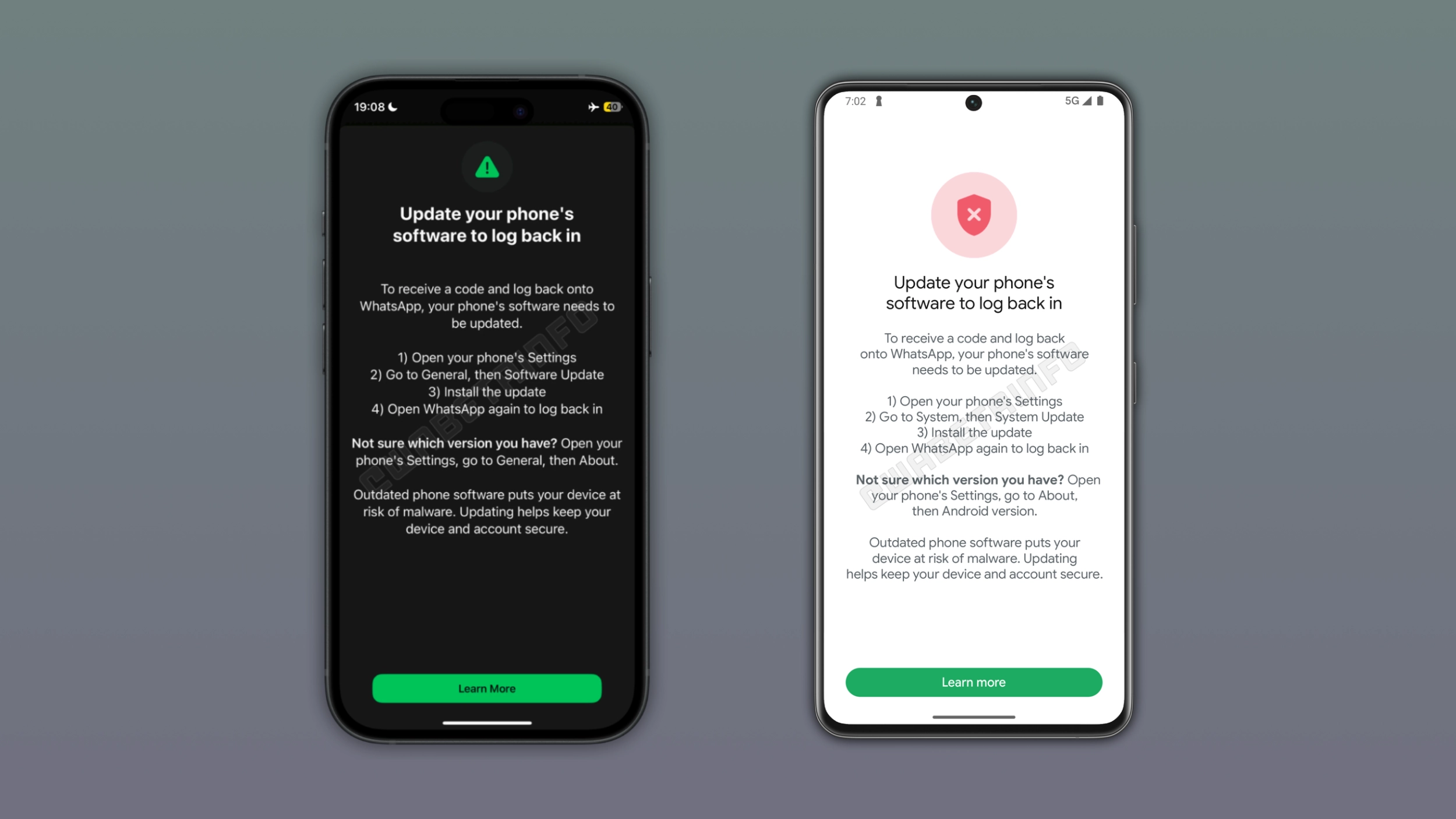
WhatsApp is rolling out a new security measure that blocks users from logging in if their device runs an outdated operating system. The update applies to both Android and iOS, and it explains what users need to do before they can continue. For security reasons, WhatsApp does not let users skip this step, so they will have to update their device software to get back in.
| Key points | Details |
|---|---|
| Feature: | OS update requirement to log in |
| Feature availability: | Some features may be under development, so they are not available to beta testers. Others may become available to users over time. If you're unable to access a certain feature, you will need to wait for a future update. |
| News shared last week: | WhatsApp will move channels to the Chats tab! |
| Previous article: | WhatsApp tests a redesigned interface for the Settings tab on iOS! |
Weekly WhatsApp beta updates: new features and improvements
This new weekly roundup brings together all the latest updates about WhatsApp beta shared this week. As a result, you can finally catch up on everything you might have missed from our past announcements. You can consider this summary as a way to keep up new features, improvements, and fixes. This week's highlight focuses on a security alert introduced on WhatsApp for iOS and Android. See what else we announced this week.
WhatsApp blocks logins on devices with outdated software
WhatsApp is rolling out a new alert for users on outdated versions of iOS or Android. When users try to log into the app, WhatsApp asks them to update their operating system to get back in. This is a server-side update that does not require users to install a new version of the app. Additionally, it applies to both iOS and Android. WhatsApp informs users to open the device settings and install the latest available update. For security reasons, WhatsApp does not let users skip this step. WhatsApp has not announced which versions prevent users from logging into the app.
Why an outdated operating system puts any app at risk
An app can be secure, but its security also depends on the device it runs on. Attackers actively look for known vulnerabilities in outdated operating systems to install malware. Once the device is infected, the attacker can intercept data stored on it. With this update, WhatsApp is making it easier for users to understand that the app is only as secure as the device it runs on.
WhatsApp is rolling out Liquid Glass design for the video player
The WhatsApp beta for iOS 26.39.10.70 update, introduces a video player compatible with the Liquid Glass design. The progress bar appears as a floating element at the top of the screen with a translucent background and rounded corners. WhatsApp is also refreshing the control bar at the bottom of the screen. WhatsApp is not limiting the new update to iPhone, as the same design for the video player is also rolling out on iPad and Mac.
WhatsApp is testing a new Contacts tab on Android
With the WhatsApp beta for Android 2.26.40.3 update, WhatsApp is working on a dedicated tab for the contacts list. The tab will give users a central place to see who is online, check birthday reminders, and invite new people to WhatsApp. WhatsApp highlights contacts who are currently online with a green dot over their profile photo. Users will also be able to sort the contact list by activity or alphabetically. The Contacts tab only shows what a contact has allowed others to see, so privacy settings always take priority.
WhatsApp rolls out double speed for status updates on Android
The WhatsApp beta for Android 2.26.40.4 update introduced a feature to speed up status update. Users can watch a status update at double speed by pressing and holding the right side of the screen. WhatsApp immediately switches to 2x playback and keeps it until the user lifts their finger. The double speed is not a setting that persists between status updates, so users need to manually activate it.
WhatsApp is rolling out a new navigation experience for chats
The WhatsApp for iOS 26.39.75 update lets users explore a new navigation experience in their chats. The update brings a new button to the navigation bar that includes the profile photo, the name, and the online status or last seen. It uses the Liquid Glass design, making its background adapt to the wallpaper behind it. When users tap the new button, WhatsApp presents a popup menu from the top of the screen with shortcuts to the most useful actions for the conversation. As a result, users do not need to open the chat info screen to view some sections.
WhatsApp tests a redesigned interface for the Settings tab on iOS
WhatsApp is testing a new layout for the Settings tab. The update will split the screen into two parts. The new design will keep the most used options in the You tab, such as Subscriptions, Lists, Broadcast messages, Events, Starred, and Linked devices. WhatsApp will move everything else to a separate menu accessible by tapping the gear icon in the navigation bar. The separate settings menu includes Account, Privacy, Chats, Appearance, Notifications, Agents, Storage and data, and Parental controls. It will still have the search bar at the top so users can find any setting quickly. WhatsApp has added a significant number of features to the Settings page over the past year, so the new layout makes the section more organized.
Connect with WABetaInfo
Follow WABetaInfo on X and visit our About page to learn more about what we do. We always appreciate your feedback on posts like this one.