How to create a support ticket number on WhatsApp
A ticket number is a unique code that WhatsApp Support can generate for your case. It helps the support team track your issue and makes it easier to follow up if you need to contact them again. Once generated, you can share it with WhatsApp Support whenever necessary.
What to do before generating a support ticket number
Ticket numbers are usually generated to investigate about a crash or an issue. To create a ticket number, you will need to contact WhatsApp Support. Before contacting WhatsApp Support, make sure to reproduce the issue that you are experiencing. For example, try to repeat the same action that caused the problem. This step will create some technical logs that may help WhatsApp identify the cause of the issue. They do not contain information about the content of your messages, but they may include details about your device. After reproducing the issue, you can finally create a ticket number.
Create a support ticket number
- Open WhatsApp
- Open the app settings
- Tap Help > Help Center
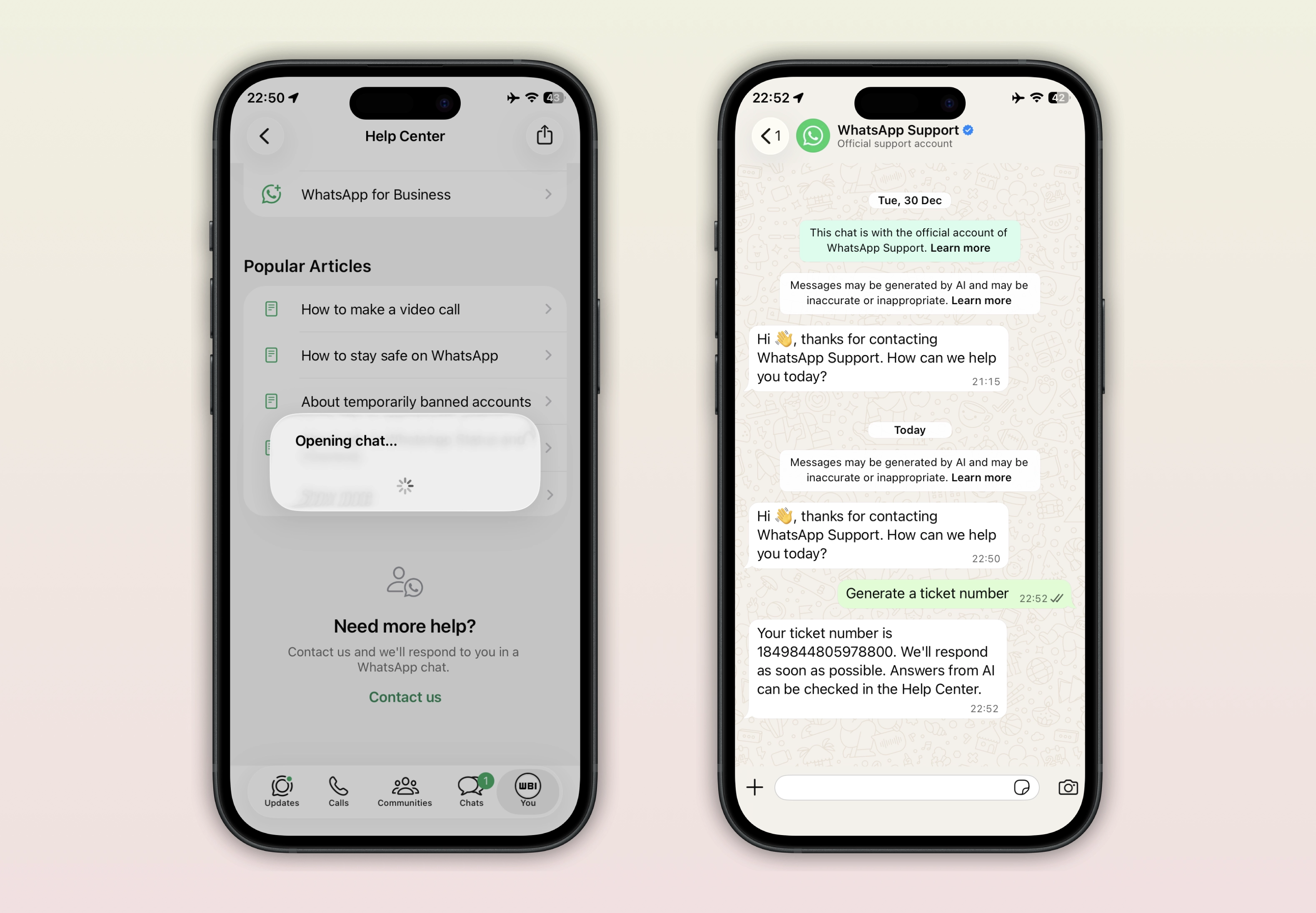
- Scroll to the bottom of the page and tap "Contact us"
- WhatsApp will automatically open a verified chat with "WhatsApp Support"
- Send exactly this message "Generate a ticket number"
WhatsApp will generate a ticket number. You can share it with the support whenever necessary.
Troubleshooting
- If you tap "Contact us" and WhatsApp says that customer support is not available, please try again later. It may be a temporary issue.
- If you need more than one ticket number, you may need to wait 24 hours before generating a new one. Before requesting a new ticket number, make sure you do not contact WhatsApp Support for at least 24 hours. If you need a new ticket number sooner and the issue is related to your account, you can try to request it from a linked device.