WhatsApp is testing Organizations to manage large communities
WhatsApp is exploring a new feature called Organizations to help community admins manage their communities. The feature will offer admins a new screen where they can see all members in a specific community. For admins with large communities, this feature will help them organize members and sub-groups easily.
| Key Points | Details |
|---|---|
| Feature: | WhatsApp Organizations |
| Status: | Under development |
| Availability info: | This feature is in very early stages of development, and it is not available for testing. |
| Previous news: | WhatsApp is working on an adaptive bottom navigation bar! |
WhatsApp launched Communities in 2022
In the post about the WhatsApp beta for Android 2.22.19.3 update, we announced a feature to create communities. This functionality allows admins to bring related groups together under one structure. It lets users easily organize multiple groups with the same topic in one place. With communities, WhatsApp also introduced the announcement group, where admins can share updates with all their community members at once. Schools, workplaces, and any organization that needs to coordinate multiple groups can create a community.
Large communities are not always easy to manage
As communities grow in size, it becomes complicated to manage them. A community with many sub-groups and hundreds of members is not easy to manage. In particular, admins have to check their groups separately to know who is a member and where. WhatsApp is now exploring a new feature that will let admins manage their communities with ease. We discovered this with the WhatsApp beta for Android 2.26.43.1 update, which is available on the Google Play Store. With this update, WhatsApp is working on a new functionality called Organizations. This feature could give community admins better tools to manage large communities.
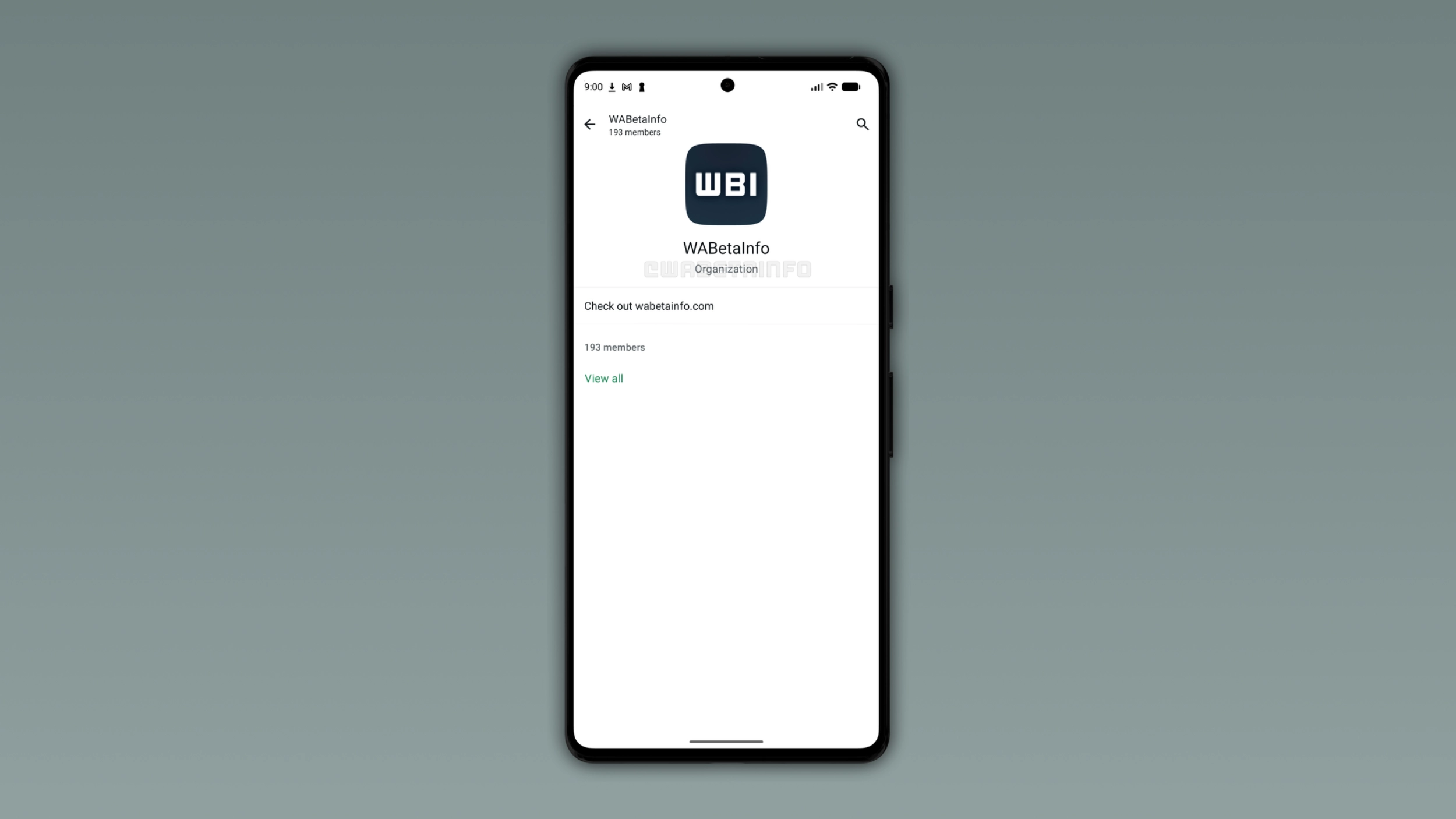
What a WhatsApp Organization is
An Organization is a dedicated space where community admins can manage their community and its members. From what we can see, it shows the organization name and a description. Admins can see the total number of members, as well as the ability to view the complete member list. This will give admins a central place to oversee all their members in one screen. Once admins tap "View all", they will be able to see the full member list and which sub-groups they belong to.
How Organizations differ from Communities
Users should not confuse Organizations with Communities since they are two different features. A community is a structure that brings related groups together, where members can join sub-groups and receive announcements from its admins. Instead, an Organization is a layer on top of the community. It is a management tool for admins, so it is not something members will see or interact with. A community is a place for people to communicate, and an organization is a place for admins to manage the community. As a result, Organizations will not change how members experience their community.
WhatsApp Organizations is in very early stages of development
Organizations is not close to a public release. WhatsApp is now exploring what this feature could look like. What we see and know today will change over the coming months since the feature is still in its earliest stages. Note that WhatsApp may also decide not to release it if the project will not meet specific expectations. For now, Organizations is simply an idea WhatsApp is exploring to let admins manage their communities.
WhatsApp is developing Organizations for a future update
Organizations is currently in very early stages of development. Since it is in development, the feature is not available yet. This means that we do not know the release date, and WhatsApp has not shared information about it. We will continue to share updates about this feature as soon as they become available.
Connect with WABetaInfo
Follow WABetaInfo on X and visit our About page to learn more about what we do. We always appreciate your feedback on posts like this one.