How to contact WhatsApp Support via chat or email
WhatsApp offers a dedicated support service to help you resolve issues with your account. You can contact WhatsApp Support directly within the app via chat, or reach out via email. Before getting started, it's worth knowing how it works and how to make sure you're always talking to the official support team.
Contact WhatsApp Support via chat on iOS and Android
- Open WhatsApp
- Tap the "You" tab to open the settings page
- Tap Help > Help Center
- Scroll to the bottom of the screen and tap "Contact us"
- WhatsApp will automatically open a verified chat with "WhatsApp Support"
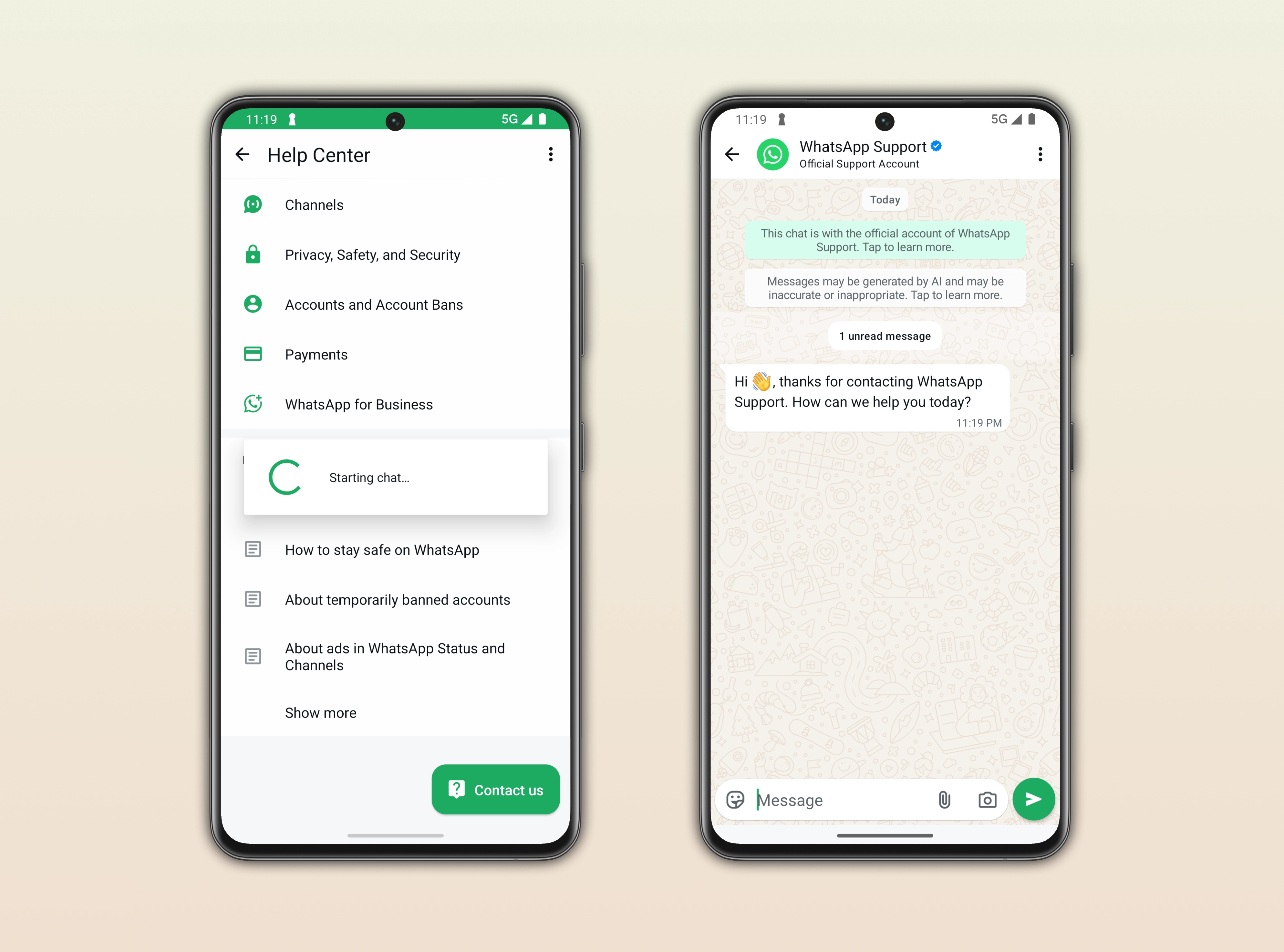
When you contact WhatsApp Support, the official WhatsApp Support account will send you a welcome message. WhatsApp marks this conversation with the verified badge and the Official Support Account label. You may receive messages generated by AI to assist your case. WhatsApp labels these responses with an AI indicator in the message bubble.
Submit a request to WhatsApp Support via email
If you can't access the app or prefer email, you can contact WhatsApp Support through the official contact page.
- Go to whatsapp.com/contact
- Tap Contact us under the WhatsApp Support section
- Enter your phone number and select your device
- Describe your issue
- WhatsApp will open a pre-filled email draft addressed to the correct support team
You will receive a reply from an email address that ends in @support.whatsapp.com.
How to recognize official WhatsApp Support
When you contact WhatsApp Support, or an account claims to be WhatsApp Support, please note:
- WhatsApp will never ask you for sensitive personal information. These include your full name, PIN, or payment details.
- Official chat support will always show the verified badge and the Official Support Account label.
- You will always receive an official response from an address that ends in @support.whatsapp.com.
- If you receive a message from an account that claims to be WhatsApp Support, but it doesn't have the verified badge, it is a scam. Do not reply and report and/or block the account.
- Responses from WhatsApp Support may be generated by AI, and they may occasionally be inaccurate or inappropriate.
Related articles
- Learn how to generate a support ticket number.