WhatsApp beta for Android 2.24.26.20: what's new?
WhatsApp is rolling out a new update through the Google Play Beta Program, bringing the version up to 2.24.26.20.
What's new in this update? WhatsApp is rolling out a feature to manage the playback speed for videos, and it's available to some beta testers!
| Common questions | Answers |
|---|---|
| Name of the feature? | Playback speed for videos |
| Status? | Rolling out |
| Compatibility? | WhatsApp beta for Android 2.24.26.20 is marked as a compatible update, but some users might experiment with the same feature by installing certain previous updates. |
| I've installed this update but I don't have this feature. Why? | This feature is available to some beta testers, and it is rolling out to more users over the coming weeks. |
| Thanks: | ShuhaibNC, kingcyrious, Saadh Jawwadh, for testing and reporting. |
| Previous news? | WhatsApp beta for Android 2.24.26.18: what's new? WhatsApp is working on a feature to mark channel updates as starred! |
PLAYBACK SPEED FOR VIDEOS
In the article about the WhatsApp for iOS 24.20.78 update, we announced that a feature to adjust the playback speed for videos was available. This feature allows users to watch videos at different speeds, making it easier to tailor the viewing. It appears that WhatsApp now intends to offer Android users the same opportunity to adjust the playback speed, as it already does for the iOS version. With the latest WhatsApp beta for Android 2.24.26.20 update, which is available on the Google Play Store, we discovered that WhatsApp is rolling out a feature to manage the playback speed for videos!
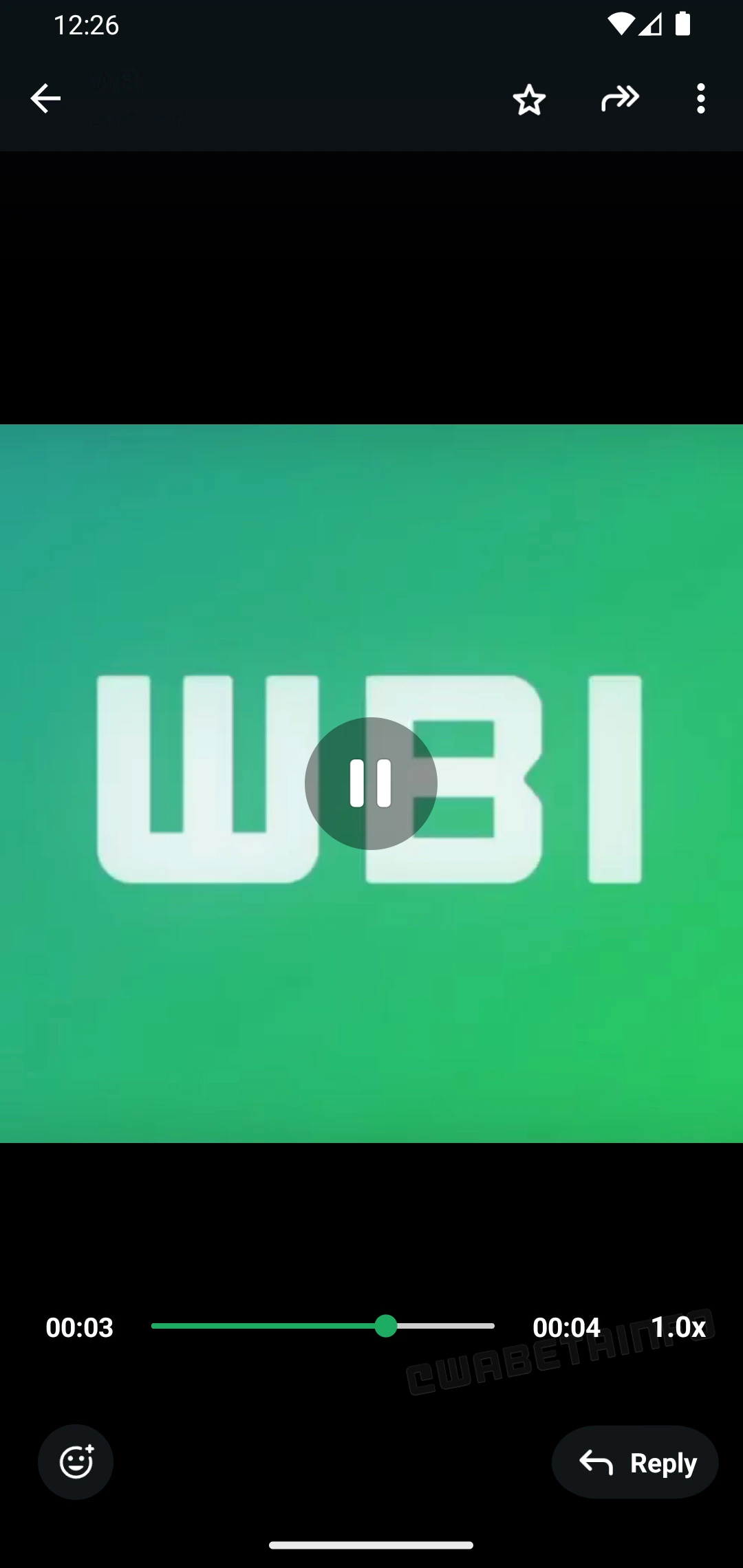
As you can see from the attached screenshot, some beta testers can adjust the playback speed while viewing a video. The new playback speed control is located next to the video progress bar. This makes it simpler for users to access it while watching videos. This button lets them switch speeds quickly without interrupting their viewing experience. With three playback speed levels available, including normal, 1.5x, and 2.0x, users can choose the speed that best suits their preferences.
For example, users who watch a tutorial or a long presentation might increase the speed to 1.5x or 2.0x. This would help them save time. Similarly, when viewing a video with content that progresses slowly, the ability to speed it up can make the experience more efficient. On the other hand, users might prefer to stick to the normal speed for videos that require careful attention or involve detailed visual elements. This customization ensures that users can adapt the feature to the specific video they are watching.
This feature can significantly enhance user convenience for longer videos that might otherwise feel time-consuming to watch at normal speed. By adjusting the playback speed, users can make better use of their time. It is also helpful for users with busy schedules who want to watch content more quickly without missing any important details. As a result, WhatsApp ensures that users can tailor their interaction with their videos.
A feature to manage the playback speed for videos is available to some beta testers who install the latest updates of WhatsApp beta for Android from the Google Play Store. WhatsApp is rolling it out to even more people over the coming weeks.
Connect with WABetaInfo
Follow WABetaInfo on X and visit our About page to learn more about what we do. We always appreciate your feedback on posts like this one.