WhatsApp is expanding status updates to more channels and users on Android and iOS. With this feature, channel admins can share temporary photo and video updates that disappear after 24 hours. Followers can like the channel status update and reshare it to their own status.
| Key Points | Details |
|---|---|
| Feature: | Channel Status |
| Status: | Rolling out |
| Availability info: | This feature is available to more users and channels on the latest versions of WhatsApp for Android and iOS. |
| Thanks: | Akan and Lukkkas, for testing and reporting. |
| Previous news: | WhatsApp is working on birthday reminders for contacts! |
WhatsApp launched Channel Status for select users and channels
In May, WhatsApp rolled out a feature that lets some channel admins share status updates. This functionality allows admins to share photos, videos, layouts, and text that disappear after 24 hours. These updates appear in the Status tray within the Updates tab, just like other status updates from contacts. At launch, the feature was only available to a limited number of users and channels, but WhatsApp planned to expand it over time.
WhatsApp is now expanding Channel Status to more channels
In the past few months, WhatsApp allowed a small number of channels to share status updates. But now, WhatsApp is making Channel Status available to more admins and more channels on both Android and iOS. It is possible to create a status directly from the channel or from the Updates tab. Admins simply need to wait for WhatsApp to enable the feature for their channel. WhatsApp is bringing status updates closer to becoming a temporary tool for channels.
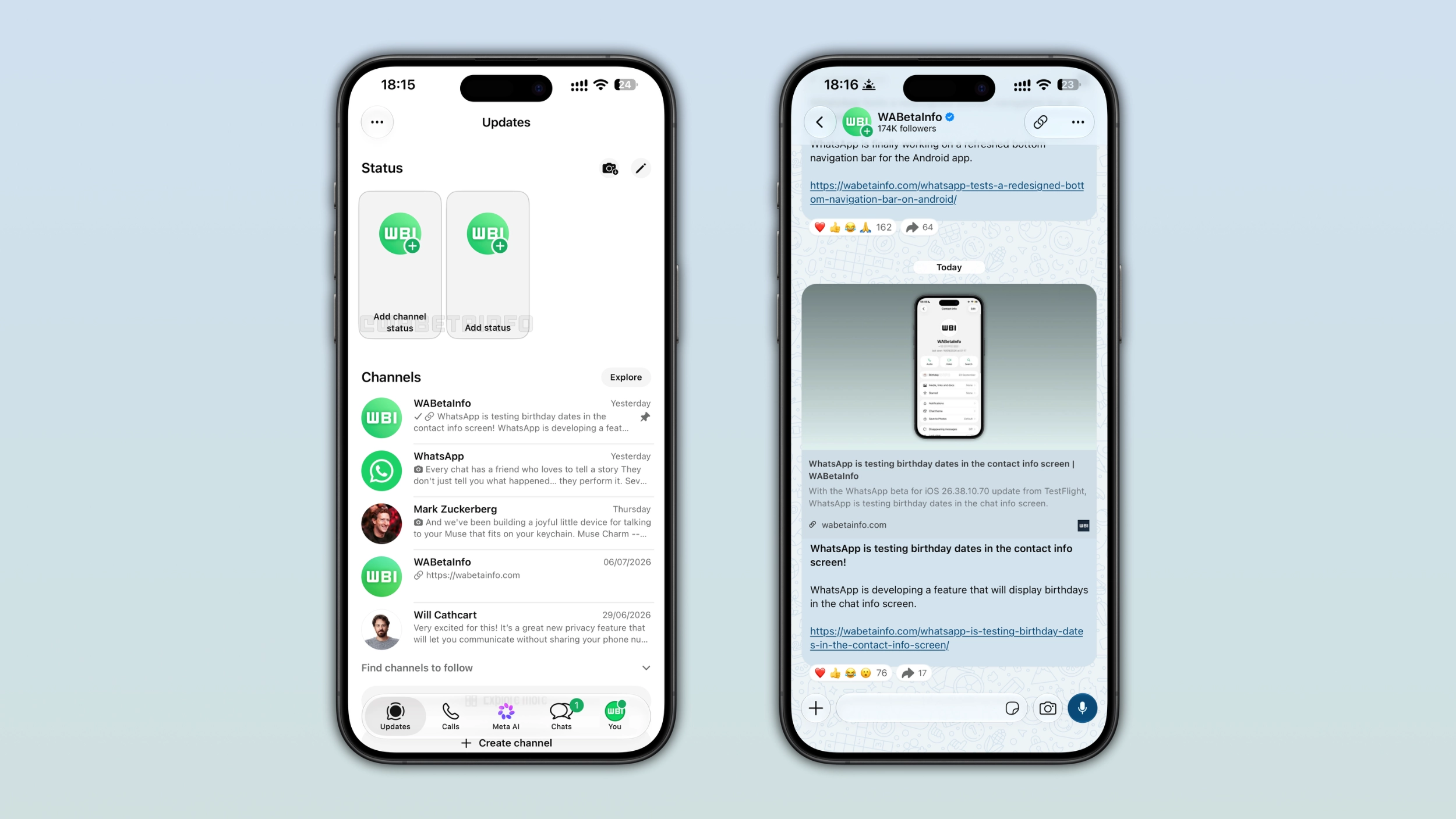
How to create a Channel Status from the Updates tab
Admins can create a channel status right within the Updates tab. When a channel has access to the feature, WhatsApp lets admins create a status at the top of the Updates tab. The button appears next to the button that lets users share their own status update. After admins tap it, they can choose the media they want to share and customize it with text, stickers, or other edits.
How to create a Channel Status from the channel interface
Admins can also create a status without leaving the channel interface. WhatsApp shows a "+" button next to the channel icon at the top of the screen. The button opens the status editor where admins can decide what to share. This makes it faster for admins to share a quick update from a specific channel.
Where Channel Status updates appear
Once an admin posts a Channel Status, it becomes visible in three places. Users can see channel status updates in the Updates tab, where it appears in the status tray alongside updates. Users can also see updates by opening the channel interface, where the status appears as a special update in the top app bar. It is also possible to view status update within the channel info screen, where followers can find what it shared. Users can view channel updates in these locations, and they disappear automatically after 24 hours.
Why Channel Status is useful for channel admins
Channel updates are permanent by default. This means that followers can see them indefinitely once admins post one. Channel Status gives admins an option to share content that does not need to last. For example, a time-sensitive announcement may fit better in a temporary format than in a permanent post. This format gives followers a reason to open the channel more often, since the content will disappear after 24 hours.
Not all channels support Channel Status yet
WhatsApp decides which channels can share status updates. Admins cannot request access for their channels, as WhatsApp enables the feature on its own terms. WhatsApp has not shared which channels qualify immediately. Over time, WhatsApp is likely to make the feature available to more channels as the rollout continues.
WhatsApp is rolling out Channel Status to more users and channels
The feature is currently available to more users and channels on Android and iOS. WhatsApp is rolling it out gradually, so not every admin will see the feature immediately. If the feature does not appear yet, it means it is not available for the specific channel yet. WhatsApp has not announced when Channel Status will be available to all channels.
Connect with WABetaInfo
Follow WABetaInfo on X and visit our About page to learn more about what we do. We always appreciate your feedback on posts like this one.