Explore the significant developments and enhancements that made 2024 a groundbreaking year for WhatsApp. From improved privacy to new customizing tools, discover how the app has redefined modern communication and get excited about the upcoming features that promise to further elevate the user experience in 2025.
| Common questions | Answers |
|---|---|
| Story about? | WhatsApp news of the year |
| I've installed the latest update of WhatsApp for Android, iOS, and Desktop, but some of these features are not currently available. Is there a particular reason for this? | Some features in the app may be under development and not yet available to all testers, or they may be gradually rolling out to users. If you're unable to access a certain feature, you'll need to wait for a future update, or check if your device and system are both compatible. Keep reading for more information. |
| Previous article? | WhatsApp is working on a feature to access human support directly from the web client! |
WHATSAPP NEWS OF THE YEAR
2024 has been a year marked by important developments and achievements for WhatsApp. As the year comes to a close, we wanted to reflect on and celebrate the most important additions to WhatsApp, just as we did in 2023. From enhanced privacy and security measures to new tools designed to enrich the user experience, WhatsApp consistently demonstrates its commitment to improving the app by introducing numerous useful features. This has resulted in a long list of significant updates that promise to redefine the landscape of modern private communication.
- WhatsApp introduced additional text formatting tools, including code blocks, quote blocks, and lists. This feature aims to enhance message clarity and organization, making the platform more versatile for both personal and professional communication.
- WhatsApp is developing a feature to allow users to share files with people nearby in the future. This feature is designed to ensure that users can quickly and securely exchange files without relying on traditional messaging methods. This will address both convenience and security in file sharing, as WhatsApp aims to priority user privacy with end-to-end encryption and hidden phone numbers during the process.
- WhatsApp released a feature to set up a passkey on iOS and Android. This is useful in case users are unable to get the 6-digit code, as it provides an alternative method for securely accessing their account. By using a passkey, users can ensure uninterrupted access while maintaining robust account security.
- A new sticker editor feature was released, allowing users to create stickers from their photos with ease directly within the app. This addition empowers users to personalize their conversations with custom stickers, enhancing creativity and engagement.
- A feature to allow users to share videos of up to 1 minute in length via status updates was rolling out to some users. This extends the previous time limit, offering greater flexibility and convenience for sharing longer, more detailed updates directly with their contacts.
- WhatsApp released a new feature to offer users more control over their image and video sharing experience. This includes an option to choose the default media upload quality, allowing users to prioritize either higher quality or faster uploads based on their preferences and network conditions.
- WhatsApp revamped the status update tray with a design similar to Facebook Stories. This updated layout brings a more intuitive and visually appealing browsing experience through a prominent thumbnail preview, allowing users to quickly view updates without having to open each one individually.
- WhatsApp launched Lottie-compatible sticker packs, introducing a new way to share animated stickers with richer and more fluid animations. Lottie is a powerful framework that allows stickers to be designed using vector-based animations, resulting in smoother, more intricate movements and vibrant colors that maintain their quality regardless of size. This new format enhances the sticker-sharing experience by offering more dynamic and expressive animations compared to the traditional WebP format, which is limited to simpler and less detailed animations.
- WhatsApp started a limited testing of Meta AI, allowing users to interact with the chatbot directly from the search bar or a new entry point in the top app bar. This testing was designed to evaluate different methods of integrating Meta AI, aiming to improve user engagement and refine the AI experience based on feedback from diverse user groups.
- We announced that WhatsApp has plans to release a username feature with PIN support to enhance user privacy and communication in the future. This feature will allow users to connect via a unique username instead of their phone number, providing a more private way to interact. The addition of the optional PIN for usernames adds another layer of security, ensuring that only trusted people can contact you for the first time. This feature is currently under development and it is expected to be released in 2025.

- WhatsApp launched AI Assistant for businesses, making it easier to engage with customers and enhance business operations. This advanced feature helps businesses generate personalized insights, create unique content for catalogs, design ads, and manage their profiles with ease through its recommendations.
- A feature to react to status updates using a like reaction was released. This feature allows users to quickly show their appreciation for a status update without initiating a conversation, making it easier to engage with shared content.
- WhatsApp released a feature to allow users to get a transcriptions for their voice messages. This is currently compatible with 5 languages on Android, with plans to expand the supported language pack in the future.
- Photo and video albums get captions on iOS and Android. This feature makes it easier to provide context or personal notes for an entire album. Additionally, when sending albums with captions, WhatsApp now groups the media into a single message bubble if they have a caption, even if only two items are shared, making conversations cleaner and more organized. These improvements also allow users to see the number of items in an album directly from the chats list, providing clearer previews and reducing confusion when sharing multiple photos or videos.
- WhatsApp introduced a new widget to monitor status updates on iOS. This updated widget takes advantage of Apple's latest widget APIs, offering deeper system integration and a more fluid, modern experience. Users can now add a widget to their Home Screen to quickly view the latest status updates, with options for both single-contact and multiple-contact views.
- WhatsApp also added new widgets to quickly access conversations with specific contacts and groups. These widgets provide users with the ability to personalize their home screen by showcasing either recent chats, favorite contacts, or group conversations, offering a fast and efficient way to stay connected. With multiple widget sizes and customizable configurations, users can prioritize and organize their chats in a way that best suits their preferences, making it easier to access the most important conversations with just a tap.
- WhatsApp introduced new typing and recording indicators on iOS and Android. These updates provide a more intuitive experience by displaying typing and voice recording activity directly within the chat interface. In individual chats, users can see who is typing in a more noticeable chat bubble, while in group chats, multiple participants can be shown typing simultaneously.
- WhatsApp released a feature to manage the community group visibility. This allows community admins to exclude specific group chats from the general community list while maintaining privacy for hidden group members.
- New image editing features have been released for Meta AI. These include the ability to manipulate images with ease through a prompt Meta AI to adjust the image accordingly. In addition, the Imagine Yourself feature enables users to create a personalized image of themselves in a variety of outfits and settings.
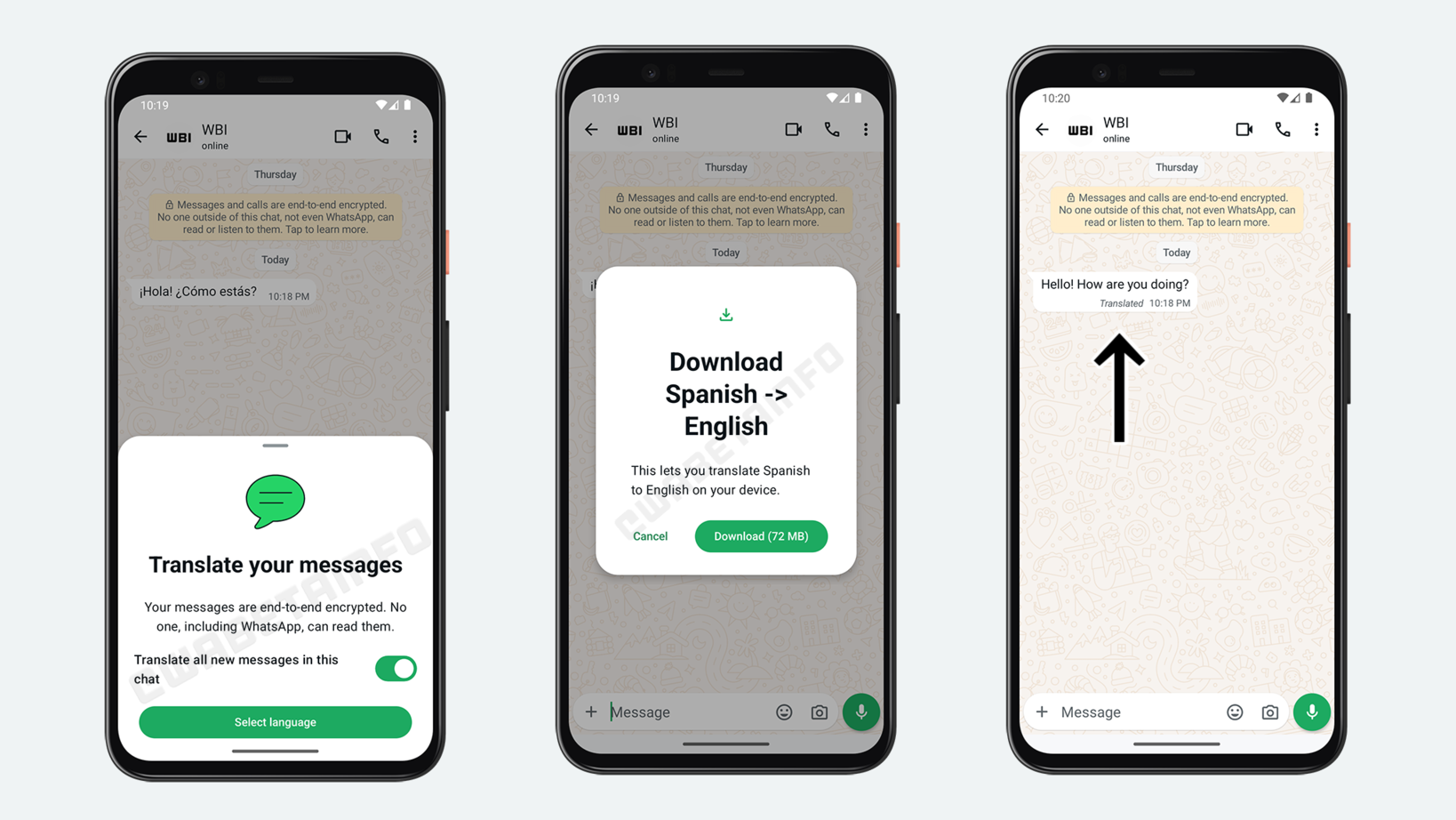
- We announced that WhatsApp is exploring the implementation of a feature that allows users to translate messages. This feature will enable users to decide whether the app should automatically translate incoming messages, offering a secure translation experience directly on their device. By using their own in-house translation technology, WhatsApp will ensure that all translations are processed on-device, maintaining the privacy and security of user data while providing a more integrated solution.
- WhatsApp introduced a new draft management system for chat messages. This feature allows users to view and manage their unfinished messages directly from the chats list, eliminating the need to open each conversation individually. A draft label appears next to chats with incomplete messages, making it easy to identify them with ease.
- A new reminder system for chat messages and status updates was released. The system uses an internal algorithm to prioritize these contacts and notify users about unseen messages and status updates, ensuring they don't overlook important conversations. This feature helps users stay on top of essential chats without overwhelming them with excessive notifications.
- To further help address misinformation, WhatsApp released a reverse image search feature. This allows users to verify images they receive by performing a reverse image search directly from the app. By tapping the "Search on web" option, users can upload images to Google and view similar images or the original source, helping them determine if an image has been altered or misused.
- WhatsApp introduced a feature to filter chats through custom lists. This allows users to create and organize lists directly from the chats list, making it easier to access specific conversations. By generating a custom filter for each list, users can prioritize important chats, and the lists remain private, only visible to those who created them. The feature also includes options for managing and editing the lists, adding or removing contacts, and rearranging them for a better organization.
- Mark Zuckerberg announced a favorite feature to filter chats, groups, and calls on WhatsApp. This feature allows users to easily mark individual chats and group conversations as favorites, making it quicker to access and prioritize important interactions. With the addition of filters in both the chats and calls tabs, users can now efficiently locate and connect with their favorite contacts and groups with just a tap.
- A new channel analytics feature with metrics was introduced to channel admins. This update provides detailed insights such as unique viewers, geographical distribution of the audience, and net follower changes over the past 30 days. With these analytics, channel admins can optimize content strategies, track growth, and better understand audience trends to improve engagement and retention.
- WhatsApp added the ability to react to messages using recent emojis. This new feature allows users to quickly access their most frequently used emojis directly from the reaction tray, offering greater convenience and faster responses. By scrolling through the tray, users can easily select recent emojis without having to open the full emoji picker.
- We revealed that a new music sharing feature for status updates is currently under development. This feature will allow users to enhance their status updates by adding music directly from a search bar within the drawing editor, similar to the music-sharing experience found on other platforms like Instagram.
- WhatsApp introduced new argument reality effects, backgrounds, and camera filters. Users can easily access these features directly from the camera, offering a fun and customizable experience when taking a photo or during video calls. With options like animated effects, facial expression alterations, color tone adjustments, and background changes, users can personalize their video interactions, making them more engaging and tailored to any situation. Additionally, features like "Touch Up Mode" and "Low Light Mode" enhance the calling experience, ensuring a polished appearance in any lighting condition.
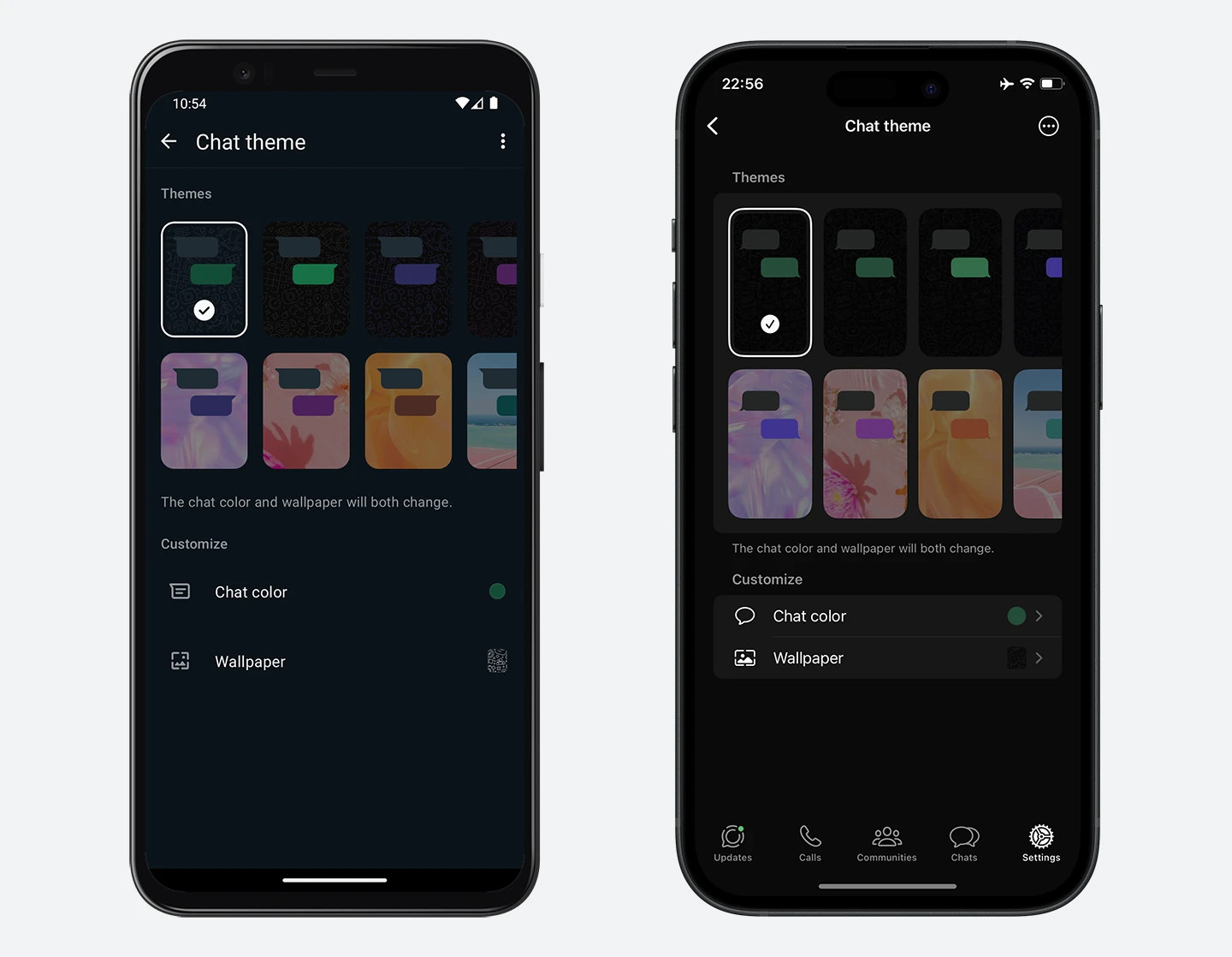
- WhatsApp rolled out a chat theme feature on iOS and Android. This feature allows users to personalize their chat experience by selecting a default theme for all conversations or choosing unique themes for specific chats. With over 22 themes and 20 color options, users can easily differentiate between various types of conversations, enhancing the app's visual appeal. Chat themes are still currently rolling out for testing purposes and they are expected to reach a wider audience in the coming weeks, as WhatsApp gathers feedback and further fine-tunes the feature.
- WhatsApp released a new privacy feature to manage the contact syncing option. This update allows users to add, edit, or delete contacts across all their linked devices, offering a more integrated experience without relying on their mobile phone. Additionally, users can disable contact syncing for specific accounts on WhatsApp for Android, ensuring greater control over their privacy while still being able to interact with existing contacts.
- WhatsApp introduced a new security feature to allow users to block unknown account messages. This option enables users to block high volumes of unsolicited messages from unknown accounts, automatically preventing potential spam or phishing attempts. The feature works by temporarily blocking accounts that send an unusually high number of messages within a short period, and it ensures that legitimate communications are not interrupted, with the block lifted once the activity returns to normal levels.
- Users can now privately mention their contacts in status updates. This feature allows users to mention specific contacts when sharing photos or videos via status, ensuring that the mentioned contacts receive a notification and a message in their chat. Mentions are private, so only the mentioned contact can see who has been mentioned, while other viewers remain unaware, and mentioned contacts can also reshare the status without revealing the original creator's identity.
- WhatsApp also supports the ability to privately mention group chats in status updates. This feature temporarily extends visibility to all members of a mentioned group, allowing those who aren't included in the default privacy settings to view the update. However, this visibility is limited to that specific update and doesn't affect future privacy settings, ensuring users maintain control over their privacy. Additionally, groups are restricted to a maximum of five mentions per status and 32 members per group to balance both functionality and app performance.
- It is finally possible to transfer community ownership. This update allows the current community owner to easily transfer ownership to another admin directly from the community settings. Once the transfer is confirmed, the new owner takes immediate control and is notified of their new responsibilities.
- A new light and dark main theme color is available for WhatsApp Business. This update introduces black accent colors for the light theme and white accent colors for the dark theme. The new color scheme provides a more modern look across platforms, making it easier for users to distinguish between WhatsApp Messenger and WhatsApp Business, while also simplifying the user interface.
- WhatsApp introduced a privacy feature that allows users to disable link previews. This update gives users the ability to prevent the generation of rich link previews for links they share in chats, enhancing their privacy by protecting their IP addresses from being inferred by third-party websites. While disabling link previews only applies to the user who opts for it, it helps safeguard privacy by preventing external sites from tracking online activity through metadata in the previews.
- WhatsApp Channels now have categories that automatically sort content into seven predefined groups: Business, Entertainment, Lifestyle, News and Information, Organizations, People, and Sports. This feature enhances the browsing experience by allowing users to filter and search channels based on their interests, making it easier to discover relevant content. The categorization is managed by WhatsApp, ensuring a more organized way to explore channels without requiring manual input from channel owners.
- The ability to connect the WhatsApp Business app to the business platform and AI-powered replies are now available. Businesses can activate AI integration by scanning a QR code, enabling them to respond to customer messages outside business hours with AI-generated replies. These replies can offer product information, recommendations, pricing, and more. Additionally, businesses can connect their WhatsApp Business app to the Business Platform to manage accounts across both platforms and share chat history for continuity.
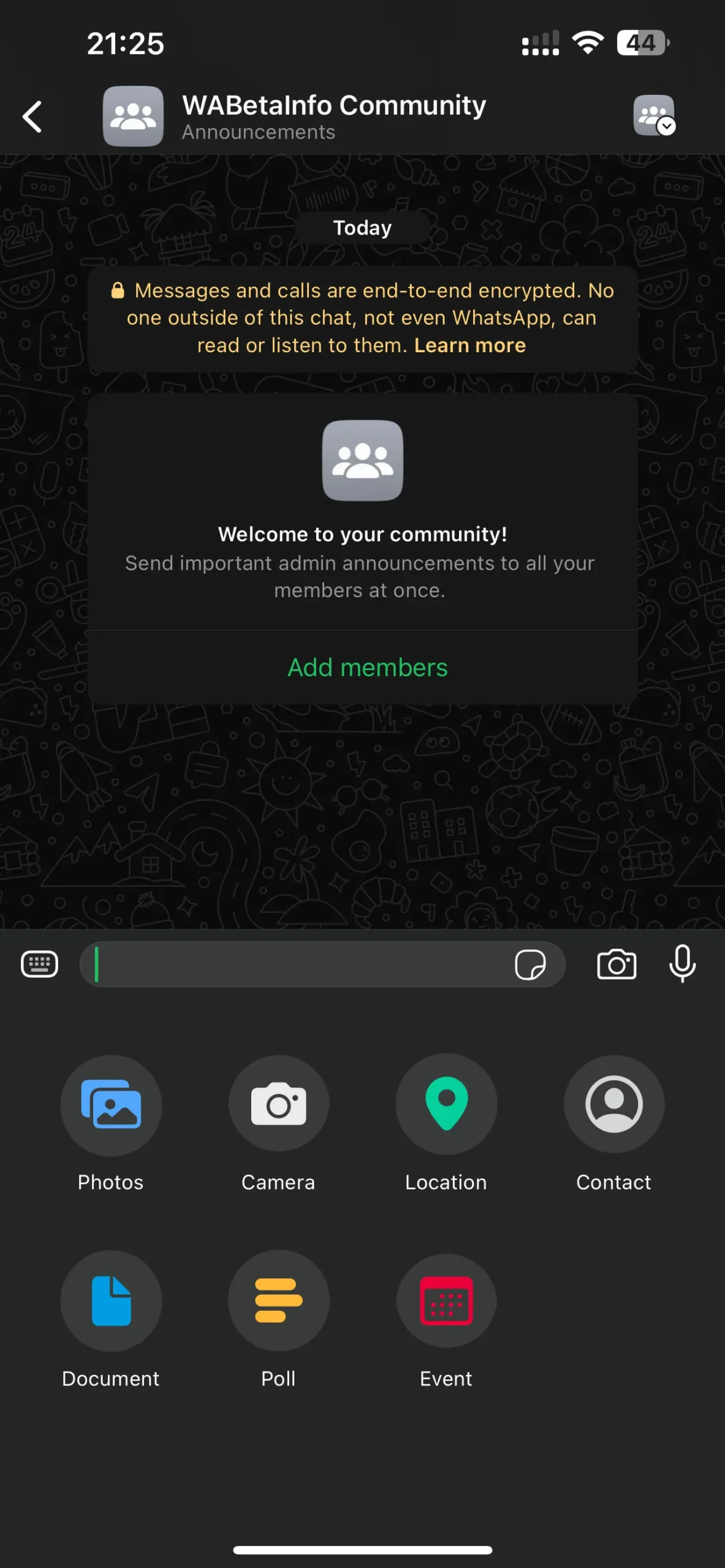
- WhatsApp released a feature to create group chat events. This update allows users to initiate events within group chats, providing options to add a name, description, date, location, and specify if a call is required. Once created, members can accept the event, and any updates to it will be automatically notified to those who have accepted, ensuring a better communication and coordination within the group.
We've gathered all the noteworthy features that have been released this year or are currently under development for a future update. While these highlight some of the most significant additions, there are definitely many more features we've announced throughout the year. As we reflect on the significant strides made by WhatsApp this year, we are excited to have explored and celebrated the most important additions to the platform. From enhanced privacy and security measures to new customizing tools that enrich the user experience, WhatsApp has reaffirmed its commitment to elevating the functionality of the app.
As the year comes to an end, we look forward with excitement to the new features WhatsApp will introduce in 2025. We hope WhatsApp keeps focusing on new advanced privacy and security features, building on the progress made this year, with future innovations like the introduction of usernames, ensuring even more private communication and giving users the option to interact without sharing personal phone numbers. Additionally, we hope to see new tools for channel admins, empowering them to manage their new updates with ease. Lastly, features designed to enrich the message sending experience would be highly appreciated, as they could help users communicate more effectively.
Stay tuned with us to discover new features and updates about WhatsApp, coming your way next year!
Stay up-to-date on WhatsApp news by following WABetaInfo on X. You can also discover other new features for WhatsApp beta for Android, iOS, Web/Desktop, and Windows.
Do you like this news? Please, let us know on X: we love hearing your feedback! If you're curious to see where you can find WABetaInfo, there is a dedicated page where you can discover our services.
In addition, we have set up a Discord Server where you can chat with other people, get help and advice, and stay up to date with the latest announcements from WABetaInfo.