How to add an email address to your WhatsApp account
Linking an email address to your WhatsApp account is a simple step that can make a big difference. If you ever lose access to your phone number or cannot receive the 6-digit code via SMS, your email address gives you a way to get back into your account.
Why you should add an email address
Adding an email address brings a new layer of security to your WhatsApp account. If you ever need to re-register your phone number, and you cannot receive an SMS or phone call, WhatsApp will send you an email with the steps to recover your account. Additionally, WhatsApp can reach out to you in case of security issues.
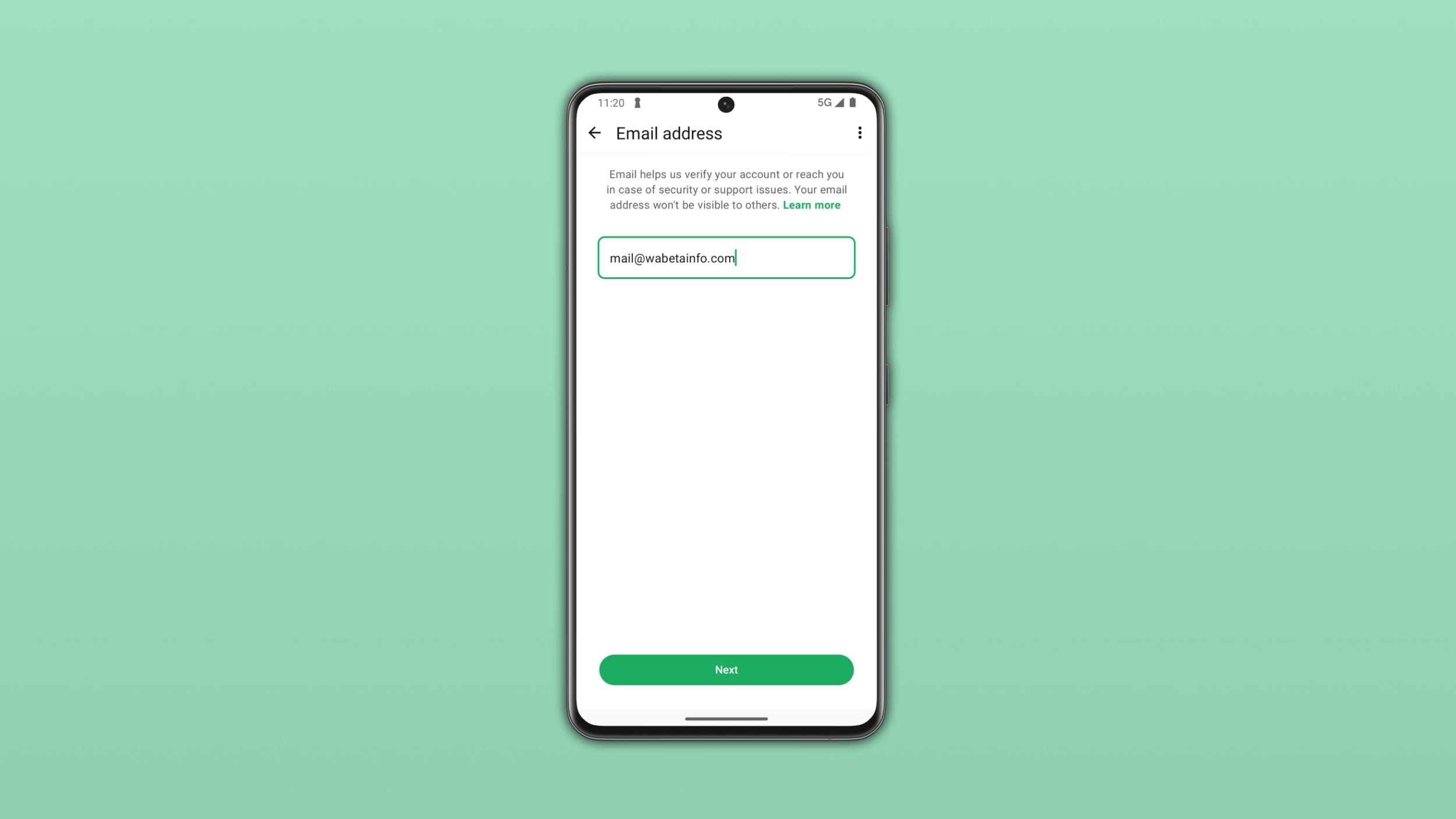
Add an email address
You can add an email address at any time by following these steps:
- Open WhatsApp and tap Settings
- Tap Account > Email Address
- Enter your email address
- WhatsApp will send a verification code to your email to confirm it's you
- Enter the code to complete the verification
You can also add your email address during registration, when WhatsApp prompts you to set up your account for the first time.
Troubleshooting
- If you encounter an error while you try to add your email address, check your Internet connection and try again. If the problem persists, you may try t switch to a different network. For example, try to use mobile data instead of Wi-Fi, or vice versa.
- If you've already tried a different network and the issue persists, you should check your DNS settings. Some third-party DNS configurations may interfere with certain WhatsApp services. Try to switch to your carrier's default DNS, or use a public DNS such as Google (8.8.8.8) or Cloudflare (1.1.1.1).