WhatsApp is releasing a second version of the context menu
After announcing the release of the feature that adds waveforms to voice notes, WhatsApp is now releasing a new version of the context menu after installing the latest WhatsApp beta for Windows from the Microsoft Store.
| Common questions | Answers |
|---|---|
| Name of the feature? | Redesigned context menu |
| Status? | Enabled |
| Compatibility? | WhatsApp beta for Windows 2.2230.4.70 is marked as compatible update. |
| I've installed this update but I don't have the redesigned context menu. Why? | Please be sure to install the new update right within the Microsoft Store, because this feature has been released to everyone. |
| Thanks: | rubiokarim for testing and reporting! |
| Previous news? | Concept reveals enhanced feature to manage WhatsApp storage |
CONTEXT MENU
Some weeks ago, we posted news about a redesigned context menu on WhatsApp beta for Windows and everyone has really appreciated the new feature. Unfortunately, it has been immediately removed in the next update: we didn't know why the team decided to remove the redesigned context menu, but probably it is due to the missing spelling action menu. Today, the company has released the WhatsApp beta for Windows 2.2230.4.70 update that brings the redesigned context menu back, but there is even more:
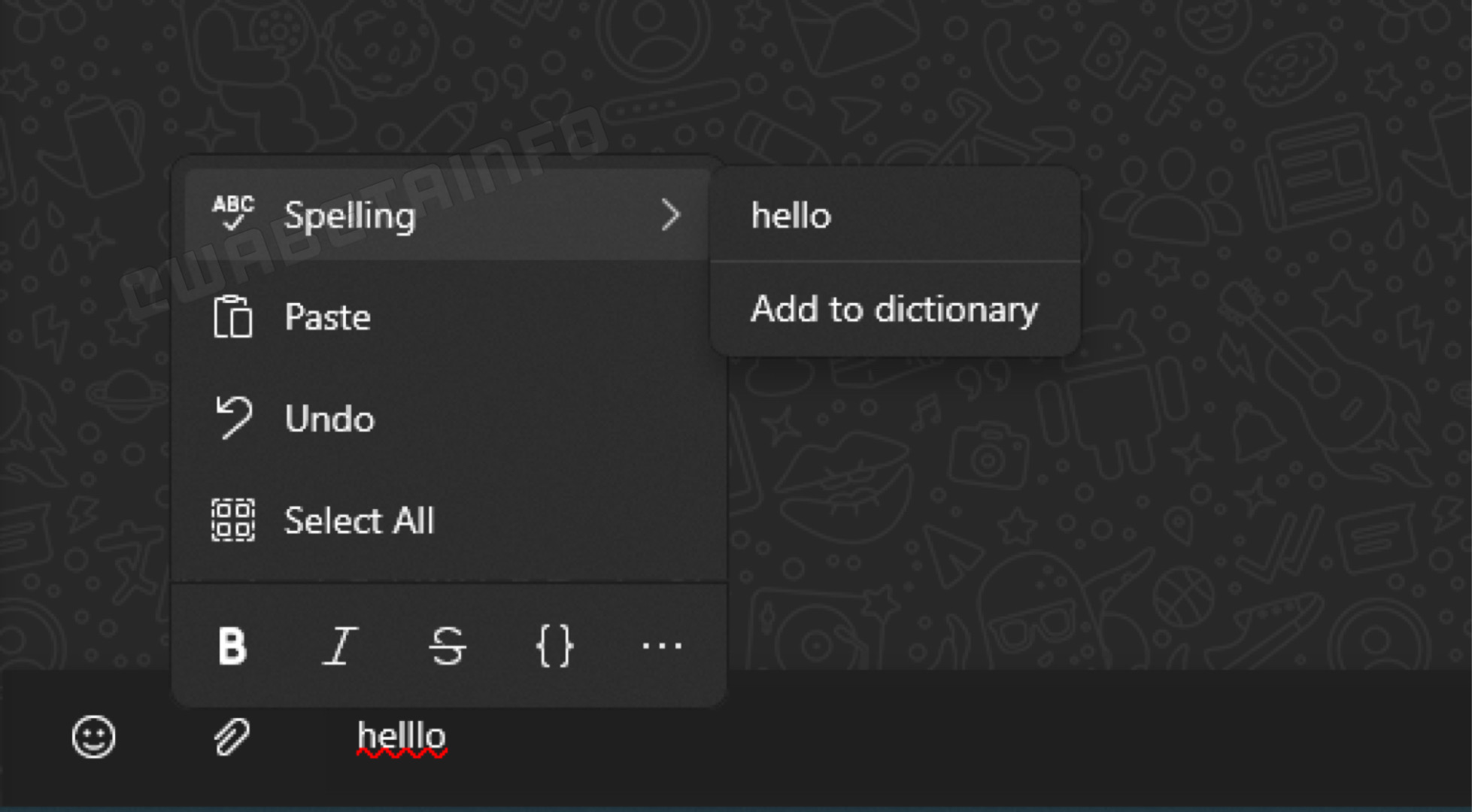
As you can see in this screenshot, the redesigned context menu is really back and WhatsApp has also added a new action called "Spelling": this is exactly what was missing in one of the previous update. This addition makes us understand that the team really wants to improve the beta app, so we should expect more features and improvements in the next updates.
The second version of the redesigned context menu is available to all users that install the latest WhatsApp for Windows beta build from the Microsoft Store today.
Follow WABetaInfo on Twitter to always be up to date about WhatsApp news, and you can discover all other changes implemented on WhatsApp beta for Android, iOS, Web/Desktop, and Windows!
Let us know on Twitter if you like this article and you can visit this page to discover where you can find WABetaInfo!
A Discord Server invite link is available! Join now to discover more about WhatsApp and you can chat, give advice, ask for help, and read my announcements!