WhatsApp ends support for older Android versions today
Starting today, WhatsApp no longer works on devices with Android 5.0 or 5.1. Users on those versions cannot use the app until they upgrade their Android device to a supported version. The minimum requirement is now Android 6.0, and this applies to both WhatsApp Messenger and WhatsApp Business.
| Key Points | Details |
|---|---|
| Story about: | Android support update |
| When does it take effect: | September 8, 2026 |
| Compatibility: | Only Android 6.0 and newer versions are supported from today. |
| Previous news: | WhatsApp is rolling out longer music clips for status updates! |
WhatsApp announced it would stop supporting Android 5 back in April
In April, WhatsApp announced that Android 5.0 and 5.1 would no longer be supported on September 8, 2026. WhatsApp alerted users through an in-app notification as soon as they opened the app. This alert made it clear that the app would stop working on their device in September. Users had several months to prepare. In these months, they needed to update the operating system or switch to a newer device.
Today, WhatsApp officially ends support for Android 5.0 and 5.1
The change announced in April is now in effect. As of today, September 8, 2026, WhatsApp no longer works on devices with Android 5.0 Lollipop or Android 5.1 Lollipop. The new minimum requirement is Android 6.0 Marshmallow. As a result, WhatsApp is no longer compatible with any device that cannot run Android 6.0 or newer.
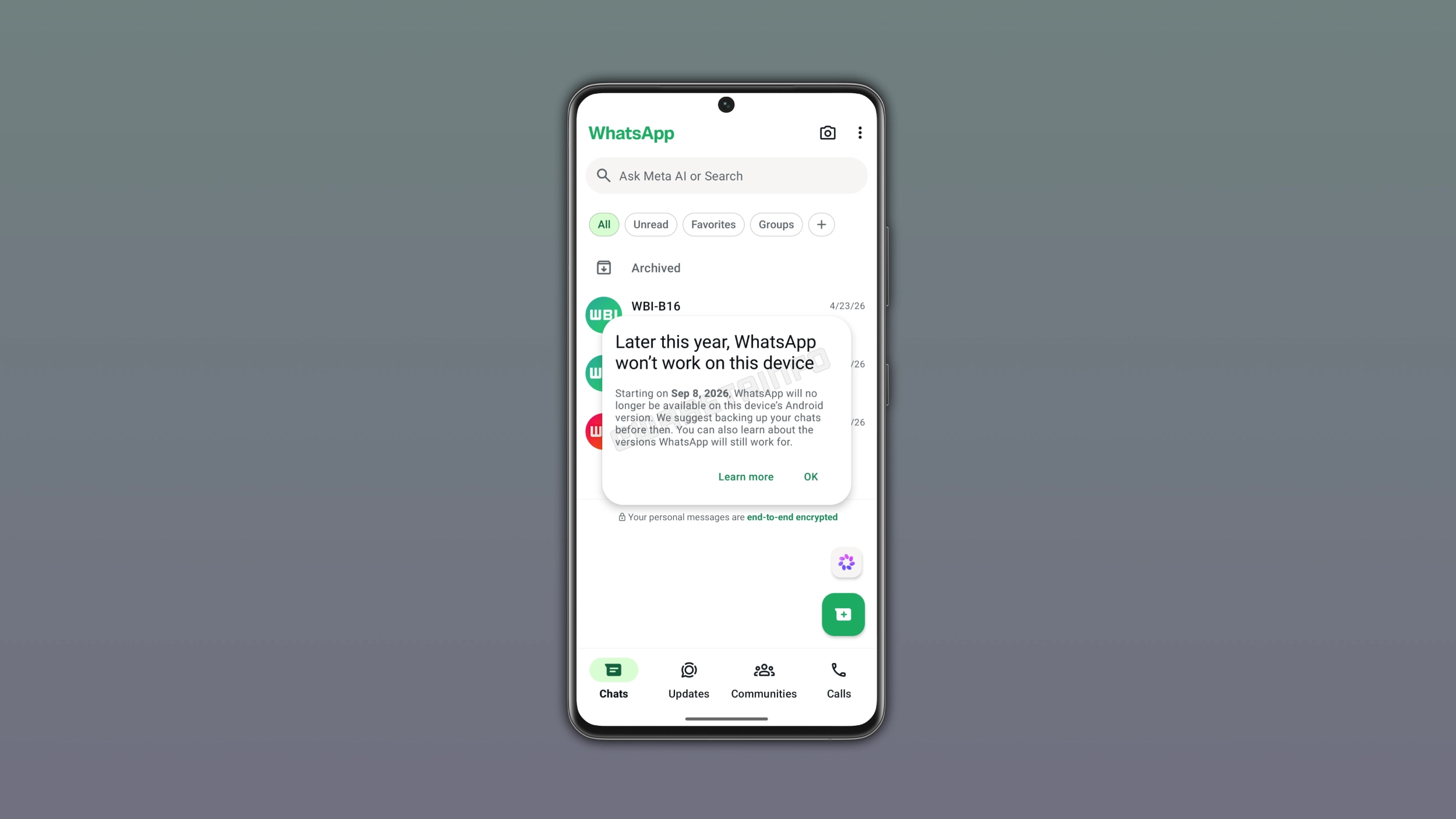
Which devices are no longer supported
If you have a device that could never upgrade past Android 5.0 or 5.1, WhatsApp has stopped working on it. Most of these devices are very old and never got a software update from their manufacturer. India, Brazil, Pakistan, Southeast Asia, and Africa are among the regions where older devices are still widely used. In these regions, some users still use devices on Android 5, and a software update is not available. These users will have to switch to a new device to use WhatsApp.
What users can do to keep using WhatsApp
Users on Android 5.0 or 5.1 can check whether their device supports Android 6.0 or newer. It is possible to update the Android version can be updated through the device settings. In case the system update is not available, they need to switch to a new device that supports Android 6.0 or a more recent version. WhatsApp notified users who use a device with Android 5.0 or 5.1, so most of them already know what is happening.
How to restore your chat history
WhatsApp often backs up chat history automatically. Even it is no longer be possible to open WhatsApp on an unsupported device, users have still a way to restore their chats. In particular, they may find a recent backup stored on their internal storage. It is possible to restore the backup by installing WhatsApp on a new device and logging in with the same phone number.
Why WhatsApp is dropping support for older Android versions
New features need to be compatible with every version of Android supported by WhatsApp. However, WhatsApp cannot make all features compatible with older operating systems. By dropping support for Android 5.0 and 5.1, WhatsApp can finally build features that would be impossible to implement on older hardware. This affects a small number of users, but everyone else will benefit from new features.
What you need to know
Starting today, WhatsApp is no longer compatible with Android 5.0 and 5.1. The new minimum requirement is Android 6.0 now. Users should back up their chats to Google Drive or local storage before switching to a new device. The end of support for Android 5.0 and 5.1 applies to both WhatsApp Messenger and WhatsApp Business, since both apps share the same underlying code. If you are unsure whether you can still use WhatsApp, just open the app to check. Users who have a device with Android 6.0 or newer versions can still use WhatsApp without any changes.
Connect with WABetaInfo
Follow WABetaInfo on X and visit our About page to learn more about what we do. We always appreciate your feedback on posts like this one.