WhatsApp is introducing a useful feature that lets iOS and Android beta users share status updates with Close Friends and custom audiences. This feature makes it easier for users to share status updates specifically with their contacts and gives them greater control over who can view them.
| Key Points | Details |
|---|---|
| Name of the feature: | Close friends and custom lists for status updates |
| Status: | Rolling out |
| Compatibility: | WhatsApp beta for iOS 26.19.10.72 and WhatsApp beta for Android 2.26.19.11 are compatible updates. |
| Availability info: | This feature is available to some beta testers, and it is rolling out to more users over the coming weeks. |
| Thanks: | Akan, Mas, and Aditya, for testing and reporting. |
| Previous news: | WhatsApp makes new messages disappear after they're read! |
WhatsApp is testing a status list for close friends
In the post about the WhatsApp beta for Android 2.26.5.13 update, we announced a feature that allows users to choose their close friends for status updates. This feature will let users create a dedicated list of selected contacts who can view specific status updates. This means that users will have even more control over who sees their updates. With this feature, WhatsApp aims to make sharing more personal without needing to adjust visibility settings for every update.
WhatsApp is introducing Close Friends on iOS and Android
When we reported this feature months ago, it was still under development. During these months, WhatsApp continued to refine and improve the feature to ensure a bug-free experience before its official release. Finally, WhatsApp is rolling out the ability to share status updates with close friends and other custom audiences on iOS and Android.
WhatsApp adds a list for close friends to refine status privacy controls
With the latest iOS and Android updates, some beta testers can configure new lists for status updates. The first list allows users to choose their close friends, a group of selected contacts that the user selects for more private sharing. Similar to Instagram Stories, this option lets users limit visibility to a smaller, more trusted circle. WhatsApp integrated the feature into the existing status privacy options without changing the main sharing flow. It's possible to add or remove contacts at any time directly from the same interface. WhatsApp immediately applies changes so the list always reflects the latest selection from the next update. With this functionality, users gain more precise control over who can view specific updates they choose to share.
Users can select the audience when sharing a status update
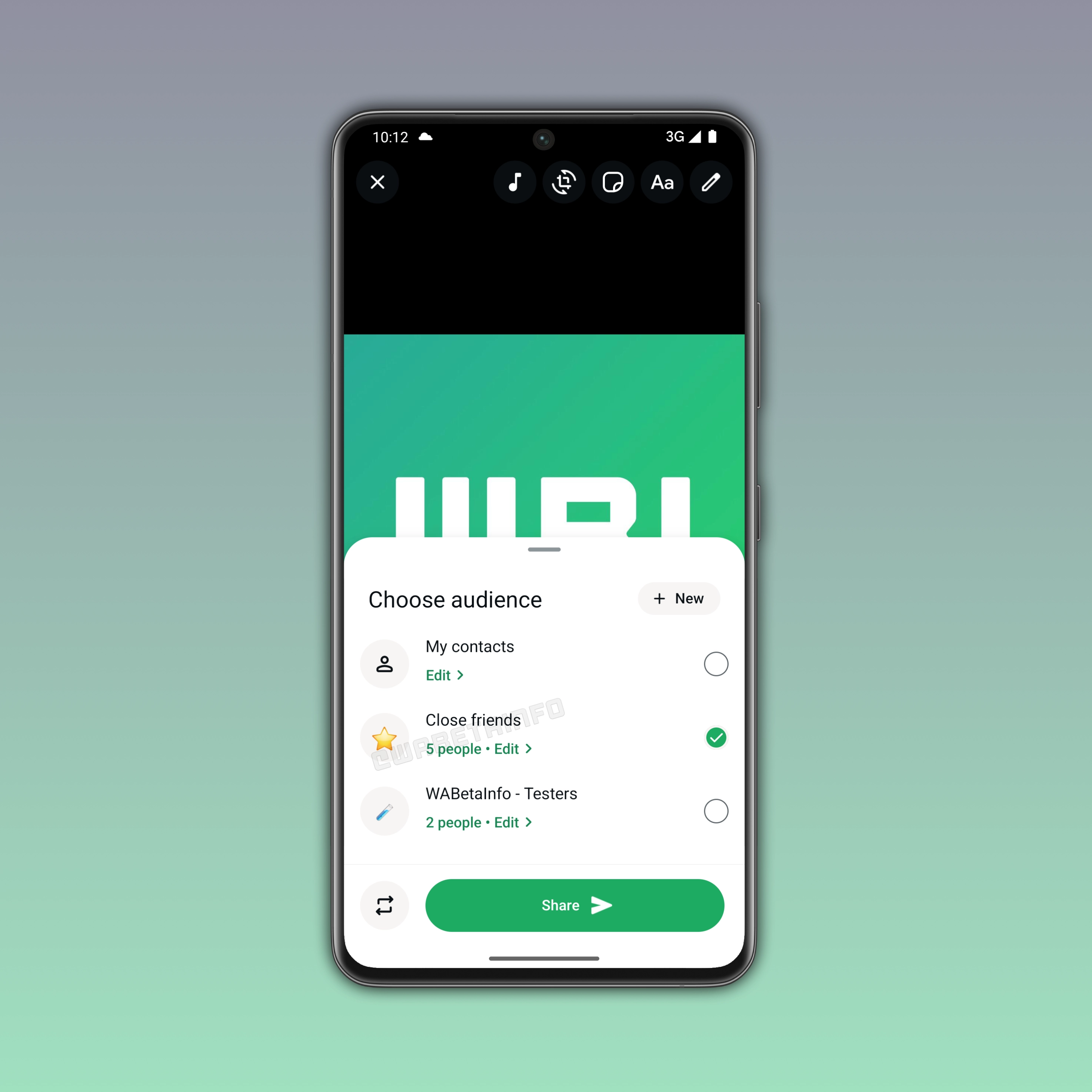
When creating a new status, users can choose the close friends audience before sharing the update. The interface offers a simple switch between all contacts and the selected list. In the same screen, it's also possible to manage contacts in the list. Note that users can still share status updates with all their contacts, but they can now refine the audience more precisely for specific updates. This feature helps them decide the right audience for every moment since it allows them to tailor visibility based on the update they share.
Users can manage their status lists at any time
Users can continuously adjust their close friends list as relationships change. Adding or removing contacts takes effect immediately for future updates. However, these changes do not apply retroactively to status updates that have already been shared. They remain visible to the audience that was previously selected at the time of posting. It's important to note that WhatsApp does not notify users when they are added or removed from the list. This means that updating the close friends list is completely private.
WhatsApp expands status sharing with multiple custom audiences
The new feature is not limited to close friends. WhatsApp is also rolling out support for multiple custom lists. This additional feature gives users more flexibility to how they organize their audience. This means users can go beyond a single private group and create different lists for different contexts. For example, they could set up a "Family" list for personal updates, a "Colleagues" list for work-related content, or a "Students" list for academic or school communications. Users can select the list when posting a status, making it easier to control who sees what. As a result, users have more structured and personalized way to manage sharing their updates with different audiences.
Users can create a custom list from the status privacy interface
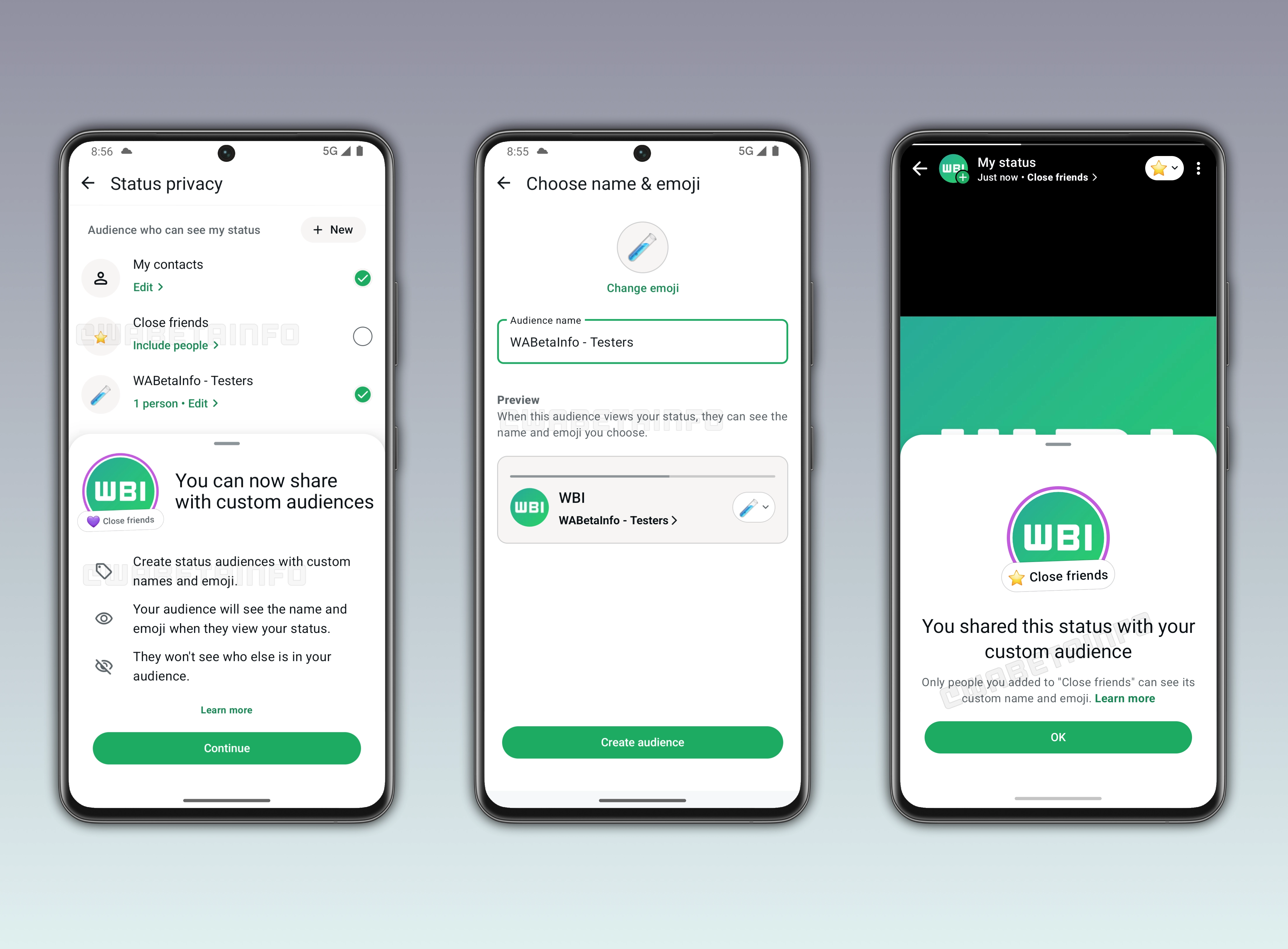
Users can create a custom list for status updates from the status privacy screen. If the feature is available, users will see a the "New" button within this section. By tapping it, users can start the setup process for a new audience list. Once created, users can select this list to share their status updates more selectively with specific contacts.
WhatsApp lets users personalize custom audience lists with names and emojis
During setup, WhatsApp prompts users to choose a name for the list, select an emoji, and add the contacts they want to include. This allows users to easily identify and manage their lists. By default, WhatsApp assigns the star emoji to the close friends list. When contacts receive a status update, they will also see the name and emoji associated with the list it was shared with. So users need to choose these details carefully to clearly reflect the purpose and tone of the list.
WhatsApp highlights status updates shared with custom audiences with a purple ring
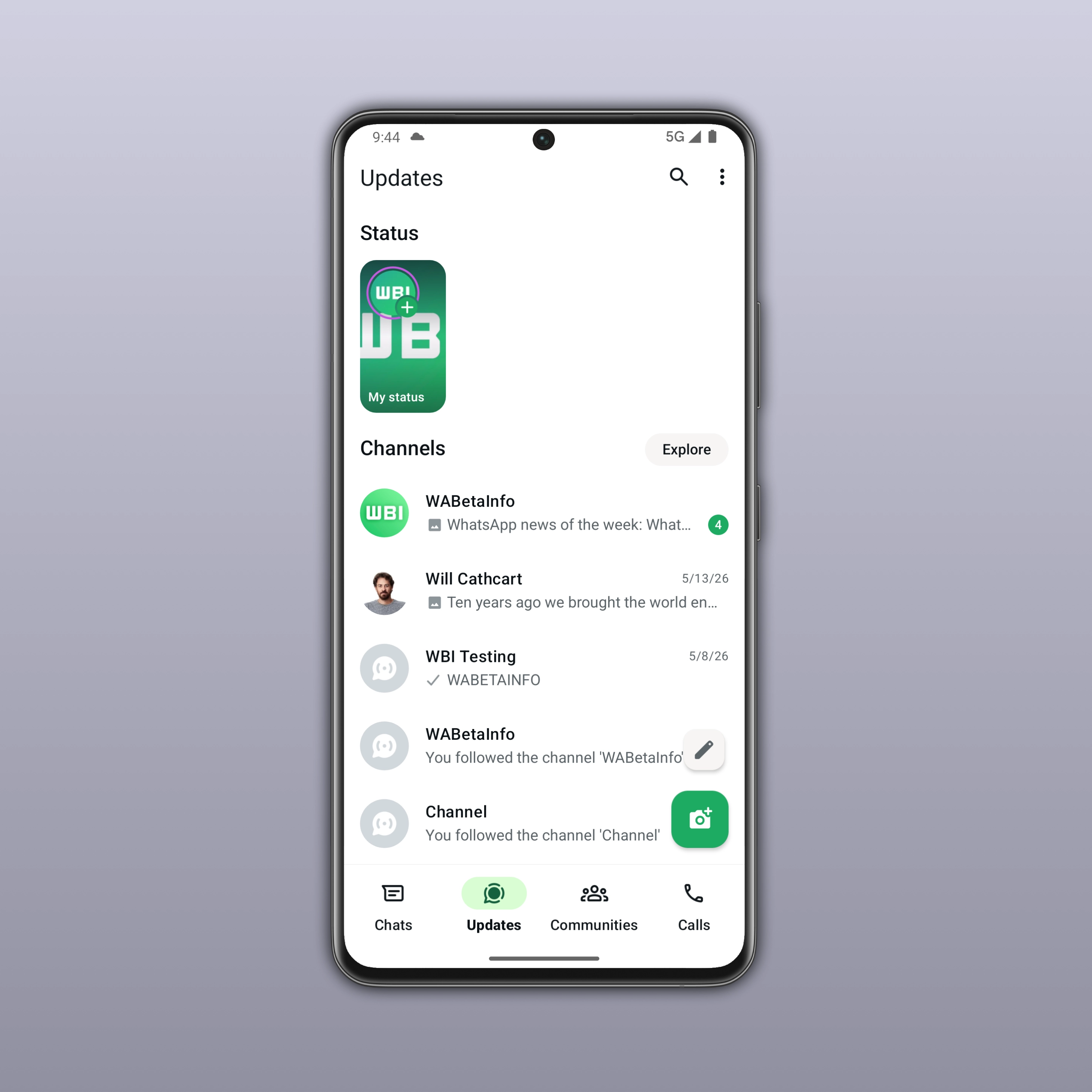
Updates shared with this group are visually distinguished from regular status posts. They are marked with a purple ring around the status indicator for both close friends and custom audiences. This indicator helps users quickly identify when a status has been shared with a restricted or selected list. This means that anyone who sees the contact from the chat list or the Updates tab can easily recognize that the update is intended for a specific audience.
WhatsApp keeps status updates shared with custom audiences fully restricted
Statuses shared with close friends and other custom audiences remain invisible to anyone outside the selected list. Only the contacts included in that group are able to see the update. This ensures a higher level of privacy for content meant for a more personal audience. People who are not part of the list will not be notified or shown the status in any way. As a result, users can share more intimate or selective updates with greater confidence.
WhatsApp is rolling out close friends and status lists on iOS and Android
The feature that lets users share status updates with custom audiences is available to some beta testers who install the latest WhatsApp beta for Android update from the Google Play Store. Although the screenshots you see in this post are from WhatsApp for Android, the same feature is also available to some beta testers who install the latest WhatsApp beta for iOS from TestFlight. WhatsApp is currently testing this feature to a limited number of users. This means that this feature is not available to everyone. Over the next few weeks, WhatsApp will offer the ability to create and manage custom audiences, making it easier for users to share updates with specific lists.
Connect with WABetaInfo
Follow WABetaInfo on X to learn more about new features and updates. We love hearing your feedback, so please let us know what you think! You can also visit our About page to explore all our services and keep up with the latest announcements.