Explore the major features and improvements that made 2025 a standout year for WhatsApp. From the new iPad and Apple Watch apps to Private Processing for secure AI features, and the upcoming username system, discover how WhatsApp has enhanced modern communication, and see what we can expect in 2026 to further improve the user experience.
| Key Points | Details |
|---|---|
| Topic: | WhatsApp best news of the year |
| Availability info: | Some features mentioned in this post may still be in development and they're not available for beta testing yet. Think of them as an early preview of upcoming updates. |
| Previous news: | WhatsApp Testing Status and Channels Merge in the Updates Tab on Web! |
| Previous highlight for 2024: | WhatsApp 2024 Highlights: The Most Important Features and Updates for iOS and Android! |
WhatsApp's Major Updates of 2025: A Year of Innovation and Enhanced Privacy
2025 has been another exciting year for WhatsApp, full of innovative updates that make messaging more secure, expressive, and convenient. From the introduction of AI powered tools and voice interactions to enhanced privacy options and personalization features, WhatsApp has continued to evolve to meet the needs of both individual users and businesses. Whether it's exploring WhatsApp on iPad and Apple Watch, benefiting from Private Processing for secure AI features, or preparing for the upcoming username system, these new updates highlight WhatsApp's ongoing commitment to creating a richer, smarter, and more private messaging experience. In the following sections, we will dive into the standout features that have shaped WhatsApp this year.
WhatsApp Rolls Out Colorful Default Icons for Contacts and Group Chats
WhatsApp has introduced new colorful icons for contacts and groups that appear when no profile photo is available. These icons display the first letter of a contact's name on a vibrant background, giving chats a cleaner and more modern appearance. Group and community conversations now feature distinct default images, such as two or three people, replacing the previous plain visuals. Similar to the color coded contact icons seen on Android devices, this update helps users quickly recognize and differentiate chats at a glance.
WhatsApp Lets Beta Testers Schedule Events in Private Chats
WhatsApp has rolled out a new feature for beta testers that allows scheduling events within private one-on-one chats, expanding beyond its previous focus on group and community events. This update simplifies organizing personal appointments, reminders, and one-on-one meetings without relying on third-party calendar apps. Users can set event details such as dates, times, locations, or links to audio and video calls, offering the same functionality as group events. Shared event information ensures both participants have easy access, and recipients can accept or decline invitations to confirm attendance. The feature supports a variety of use cases, from colleagues coordinating deadlines to doctors scheduling patient appointments or parents arranging meetings with teachers, providing a convenient, integrated way to manage personal and professional activities directly within WhatsApp.
WhatsApp Introduces Built In Sticker Pack Creation
WhatsApp has released a new feature that allows users to create new sticker packs directly from stickers they use in chats. Users can add stickers to a new or existing pack, assign a custom name, and organize their collections without relying on third party apps. A bulk add option makes it easier to manage multiple stickers at once. Created sticker packs can be renamed, updated, and shared with others, simplifying the distribution of custom collections. Importing shared sticker packs is seamless, and user privacy is preserved since no personal details are linked to the packs.
WhatsApp Expands Chat Themes with 18 New Colors
WhatsApp has added 18 new colors to its chat themes, bringing the total options to 38. Users can apply these colors to individual chats or set them as the default for all conversations, with full compatibility in both light and dark modes. The update enhances personalization by updating chat bubbles and wallpaper doodles to match the selected color, offering a more expressive and cohesive messaging experience.
WhatsApp Lets Users Add Instagram Profile Links
This year, users can add a link to their Instagram profile directly on WhatsApp, with plans to support additional social media platforms in the future. Users have full control over the visibility of these links, allowing them to choose whether they are visible to everyone, contacts only, or selected people. The feature improves access to social media profiles while maintaining flexible privacy options. It remains entirely optional and does not include any form of account ownership verification.
Meta AI Officially Launches on WhatsApp in Europe and the UK
Meta AI has officially launched in Europe and the UK after resolving regulatory requirements, including compliance with GDPR. Users can now access a limited version of the chatbot on WhatsApp, Instagram, and Messenger for personalized assistance, recommendations, and interactive conversations. Some features, such as image editing and voice sessions, are not available at launch, but Meta plans to roll them out in future updates for users in Europe and the UK.
WhatsApp Adds Privacy Controls for Avatar Stickers
WhatsApp has introduced new privacy settings for avatar stickers, allowing users to control who can include their avatar in shared stickers. Options include "My Contacts," "Selected Contacts," and "Nobody." When both users in a chat enable this feature, a special "Together" sticker category appears, featuring personalized stickers that combine both avatars. These stickers are unique to each chat and only generate if both parties have opted in, providing a fun and expressive way to personalize conversations while maintaining full privacy control.
WhatsApp Adds On Device Translation for Android Chats
Android users can now access translation capabilities directly within WhatsApp through downloadable language packs, including Spanish, Arabic, Portuguese (Brazil), Hindi, and Russian. Messages can be translated automatically per chat or manually, with all translations processed locally to ensure privacy. While on device translations may be less accurate than cloud based services, users can provide feedback to help improve results. This feature supports group chats and channels, is disabled by default, and can be fully managed from the chat and storage settings.
WhatsApp Launches Official iPad App with Native Tablet Experience
WhatsApp for iPad is now officially available on the App Store, delivering the first full featured native release for Apple’s tablet. Users with iPadOS 15.1 or later can install the app and link it to their existing account by scanning a QR code from their primary phone, syncing up to one year of chat history during setup. The app supports messaging, calls, channels, status, and communities, all optimized for the iPad's larger display with split view multitasking, offering a seamless and flexible WhatsApp experience across devices.

WhatsApp to Introduce Usernames for Enhanced Privacy in 2026
WhatsApp has confirmed that it will roll out usernames later in 2026, allowing users to connect without sharing phone numbers and improving privacy for both individuals and businesses. The update includes a Business-Scoped User ID (BSUID), a unique identifier enabling businesses to communicate securely with users who opt for usernames. The BSUID will appear in message webhooks and is designed to preserve privacy while ensuring message routing and CRM systems continue to work seamlessly. Businesses must update their systems to support usernames and the new identifier by June 2026 to avoid disruptions. Although this announcement primarily focuses on businesses, standard users will also be able to set up a username in 2026.
WhatsApp To Allow Early Username Reservations for Users and Businesses
WhatsApp will introduce a feature that lets users and businesses reserve their preferred usernames ahead of the full rollout, securing identifiers early and reducing competition. The reservation process is linked to Meta accounts, verifying ownership through Instagram or Facebook to ensure only the rightful owner can claim a username. Once verified, the username is automatically associated with the user's WhatsApp account, preventing others from taking it. The system currently appears limited to existing Meta usernames, so users without matching handles may need to wait for the full launch. As mentioned above, WhatsApp plans to fully implement the username system ahead of Meta's 2026 compliance deadline.
WhatsApp Can Now Be Set as the Default Messaging and Calling App on iOS
WhatsApp has launched an update that allows iOS users to set it as their default app for messaging and calls on iOS 18.2, using Apple's latest customization options. This change enables deeper integration with the Contacts app, making communication more seamless for users who depend on WhatsApp for personal and business use. With features such as end to end encryption, rich multimedia support, and international calling, WhatsApp Messenger and WhatsApp Business become a more convenient and secure default option.
WhatsApp Will Let Users React to Messages with Any Sticker
WhatsApp is developing a new feature that will allow users to react to messages using any sticker from their collection. Unlike the current system, which limits reactions to a default set of emojis and a few recently used ones, this update will unlock the full sticker keyboard for reactions. It will include official stickers from WhatsApp's store, imported third party stickers, and previously saved ones. Animated stickers, including those built with the Lottie Framework for smooth, high quality animations, will also be supported. This enhancement aims to make conversations more expressive, creative, and personal by expanding reactions beyond basic emojis.
WhatsApp Introduces Voice Chats for Groups of All Sizes
WhatsApp has rolled out voice chats for groups of any size, enabling members to start and join live audio conversations effortlessly. Users can initiate a voice chat by swiping up and holding at the bottom of the group chat without interrupting ongoing text messages, and participants can join or leave silently at their convenience. These voice chats are end-to-end encrypted for secure and private conversations, while a pinned interface keeps controls and participant information easily accessible throughout the session.
WhatsApp May Add an AI Powered Chats Tab to the Navigation Bar
In the future, WhatsApp may introduce a dedicated AI-powered chats tab in the bottom navigation bar. This addition would give users access to a range of AI tools from Meta and third party creators, designed for productivity, entertainment, and specialized interests. To make room for this change, WhatsApp is expected to remove the Communities tab from the navigation bar, signaling a broader shift toward deeper AI integration within the app.
WhatsApp Introduces Voice Interface for Meta AI Interaction
WhatsApp has launched a new voice interface for engaging with Meta AI. Users can start voice chats by tapping a waveform icon or directly from the Calls tab for instant, hands-free interaction. Voice preferences allow sessions to begin automatically or manually, with the default setting prioritizing user choice. Additionally, voice chats can run in the background, providing continuous assistance while using other apps and delivering a more seamless, real-time conversational experience with Meta AI.
WhatsApp Updates About Feature with Expiring Statuses
WhatsApp has revamped the About feature, allowing users to set a timer for their status so it automatically disappears after a selected duration. Expiring statuses are displayed prominently in conversation headers alongside last seen information, making updates more visible without opening profiles. Users can enhance their statuses with emojis, check expiration times in settings, and maintain a private history of past statuses even after they vanish.
WhatsApp Adds Instagram Account Verification via Accounts Center
Users can now verify their own Instagram account through the Accounts Center, ensuring that linked profiles are recognized as genuinely belonging to them. Once verified, the Instagram icon and handle appear directly on the WhatsApp profile, enhancing trust and credibility by showing others that the account is authentic. Verification is optional, and users can still add unverified links if they prefer not to connect their WhatsApp account to the Accounts Center.
WhatsApp Launches Apple Watch App for Enhanced Messaging
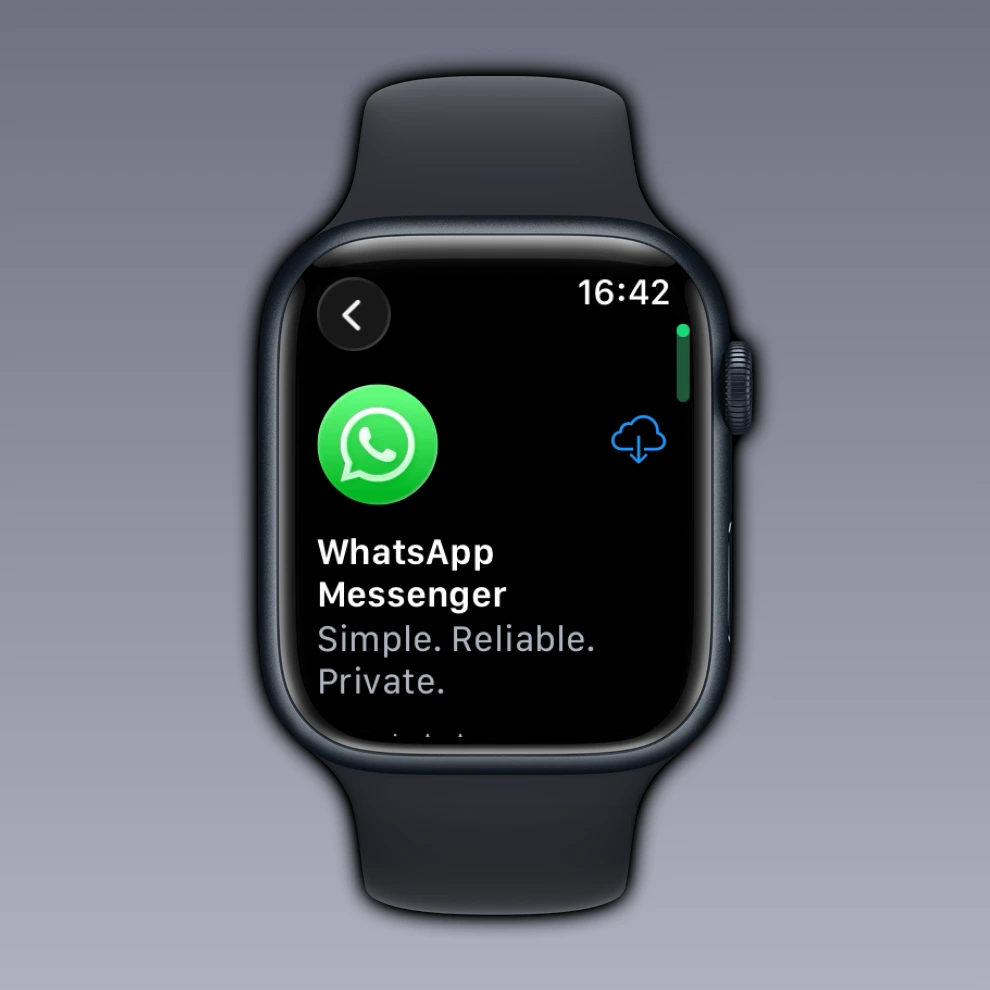
WhatsApp has officially expanded to the Apple Watch, introducing a companion app similar to its Wear OS experience on Android. While the app is not yet standalone and requires an iPhone nearby, it enables users to browse recent chats, view pinned and disappearing messages, send replies, reactions, voice messages, and dictate new messages directly from their wrist. Real-time syncing and connection status indicators enhance usability, offering a more interactive experience and setting the stage for richer WhatsApp functionality on watchOS in future updates.
WhatsApp Launches Redesigned Threaded Reply System
WhatsApp has introduced a new redesigned reply system where each response creates a dedicated thread under the original message, keeping related replies organized. Users can tap a reply indicator within the message bubble to view all responses in the thread and add new ones, with follow-up replies allowing responses to specific messages for added clarity. This system simplifies tracking discussions in busy group chats by separating topics and maintaining context without cluttering the main conversation. Threads also provide a chronological view of replies, helping participants catch up quickly.
WhatsApp Adds Message Reminders for Chats and Groups
WhatsApp has introduced a feature that allows users to set reminders for messages in individual chats and groups. Users can choose from preset intervals like two hours, eight hours, or one day, or set a custom date and time for alerts. When a reminder is active, a bell icon appears on the message, and upon triggering, users receive a notification with the full text, media preview, and chat details. All reminders are processed entirely on device, ensuring privacy and preventing access by others, including WhatsApp. This feature helps users manage tasks and follow-ups directly within the chat interface.
WhatsApp Lets Users Control Who Can Reshare Their Status
WhatsApp has introduced a feature that allows users to manage who can reshare their status updates. This option is integrated with existing audience settings, making it easy to manage without disrupting the normal posting flow. When enabled, contacts who can view the status may share it on their own feed, extending its reach while keeping the original author's personal details private. Reshared content is clearly labeled, and the feature is disabled by default to prevent unintended sharing.
WhatsApp Introduces Liquid Glass Interface for a Modern Look
WhatsApp has released its first update compatible with Liquid Glass on the App Store. This new interface adds transparency, depth, and layering effects, creating a modern and immersive user experience. The updated tab bar features semi translucent materials and fluid animations, giving a floating appearance that works seamlessly in both light and dark modes. The keyboard and buttons have been redesigned with reflective, glass like surfaces, while context menus adopt the same Liquid Glass design, offering smooth animations and subtle reflections. Although the rollout is not yet available to all users, it marks a move toward a more refined and visually cohesive interface.
WhatsApp Adds @all Mentions for Group Chats
WhatsApp has introduced a feature that allows users to mention all members in group chats. This lets users notify every participant with a single tag, ensuring important updates are seen. The @all mention is accessible directly in the message composer, simplifying communication without tagging each member individually. In small groups, all participants can use @all, while in larger groups with over 32 members, only admins can use it to prevent spam and excessive notifications. This feature enhances collaboration and keeps group conversations more organized and efficient.
WhatsApp Adds Third Party Chat Support for Cross App Messaging
WhatsApp is rolling out third party chat support, enabling users to message contacts on other instant messaging apps directly from WhatsApp. Accessible via Settings > Account > Third party chats, this optional feature supports encrypted cross platform communication, with BirdyChat currently being the only compatible app. Users can share text, photos, videos, documents, and voice messages, along with basic inbox and notification customization, though stickers, status updates, and disappearing messages are not supported. The update complies with the EU Digital Markets Act and prioritizes privacy, although blocked WhatsApp users may still reach contacts through third party apps depending on each platform's rules.
WhatsApp Introduces Multi Account Support Within a Single App
With the new multi account feature, users can now add up to two accounts within a single WhatsApp app directly from the Settings page. They can add a new number, connect an existing account, or link a companion account using a QR code for automatic syncing. Each account keeps its own chat history, backups, notifications, privacy settings, and media preferences, ensuring complete separation. Switching between accounts is quick via the Account List, a long press on the Settings tab, or a double tap gesture, with notifications clearly showing which account received a message. The feature is gradually rolling out to beta testers and stable users, with App Lock fully supported and simple options for account removal or re sign in.
WhatsApp Adds Reaction Stickers for Status Updates
Users can now add a reaction sticker directly to their status images or videos, offering an experience similar to Instagram Stories. Creators can select any emoji from the full library before posting, allowing them to match the sticker to the mood or theme of their content. Viewers can tap the emoji on the media to send a private reaction, making engagement quick and intuitive without sharing responses publicly. Creators receive notifications showing who reacted and which emoji was used, helping them understand audience interaction and encouraging more spontaneous participation.
WhatsApp Introduces One Tap Strict Account Protection
WhatsApp has launched a new option that provides the highest security protections with a single switch instead of multiple manual adjustments. Accessible under Settings > Privacy > Advanced, the feature indicates when strict account protection is available and automatically applies advanced safeguards once enabled. Unknown contacts face tighter restrictions, including blocked file attachments, disabled link previews, muted calls, and stricter group chat invite controls. The mode also enforces two step verification, limits profile visibility to contacts, routes calls through WhatsApp servers to hide IP addresses, and sends alerts if a contact's encryption code changes. Designed for convenience, it lets users quickly enhance security while keeping key protections consistent, even if some settings remain active after the mode is turned off.
WhatsApp Adds Custom Labels to Identify Roles in Group Chats
Users can now add custom labels in group chats to display their role next to their name in messages and the participants list. These labels help members quickly identify who manages topics, activities, or moderation without repeated questions. They can indicate work duties, interests, or functional roles, providing context in busy or topic driven chats. Labels are managed from the group info screen, support plain text within a character limit, and block symbols or links for clarity. Changes appear instantly for all members, tags are set per group, can be updated anytime, and remain saved even after reinstalling the app, making large conversations easier to navigate and the interface more organized.
WhatsApp Launches Private Processing to Keep AI Features Secure
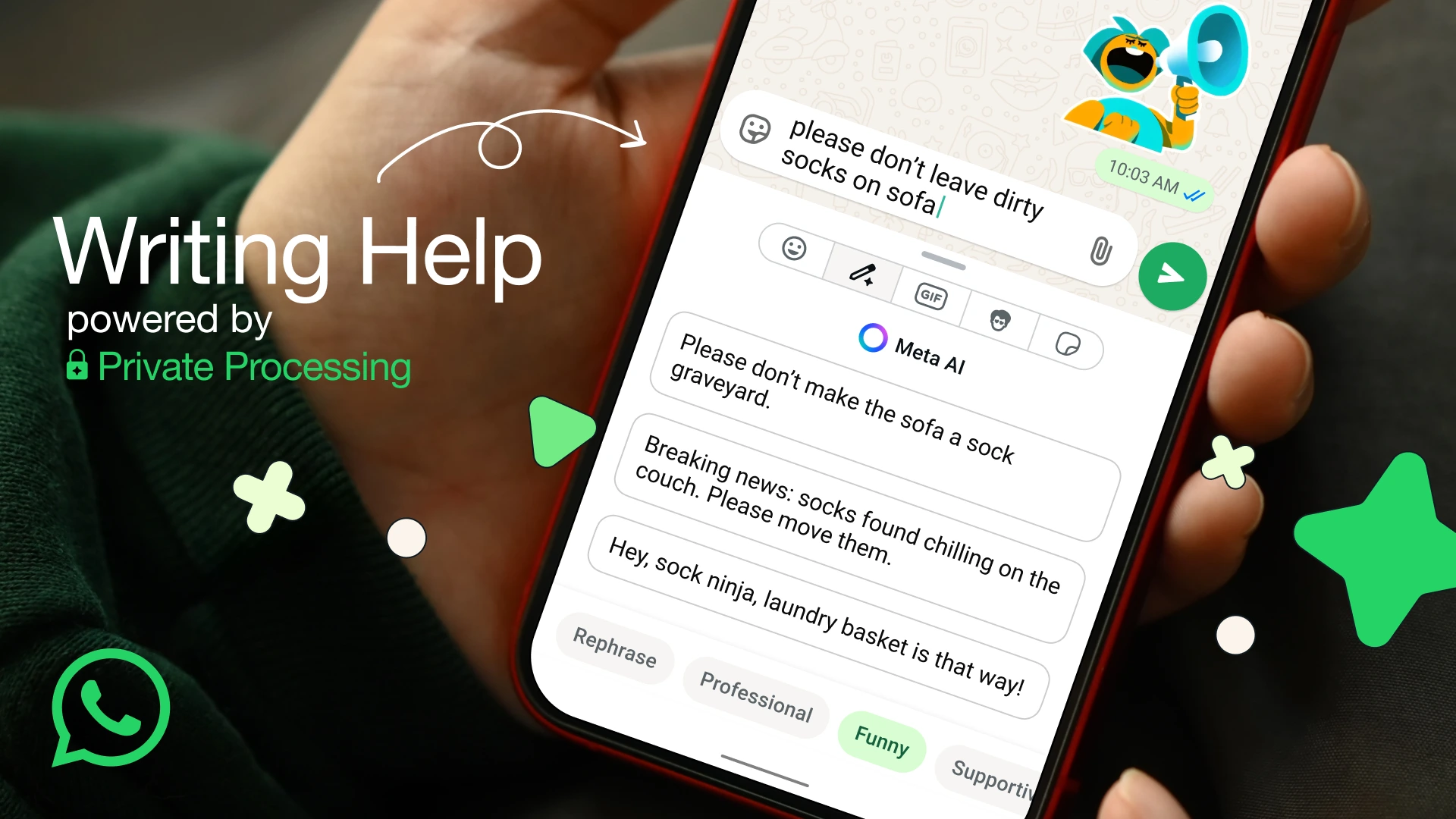
WhatsApp has introduced Private Processing, an optional privacy focused system that enables AI features such as message summaries and writing assistance while maintaining end-to-end encryption. Messages processed through this feature are handled in a way that prevents Meta, WhatsApp, or third parties from accessing or storing their content. Processing occurs only for the duration of the request, after which all related data is discarded. To ensure security and transparency, WhatsApp allows independent audits and includes Private Processing in Meta's bug bounty program. This approach provides AI functionality without compromising user privacy or encrypted communication.
WhatsApp Adds Meta AI Home Screen Widget for Faster Access
Users can add a new widget for Meta AI to their Home Screen, enabling quick access to the chatbot through multiple shortcuts. The widget allows users to instantly open a chat, share a photo for analysis or editing, and start a voice session, making interactions smoother and more efficient. Available only to users with Meta AI access, this feature improves usability by reducing the steps needed to use AI powered tools, with wider availability expected in the future.
WhatsApp Introduces Advanced Chat Clearing Tool for iOS
Some users can now clear their chats using a new advanced tool that provides greater precision through a redesigned process. Instead of a simple confirmation alert, the tool opens a bottom sheet explaining which content will be removed, separating messages, starred messages, and stored media into distinct categories. Starred messages prompt users to choose whether to delete or keep them, preserving important information. Users can also delete specific media types, including images, videos, documents, audio, stickers, or voice messages, while seeing an estimate of the storage space that will be freed. The tool is accessible from both the chat info screen and the chats list, offering consistent and detailed options for content management.
WhatsApp Launched Facebook Profile Links
The Facebook profile link feature on WhatsApp allows users to add a direct link to their Facebook account within their profile information, making it easy for contacts to access their page. Users can manage who sees the link through privacy settings, controlling visibility for everyone, only contacts, or selected users. Links can be verified via the Accounts Center, displaying a Facebook icon to confirm ownership, or left unverified, showing just the URL while maintaining full functionality. Adding a link is entirely optional, and users can choose whether to verify it without affecting how their profile works.
Looking Back at 2025 and Ahead to WhatsApp in 2026
We've gathered all the standout features that WhatsApp has introduced in 2025, as well as major updates currently in development. While these highlight some of the most significant additions, many more features have been announced throughout the year. Reflecting on the progress made, WhatsApp has continued to enhance both the functionality and security of the app, from the new iPad and Apple Watch experiences to advanced AI tools and Private Processing for safer interactions.
Looking ahead to 2026, we can expect continued focus on privacy and security improvements, and we hope that Private Processing will become the default for all interactions with Meta AI, ensuring even more secure and private communication with the chatbot. As always, we also anticipate innovations that make messaging more expressive, convenient, and user-friendly. Here's wishing everyone a happy and prosperous New Year!
Stay Connected with WABetaInfo
Following WABetaInfo on X is the best way to stay informed about new features under development and those released to WhatsApp beta for Android, iOS, Web, and Desktop. We love hearing your feedback, so let us know what you think! You can also explore our dedicated page to discover all our services, or join our Discord Server to chat with others, get help and advice, and stay up to date with the latest WABetaInfo announcements.