WhatsApp launches official iPad compatible app on the App Store, offering native tablet experience
WhatsApp has officially released the iPad app on the App Store, delivering a fully optimized messaging experience tailored for tablets. The app syncs seamlessly with the mobile phone, enabling access to chats, calls, status updates, and more across devices.
| Common questions | Answers |
|---|---|
| Story about? | WhatsApp for iPad |
| Status? | Available on the App Store |
| Compatibility? | WhatsApp 25.16.81 is the first compatible update with iPad on the App Store. |
| What iOS version is required to install WhatsApp on an iPad? | iOS 15.1 and newer versions are needed to install WhatsApp on iPad. |
| Previous news? | WhatsApp is working on a username availability verification feature for phone number privacy on Web! |
WHATSAPP FOR IPAD
Last year, WhatsApp quietly introduced an exclusive beta testing group for iPad users through TestFlight. While WhatsApp for iPad had been in development for quite some time, the testing program was limited and highly focused on collecting targeted feedback and identifying bugs from users running the app specifically on iPadOS, rather than on iPhones. With the help of a new TestFlight update that allowed developers to set eligibility criteria for beta testers, WhatsApp was able to filter participants by device type. This move enabled the company to receive more relevant insights about the iPad experience, which is essential when building a version of the app tailored to a larger screen and tablet-specific behavior.
Now, after months of fine-tuning, WhatsApp Messenger for iPad is finally available as an official release on the App Store with the 25.16.81 update. This marks a major milestone, as it's the first time iPad users can download and use WhatsApp directly from the App Store through an official app designed specifically for Apple's tablet. Previously, users had to rely on workarounds, like using WhatsApp Web in Safari, or join a restrictive beta program with limited availability. The public launch brings the full WhatsApp experience to iPad, integrated natively with iPadOS, and optimized for both functionality and interface.
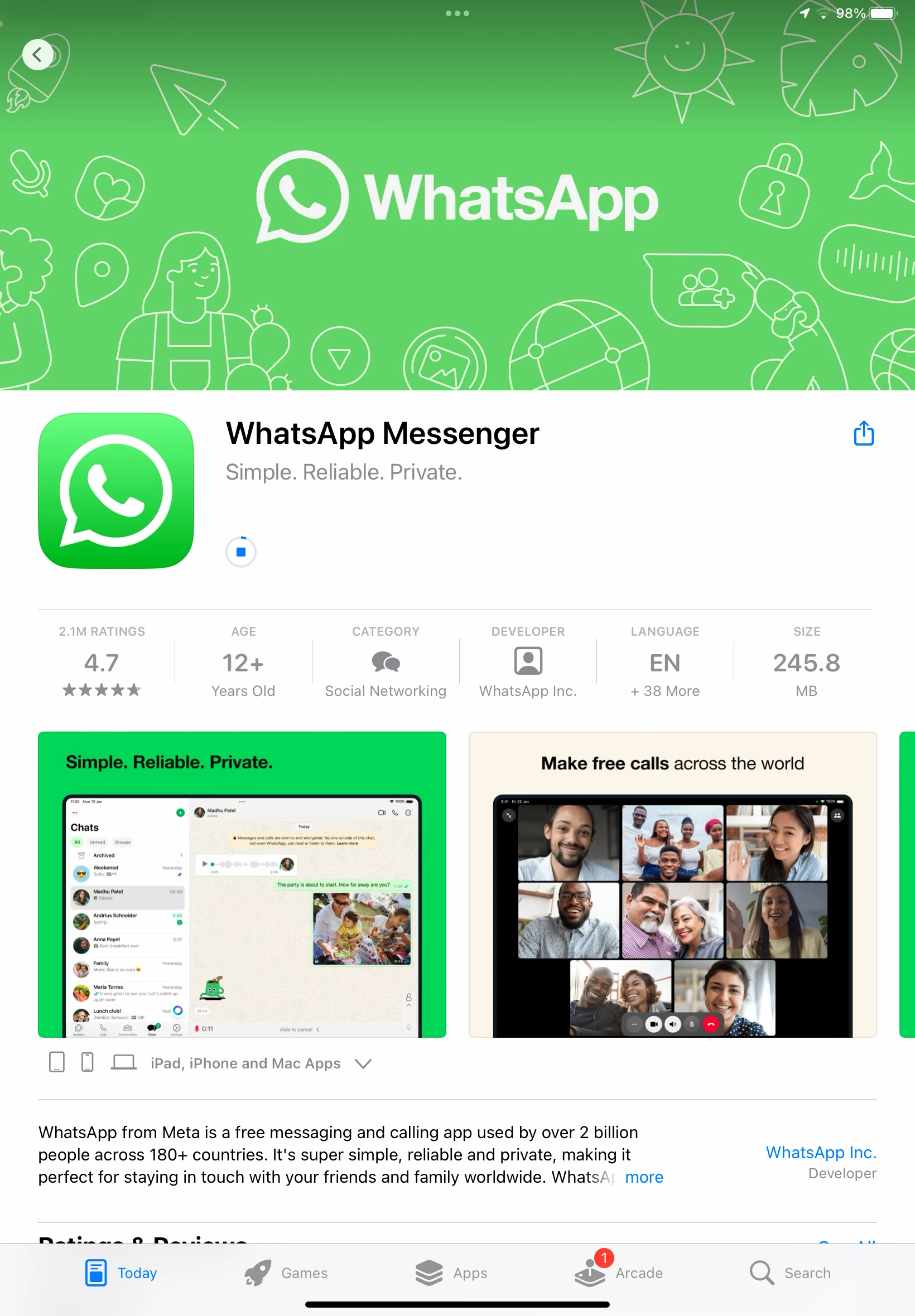
To install WhatsApp on iPad, users must be running iPadOS 15.1 or newer. Once the app is installed from the App Store, it will prompt the user to scan a QR code using their primary phone, whether it's an iPhone or an Android device. This QR code is generated within the iPad app and acts as the link between the two devices. The syncing process begins as soon as the QR code is scanned, allowing WhatsApp to copy account data and conversation history. During the initial sync, both the iPad and the primary mobile device need to remain open and connected to the Internet. This step is crucial to ensure that up to one year of chat history is successfully copied to the iPad. Depending on the data size and the speed of the connection, the process may take a few minutes to complete. Once the sync finishes, users can begin using WhatsApp on their iPad without needing their phone to stay online.
The iPad version includes nearly all the features available on WhatsApp for iPhone or Android. Users can send and receive messages, make voice and video calls, share and view status updates, browse and follow channels, and manage chats and group conversations. Communities are also fully supported, giving users access to multiple group chats under a single place. The app is visually optimized for the iPad's larger screen, making navigation smoother and multitasking easier with split-view compatibility.
Performance on iPad is fluid, and the interface takes advantage of the display's real size to show message conversations, media previews, and settings pages side-by-side. Notifications, privacy settings, and media sharing are also consistent with the experience users already know on mobile. For those who frequently switch between devices, having WhatsApp fully operational on iPad adds convenience and flexibility, especially for work, travel, or extended messaging sessions.
It's worth noting that if you're already part of the WhatsApp beta program through TestFlight, you can continue using the beta version of the iPad app. Testers who joined during the earlier development phases do not need to reinstall the app from the App Store, as their beta version remains functional. WhatsApp aims to continue using the TestFlight channel to test new features or future updates before they are publicly released, so staying in the program can offer early access to improvements and bug fixes.
The availability of WhatsApp for iPad on the App Store represents a long-awaited step for users who wanted a more native and seamless messaging experience across Apple devices. Combined with the power of multi-device support and chat syncing, WhatsApp now feels truly cross-platform, without the need of relying on WhatsApp Web on iPad. Thanks to the focused beta testing, this release is likely to be one of the most stable and polished multi-device rollouts WhatsApp has delivered to date.
WhatsApp for iPad is now officially available to download worldwide from the Apple App Store, offering a seamless messaging experience optimized for iPad users.
Stay up-to-date on WhatsApp news by following WABetaInfo on X where you can also discover other new features for WhatsApp beta for Android, iOS, Web/Desktop, and Windows.
Do you like this news? Please, let us know on X: we love hearing your feedback! If you're curious to see where you can find WABetaInfo, there is a dedicated page where you can discover our services.
In addition, we have set up a Discord Server where you can chat with other people, get help and advice, and stay up to date with the latest announcements from WABetaInfo.