WhatsApp is working on a feature to secure accounts with passwords
WhatsApp is developing an account password feature that will allow users to add an extra layer of protection to their accounts. This optional feature is designed to enhance account security alongside two-step verification.
| Key points | Details |
|---|---|
| Name of the feature: | Account Password |
| Feature availability: | Some features announced in this article may be under development and not yet available to all beta testers, or they may be gradually rolling out to users. If you're unable to access a certain feature, you will need to wait for a future update. Keep reading for more information. |
| News shared last week: | WhatsApp launches encrypted voice and video calls on Web! |
| Previous article: | WhatsApp beta for iOS 26.7.10.72: what's new? WhatsApp is working on a feature that allows users to schedule messages in their chats! |
Weekly WhatsApp Beta Updates: New Features and Improvements
This new weekly roundup brings together all the latest updates about WhatsApp beta shared this week. As a result, you can finally catch up on everything you might have missed from our past announcements. You can consider this summary as a way to stay informed about new features, improvements, and fixes. This week's highlight focuses on account passwords, a new feature under development that will allow users to secure their accounts with an extra layer of protection. See what else has been announced this week.
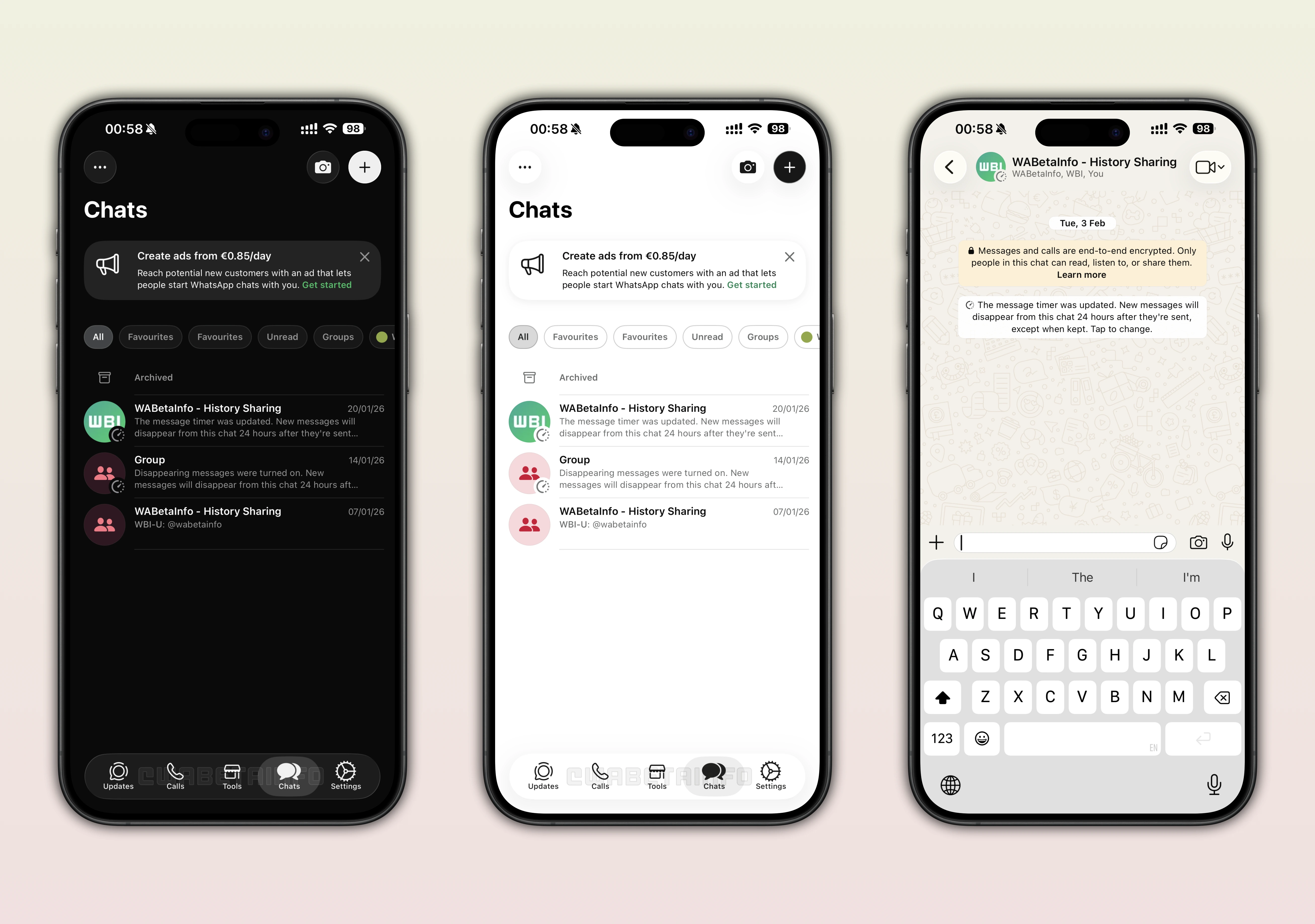
WhatsApp Business for iOS gets Liquid Glass interface
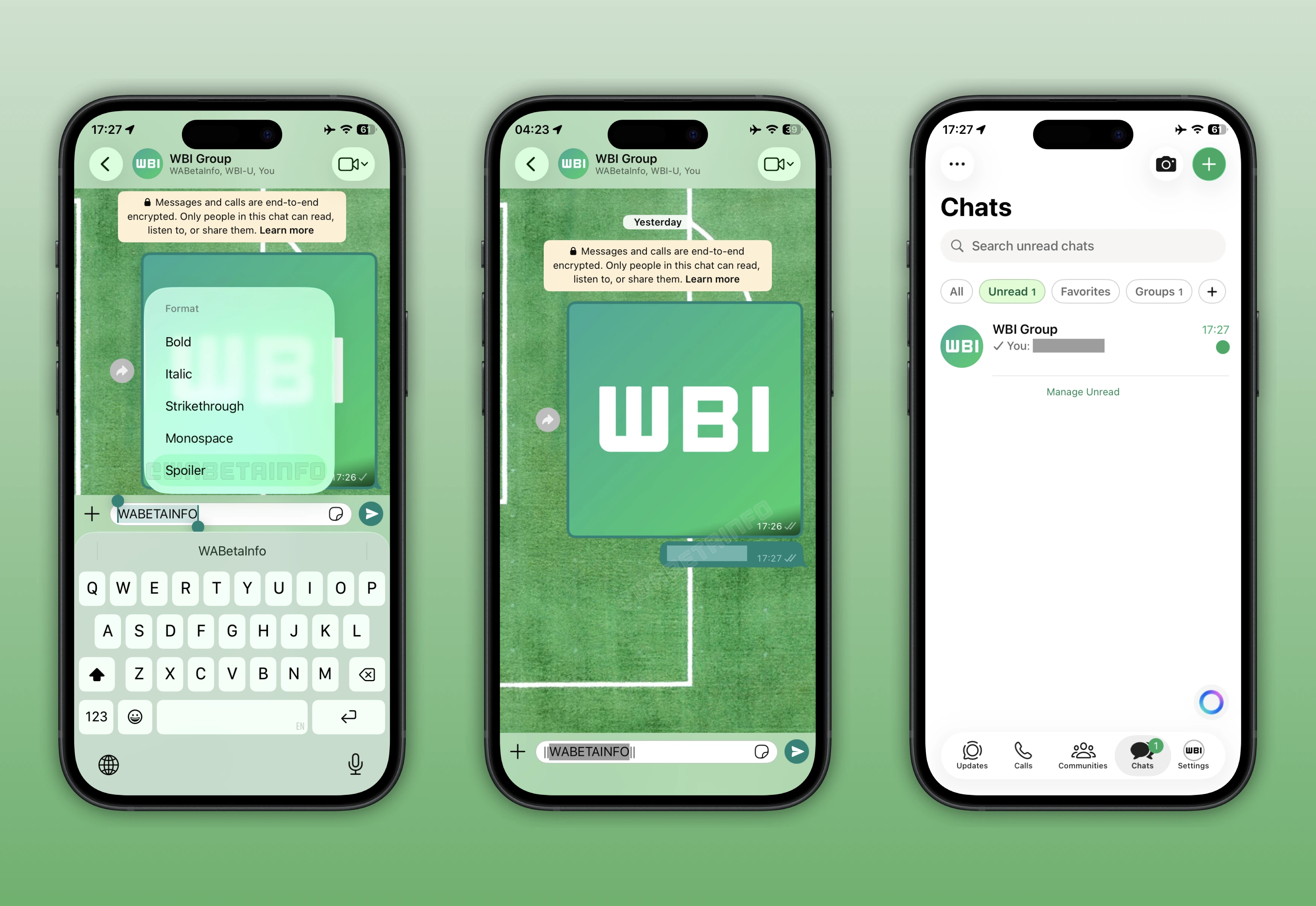
WhatsApp is now introducing the Liquid Glass interface to some users on WhatsApp Business. Liquid Glass is a new design released with iOS 26 that offers an interface based on transparency and opaque effects. The tab bar is the most prominent visual feature of Liquid Glass, which appears as a floating element with transparency and opaque effects. Liquid Glass also offers a redesigned keyboard and context menu that subtly blend with the chat background and reflect elements behind them. This rollout is still limited to some users, with a wider release planned for a future update.
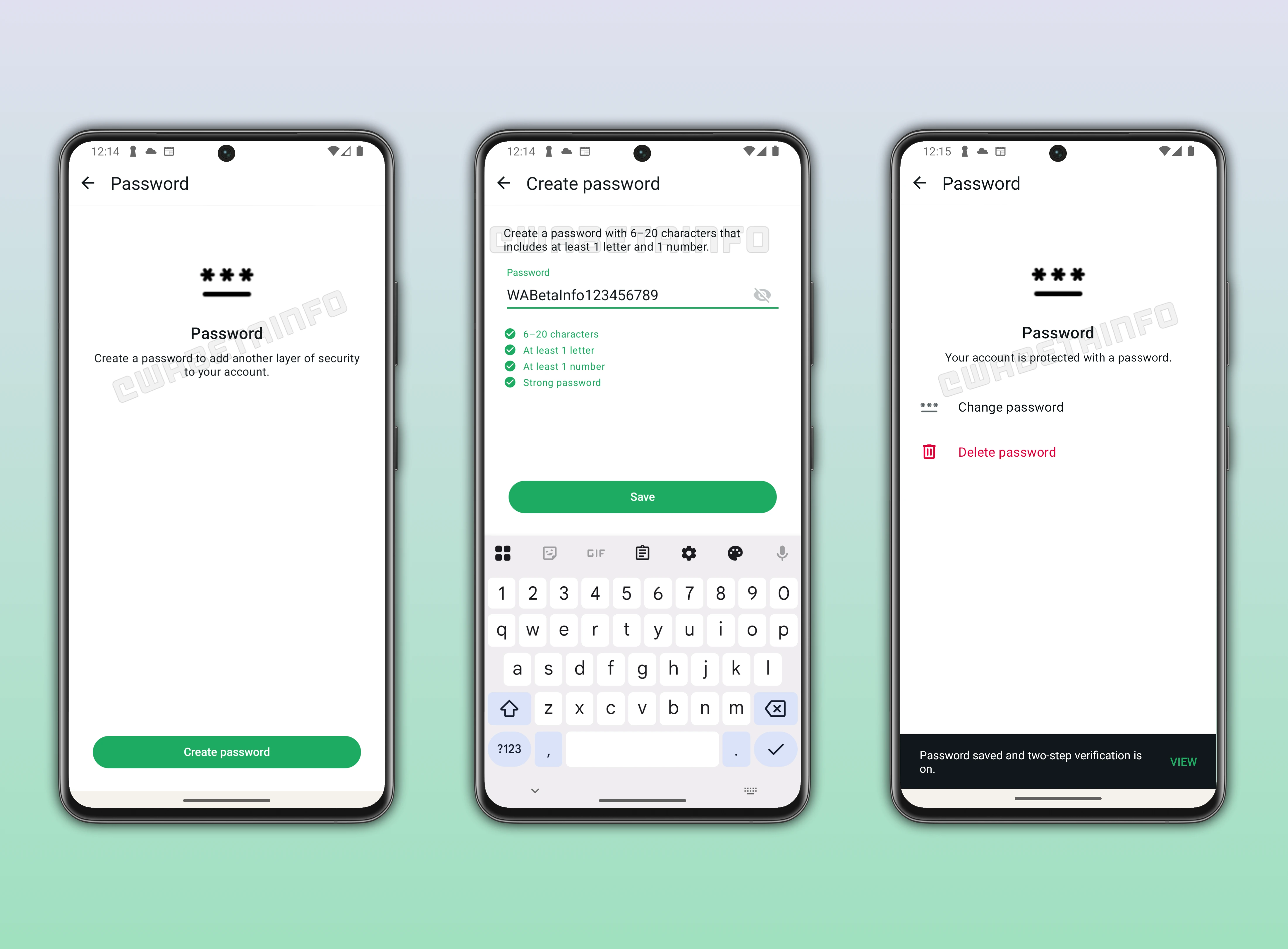
WhatsApp is developing a feature to protect accounts using a password
In the post about the WhatsApp beta for Android 2.26.7.8 update, we announced a feature that lets users choose a password to protect their accounts. The account password is an alphanumeric string that users can choose to set in the app settings. It must be 6 to 20 characters long and include at least one letter and one number. It is optional, so users can decide whether they want this extra layer of protection. After entering the 6-digit code, users will be asked for the account password. If two-step verification is also enabled, the app will request that code first, followed by the account password. It's under development and planned for release in a future update.
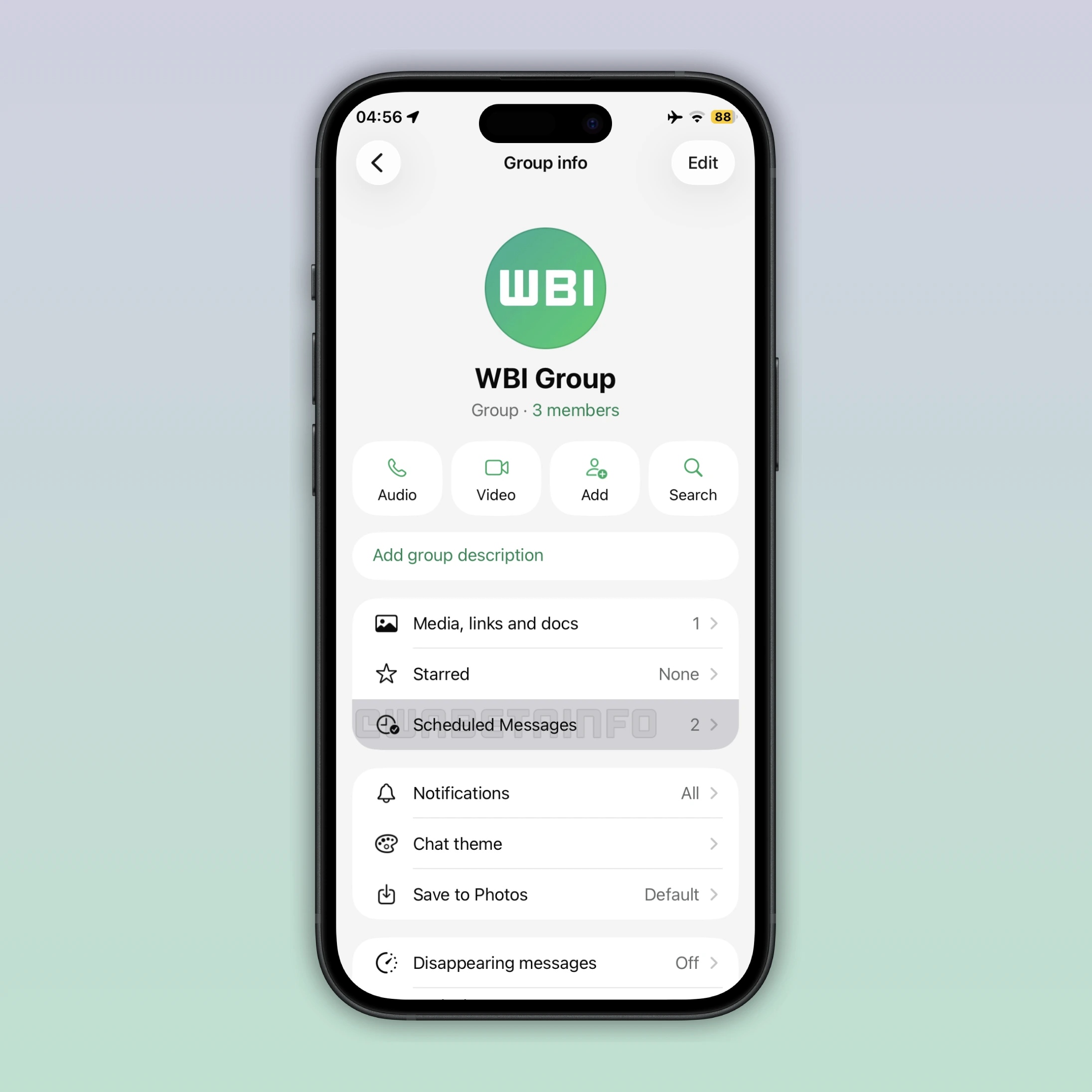
WhatsApp is working on a feature to schedule messages
WhatsApp is developing a feature that will allow users to schedule messages in the future. With this feature, users will be able to choose a specific date and time when the scheduled message is sent automatically. Scheduled messages will be listed in a dedicated section within the chat info screen. In this section, users will be able to see how many messages they've scheduled. It will also be possible to delete any scheduled message to prevent it from being delivered.
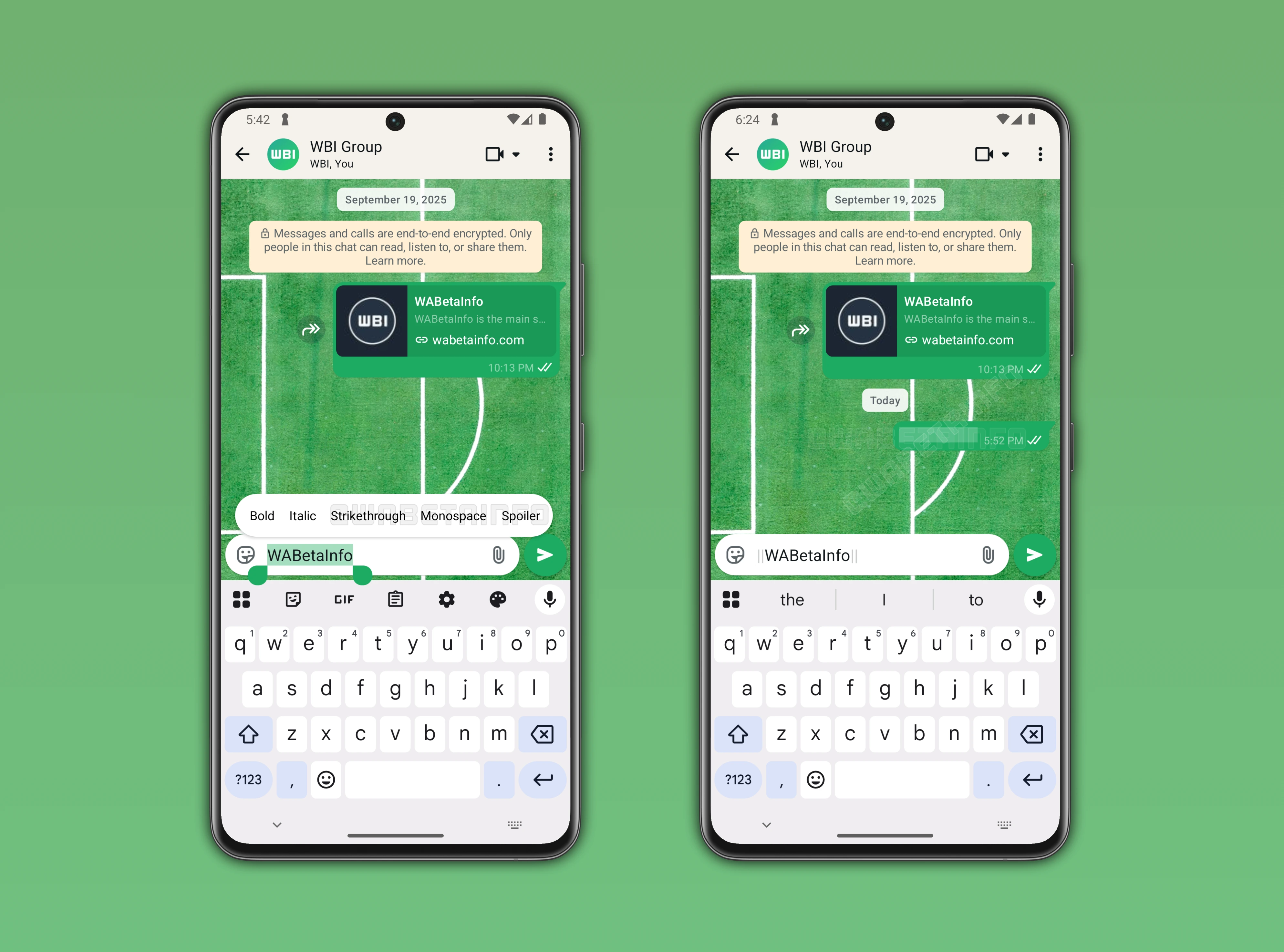
WhatsApp is working on a spoiler formatting tool for messages on Android
In the post covering the WhatsApp beta for Android 2.26.7.10 update, we announced a feature that allows users to format messages as spoilers. While this feature is currently under development, its purpose is already clear. Spoilers are a common problem in chats, and even a single message can unintentionally reveal information to those who are not caught up. This feature is designed to let users hide the content of their messages. Once a spoiler message is sent, it will not immediately appear in the conversation, as the message content will be hidden. To reveal the text content, users will have to tap the message bubble to finally read the spoiler message.
WhatsApp is working on a spoiler formatting tool for messages on iOS
The same formatting tool for spoiler messages is also under development on WhatsApp beta for iOS 26.6.10.71 update. As happens on the Android app, the message content is hidden by default within the conversation when the sender marks it as a spoiler. With message spoilers, users will be able to hide certain parts of their messages and keep them in the conversation. The spoiler option will automatically place two pipes before and after the message. This will let users quickly format text as a spoiler simply by typing double pipes.
WhatsApp is rolling out media filters for the media gallery
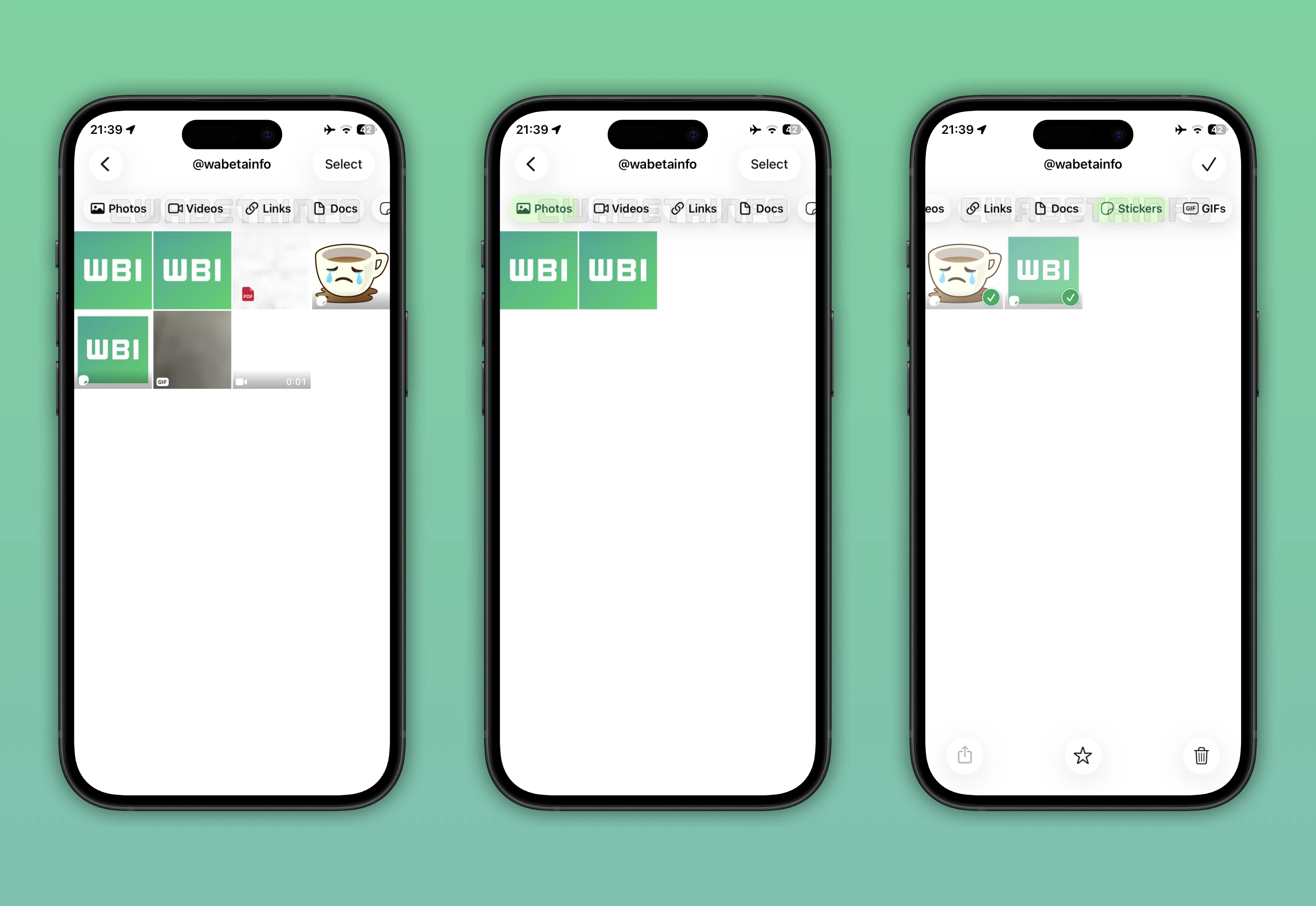
The WhatsApp beta for iOS 26.6.10.70 update introduces a feature that lets users filter the media gallery in their chats. This functionality offers new filters that allows users to view only shared photos, videos, or GIFs instead of all media files. Users can still manage controls for filtering documents and links. In addition, some users may get a dedicated filter that shows all stickers shared in a conversation. This option makes it easier for users to find specific stickers without scrolling through the entire chat history.
WhatsApp is rolling out group history sharing globally
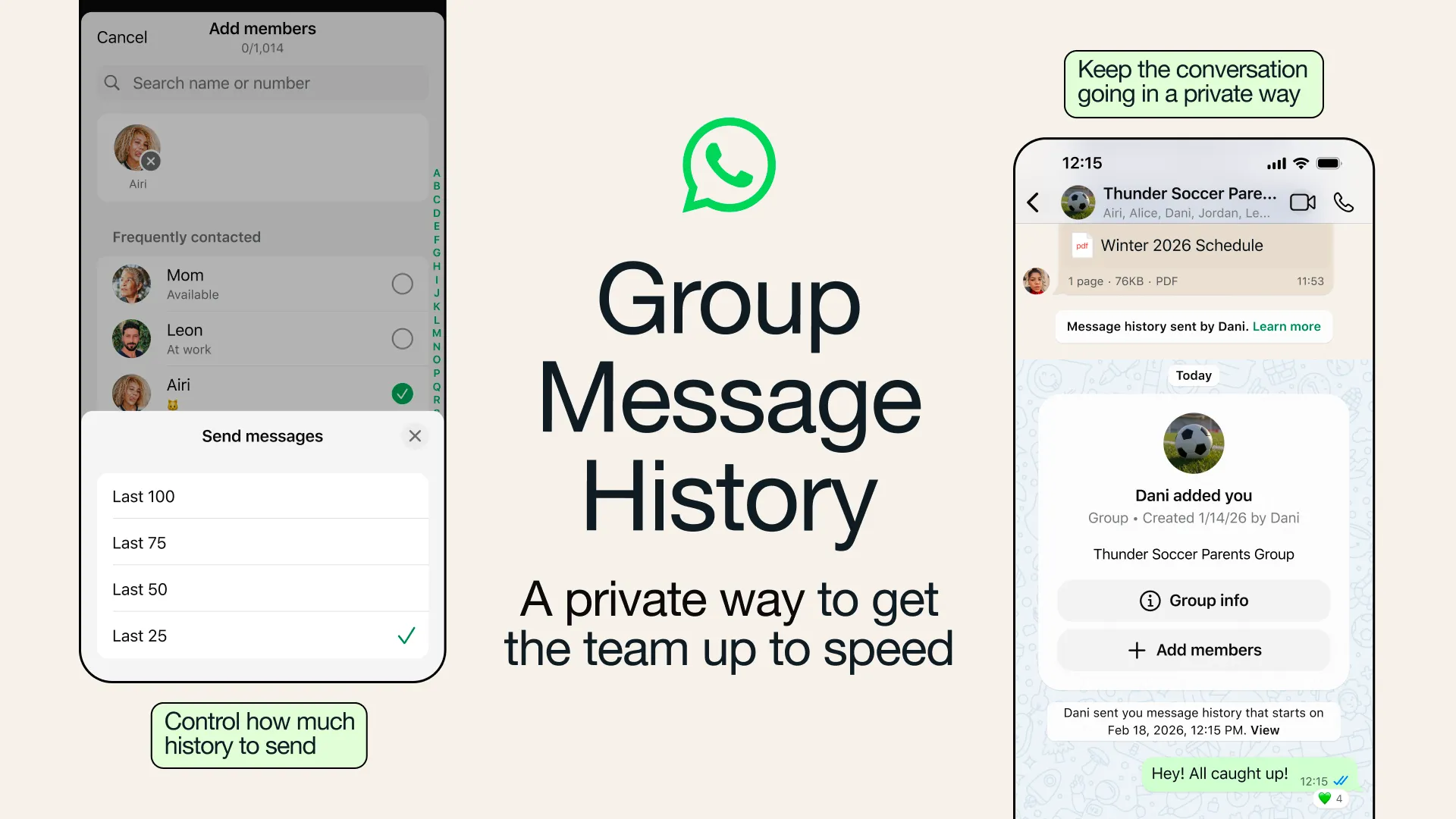
WhatsApp announced that the history sharing feature for group chats is finally being rolled out to Android and iOS users. With this functionality, group admins and members can choose to send recent messages to new participants. When adding someone to a group, users can choose to share recent messages with them. By default, messages from the past 14 days are included, with a limit of 100 messages. Users can also choose to share fewer messages by selecting one of these options: 0 (disabled), 25, 50, 75, or 100. Group admins can retroactively disable this setting from the group permissions screen.
Stay tuned with us to discover new features and updates about WhatsApp coming your way next week. We will continue tracking all the latest beta releases, improvements, and bug fixes so you never miss a thing. Make sure to check back regularly and stay ahead with the newest ways to enhance your WhatsApp experience.
Stay Connected with WABetaInfo
Following WABetaInfo on X is the best way to stay informed about new features under development and those released to WhatsApp beta for Android, iOS, Web, and Desktop. We love hearing your feedback, so let us know what you think! You can also explore our dedicated page to discover all our services, or join our Discord Server to chat with others, get help and advice, and stay up to date with the latest WABetaInfo announcements.