WhatsApp for Mac 25.7.77: what's new?
WhatsApp has released a new Mac update through the App Store, bringing the version up to 25.7.77.
What's new in this update? WhatsApp is widely rolling out Channels, including many bug fixes!
| Common questions | Answers |
|---|---|
| Changelog about? | WhatsApp Channels |
| Status? | Available |
| Compatibility? | WhatsApp for Mac 25.7.77 has been designated as a compatible update. |
| I have the same version but I don't have one or more features mentioned in this article. Why? | These features should already be available to all users. Please verify that you're using the correct version of WhatsApp by opening the App Store on your Mac. |
| Previous news? | WhatsApp beta for iOS 25.8.10.72: what's new? WhatsApp is working on a feature to share music from Spotify in status updates! |
WHATSAPP CHANNELS
In the article about the WhatsApp beta for Mac 24.19.71 update, we announced that a feature to view and follow channels was available to some beta testers. This feature allows users to access channels directly within the newly renamed Updates tab, which combines both status updates and channels for a seamless experience. Previously, viewing channel updates on Mac was limited to notifications due to the lack of full support. However, with the deprecation of the Mac Electron app next month, WhatsApp is ensuring that users can continue following their favorite channels through the new Mac Catalyst app. It appears that WhatsApp is now widely testing this feature with the public, as its availability was noted in the official changelog. Thanks to the latest WhatsApp for Mac 25.7.77 update, which is available on the App Store, we discovered that WhatsApp is officially rolling out Channels, including many bug fixes!
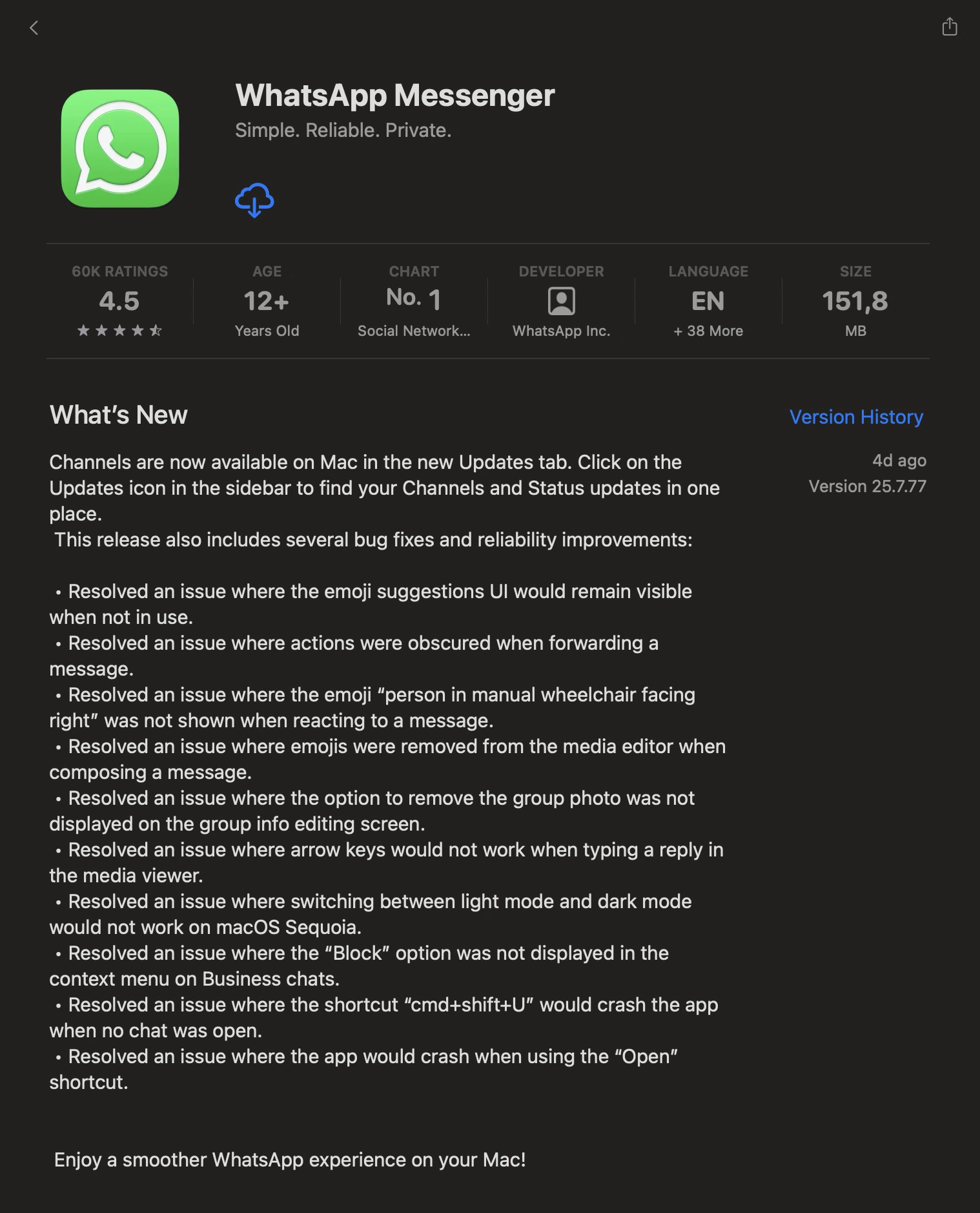
The official changelog mentions that one of the most significant additions in this update is the availability of Channels. Users can now find their channels and status updates conveniently in the newly added Updates tab. By clicking the Updates icon in the sidebar, Mac users will be able to keep track of updates in one centralized location, making it easier to stay connected and informed. Users can view and follow their favorite channels directly from the Updates tab, with these actions seamlessly synced across their other devices for a consistent experience.
Alongside Channels, WhatsApp has tackled several issues that were affecting users' experience. One notable fix addresses the persistent issue where the emoji suggestions UI would remain visible even when it was no longer in use. Additionally, the app now ensures that actions remain clearly visible when forwarding a message, eliminating previous visibility issues. For users who frequently use emojis to react to messages, WhatsApp has resolved the problem where certain emojis, like the "person in manual wheelchair facing right", would not appear as expected. Furthermore, a bug that caused emojis to vanish from the media editor when composing a message has been fixed, ensuring smooth media creation and sharing. Group administrators will also appreciate the resolution of a bug that made the option to remove a group photo from the group info editing screen inaccessible. This fix provides admins with more control over their group's visual identity, as it's finally possible to edit the group icon directly from the Mac app again.
The update also brings important improvements regarding the user experience. Typing replies in the media viewer is now smoother, as WhatsApp has fixed an issue preventing the arrow keys from working properly. Similarly, macOS Sequoia users can now seamlessly switch between light and dark modes without experiencing issues. Business users will notice that the "Block" option has returned to the context menu in Business chats, making it easier to manage unwanted interactions. Moreover, WhatsApp has addressed stability issues, including a crash that occurred when using the cmd+shift+U shortcut with no open chats. A separate bug that caused the app to crash when using the "Open" shortcut has also been resolved, contributing to a more reliable experience.
Channels and many bug fixes are available to users who install the latest update of WhatsApp for Mac from the App Store. Make sure to install this update for a smoother experience.
Stay up-to-date on WhatsApp news by following WABetaInfo on X where you can also discover other new features for WhatsApp beta for Android, iOS, Web/Desktop, and Windows.
Do you like this news? Please, let us know on X: we love hearing your feedback! If you're curious to know where you can find WABetaInfo, there is a dedicated page where you can discover our services.
In addition, we have set up a Discord Server where you can chat with other people, get help and advice, and stay up to date with the latest announcements from WABetaInfo.