WhatsApp for iOS 25.16.77: what's new?
WhatsApp has released a new iOS update through the App Store, bringing the version up to 25.16.77.
What's new in this update? WhatsApp is finally releasing a fix to address a bug with listening to voice messages, and it's available to everyone!
| Common questions | Answers |
|---|---|
| Changelog about? | Listen to voice messages |
| Status? | Fixed |
| Compatibility? | WhatsApp for iOS 25.16.77 has been designated as a compatible update. |
| I have the same version but I don't have this feature. Why? | The latest WhatsApp for iOS 25.16.77 update from the App Store successfully fixed the bug. If you're still experiencing the same bug, you're probably using an old version of WhatsApp. |
| Previous news? | WhatsApp beta for Android 2.25.17.21: what's new? WhatsApp is working on an optional feature to get notifications for recommended channels! |
LISTEN TO VOICE MESSAGES
In the article about the WhatsApp for iOS 25.16.74 update, we announced that an issue preventing users from opening links directly by tapping on them has been successfully resolved. This fix restores the expected functionality, allowing users to access shared websites and external content seamlessly within chats, groups, and channels. In the same article, we highlighted that an upcoming update would have addressed another bug affecting the marking of voice messages as heard, a fix already implemented in the latest beta version on TestFlight. Following the release of the latest WhatsApp for iOS 25.16.77 update, which is available on the App Store, we discovered that WhatsApp is releasing a fix to address a bug with listening to voice messages!
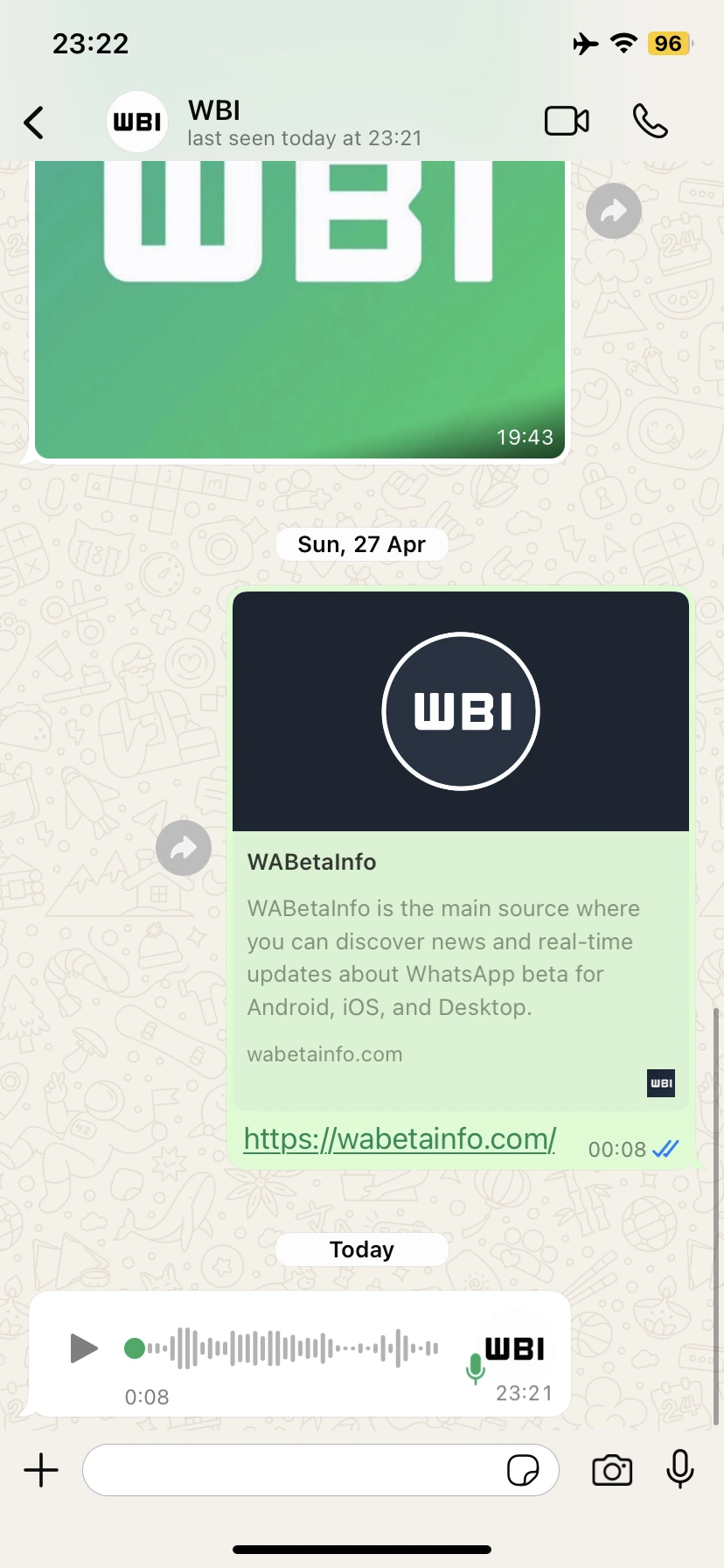
With the previous updates, several users reported a critical issue affecting how voice messages were marked as heard. Normally, when a user listens to a voice message, the microphone icon in the message bubble changes color from green to blue to indicate that the voice note has been played. However, due to this bug, listening to a voice message no longer triggered this visual change. As a result, many users were unsure whether they had already listened to certain voice messages or not.
In addition to affecting their own playback status, the issue also impacted how voice message receipts were reported to the sender. Even after the recipient had listened to a voice message, the sender would still see it as unheard. This disrupted the typical communication feedback loop that users rely on, as senders were unable to confirm whether their voice messages had been listened to.
The latest WhatsApp for iOS 25.16.75 update successfully resolves this issue, marking voice notes as heard after playback correctly. This also means that senders can now receive accurate playback updates, restoring an important part of user-to-user interaction. However, for the fix to work consistently across conversations, it's important that both users (the sender and the recipient) have updated to the latest version of WhatsApp. If one party is still using an older version, the playback status might still not sync correctly. For a fully restored experience, all users involved in voice message exchanges on iOS should install the latest WhatsApp for iOS update from the App Store.
A fix to address a bug with listening to voice messages is available to users who install the latest version of WhatsApp for iOS from the App Store. Please make sure to install this build in order to use a version of WhatsApp without experiencing the bug.
Stay up-to-date on WhatsApp news by following WABetaInfo on X where you can also discover other new features for WhatsApp beta for Android, iOS, Web/Desktop, and Windows.
Do you like this news? Please, let us know on X: we love hearing your feedback! If you're curious to know where you can find WABetaInfo, there is a dedicated page where you can discover our services.
In addition, we have set up a Discord Server where you can chat with other people, get help and advice, and stay up to date with the latest announcements from WABetaInfo.