WhatsApp beta for Android 2.25.27.18: what's new?
WhatsApp has released a new Android update through the Google Play Beta Program, bringing the version up to 2.25.27.18.
What's new in this update? WhatsApp is rolling out a feature that brings new quick sharing options to status updates, and it's available to some beta testers!
| Key Points | Details |
|---|---|
| Name of the feature: | Status Updates Sharing Options |
| Status: | Rolling out |
| Compatibility: | WhatsApp beta for Android 2.25.27.18 has been designated as a compatible update, but some users may experiment with the same feature by installing certain previous updates. |
| Availability info: | This feature is available to some beta testers, and it is rolling out to more users over the coming weeks. |
| Thanks: | Sniper, kingcyrious, shw_9876, Saadh Jawwadh, and flakoflow, for testing and reporting. |
| Previous news: | WhatsApp beta for Android 2.25.27.5: what's new? WhatsApp is rolling out a feature that allows users to choose who can reshare their status updates! |
STATUS UPDATES - SHARING OPTIONS
In the article about the WhatsApp beta for Android 2.24.15.11 update, we announced that a new interface for status updates was available. This layout streamlines the top section of the status updates screen, reducing clutter by limiting the overflow menu to essential actions such as muting or reporting a status and viewing contact information. Users can also dismiss the status screen either by swiping down or using the newly added close button, providing greater flexibility and a more intuitive navigation experience. In previous updates, WhatsApp focused on redesigning the top part of the status screen, but with this release, it seems the attention is shifting toward refining the bottom section, aiming to improve overall usability and make some key actions more accessible. Following the release of the latest WhatsApp beta for Android 2.25.27.18 update, which is available on the Google Play Store, we discovered that WhatsApp is rolling out a feature that brings new quick sharing options to status updates!
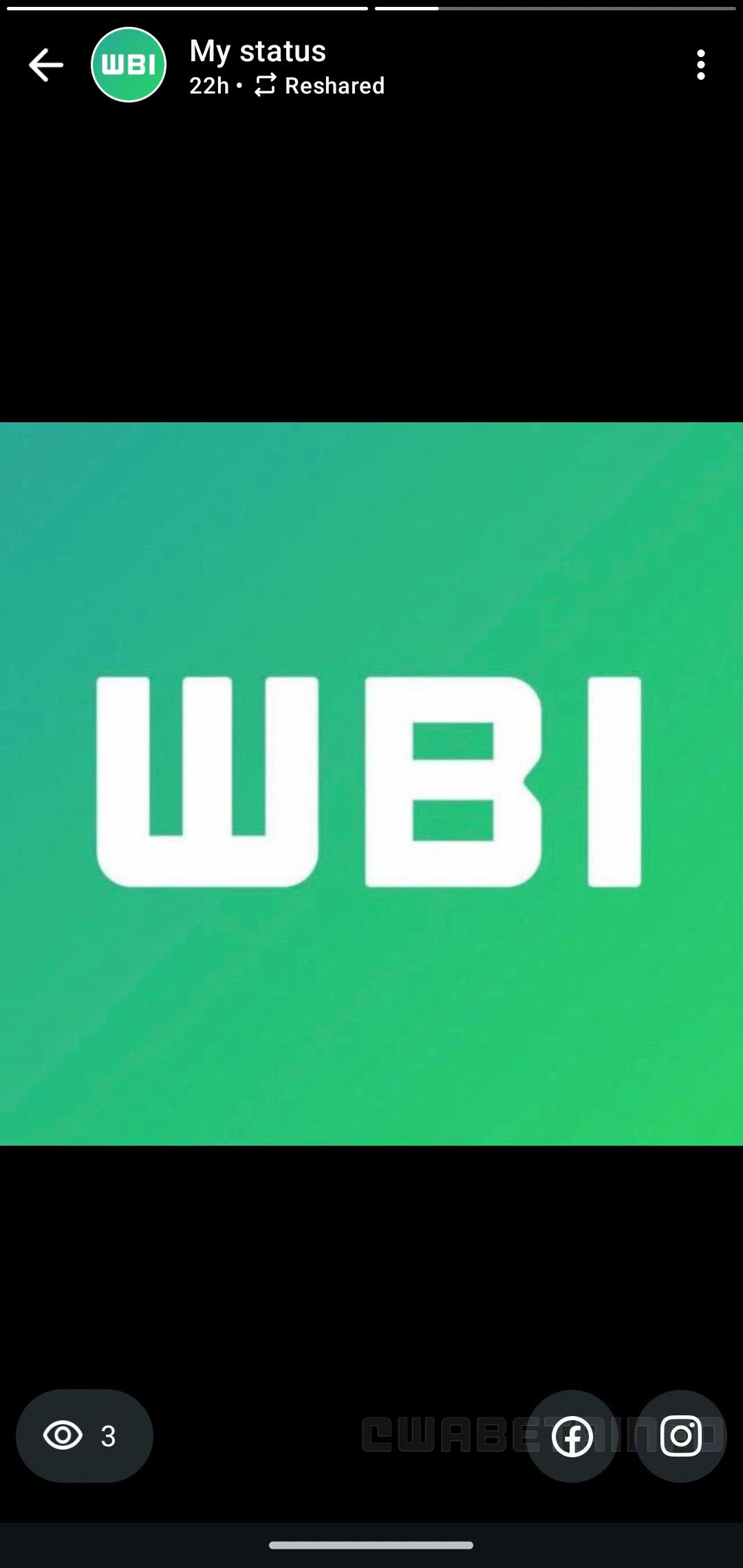
As you can see from the attached screenshot, some beta testers now have access to a redesigned bottom section of the status interface. As part of this redesign, WhatsApp has moved the view count for each status update to the left side of the screen, closely mirroring the layout of Instagram Stories. This change emphasizes a familiar design language for users who also use Instagram, making the interface feel more consistent across apps.
On the right side, there are now two new quick-share buttons that allow users to share their status updates directly to Facebook or Instagram. Previously, these sharing options were only accessible through the viewers list, which required an extra step and could easily be overlooked. By placing them at the bottom of the screen, WhatsApp is increasing their visibility and engagement, while encouraging cross-platform sharing.
To access these new sharing options, which are also available for text-based status updates, users may need to add their WhatsApp account to Meta's Accounts Center. Accounts Center is a centralized hub that allows users to manage connected experiences across Meta's apps, including Facebook, Instagram, and WhatsApp. By linking their WhatsApp account, users can streamline actions like sharing status updates across platforms and managing account settings in one place.
It's important to note that linking WhatsApp to Accounts Center is entirely optional, and users are never required to connect their accounts. Users always have full control over whether to enable this feature and can decide at any time to link or unlink their profiles. Even after connecting WhatsApp to Meta's Accounts Center, all messages and calls on the app remain end-to-end encrypted, so privacy and security are not compromised by this integration. This ensures that users can take advantage of cross-platform sharing features while keeping their messages and calls private.
A feature that brings new quick sharing options to status updates is available to some beta testers who install the latest updates of WhatsApp beta for Android from the Google Play Store, and it is rolling out to even more people over the coming weeks.
Following WABetaInfo on X is the best way to stay informed about new features under development and those released to WhatsApp beta for Android, iOS, Web, and Desktop. We love hearing your feedback, so let us know what you think! You can also explore our dedicated page to discover all our services, or join our Discord Server to chat with others, get help and advice, and stay up to date with the latest WABetaInfo announcements.