WhatsApp beta for Android 2.24.16.2: what's new?
WhatsApp is rolling out a new update through the Google Play Beta Program, bringing the version up to 2.24.16.2.
What's new in this update? WhatsApp is rolling out a feature to automatically add a background gradient filter to status updates, and it's available to some beta testers!
| Common questions | Answers |
|---|---|
| Name of the feature? | Background gradient filter for status updates |
| Status? | Rolling out |
| Compatibility? | WhatsApp beta for Android 2.24.16.2 is marked as a compatible update, but some users may be able to experiment with the same feature by installing certain previous updates. |
| I've installed this update but I don't have this feature. Why? | This feature is available to some beta testers, and it is rolling out to more users over the coming weeks. |
| Thanks: | FastenM, for testing and reporting. |
| Previous news? | WhatsApp is working on a username feature for the web client! |
BACKGROUND GRADIENT FILTER
In the article about the WhatsApp beta for Android 2.24.15.11 update, we announced that WhatsApp is currently rolling out a new interface for status updates. This update brings a more user-friendly design to the status updates screen, including a simplified overflow menu, now limited to essential options such as muting or reporting a status update and viewing contact information. In addition, a new button has been introduced to close the status updates screen, offering an additional way to dismiss the view. It appears that WhatsApp is now committed to further improving the experience of viewing status updates through the introduction of new tools to enhance the visual appeal of images and videos. Thanks to the latest WhatsApp beta for Android 2.24.16.2 update, which is available on the Google Play Store, we discovered that WhatsApp is rolling out a feature to automatically add a background gradient filter to status updates!
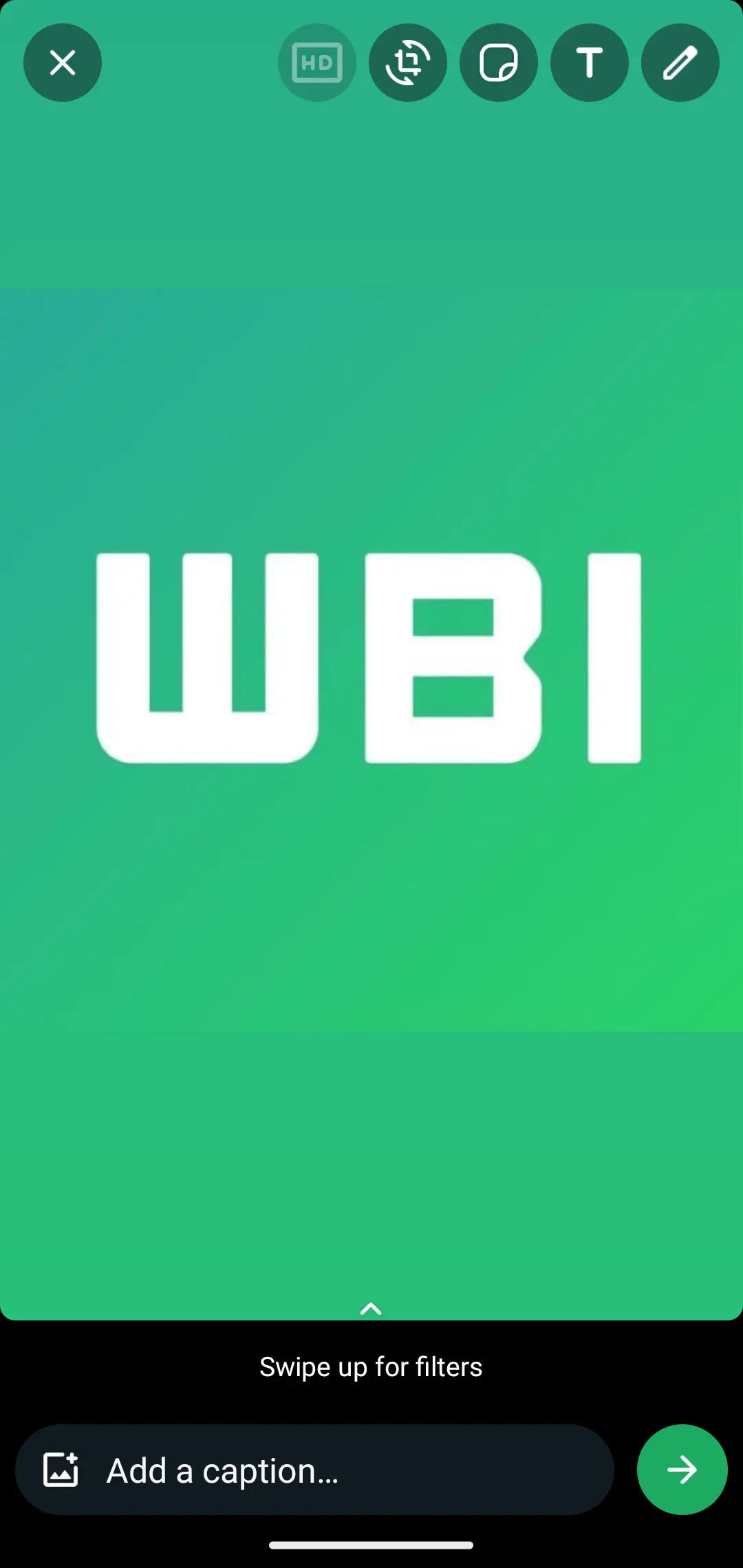
As you can see from the attached screenshot, some beta testers can now explore a feature that automatically generates a background gradient filter for images and videos shared via status update. This gradient filter is applied when the selected image or video doesn't completely fill the screen, allowing users to achieve a more visually appealing presentation for their status updates. The new background blends the edges of the media with a gradient that harmonizes with the overall design of the status update screen, choosing the predominant color of the selected item to ensure a smooth transition between the media and the background. Users can easily test the new background gradient filter feature by sharing a 1:1 photo format in their status updates. If the background gradient filter appears around the edges of the photo, it means that the feature is available to their account.
WhatsApp added the background gradient filter for status updates to likely address the issue of images or videos not fully covering the screen, which can result in an incomplete appearance. By applying a gradient that blends with the predominant color of the media, the filter creates a smoother transition between the content and the background, enhancing the overall visual harmony. This approach ensures that the focus remains on the media itself, rather than on any blank edges. Experimenting with different photo formats can help users understand the filter's impact on their status updates and enjoy a more polished presentation.
A feature to automatically add a background gradient filter to status updates is available to some beta testers who install the latest updates of WhatsApp beta for Android from the Google Play Store, and it is rolling out to even more people over the coming weeks.
Stay up-to-date on WhatsApp news by following WABetaInfo on X. You can also discover other new features for WhatsApp beta for Android, iOS, Web/Desktop, and Windows.
Do you like this news? Please, let us know on X: we love hearing your feedback! If you're curious to see where you can find WABetaInfo, there is a dedicated page where you can discover our services.
In addition, we have set up a Discord Server where you can chat with other people, get help and advice, and stay up to date with the latest announcements from WABetaInfo.