WhatsApp beta for Android 2.22.11.13: what's new?
WhatsApp is rolling out a new update through the Google Play Beta Program, bringing the version up to 2.22.11.13.
What's new in this update? WhatsApp is rolling out some small changes to the interface when creating text status updates!
| Common questions | Answers |
|---|---|
| Name of the feature? | New Text Status Update Interface |
| Status? | Rolling out |
| Availability? | WhatsApp beta for Android 2.22.11.13 is marked as compatible update, but some users may receive the same feature in some previous updates as well. |
| I've installed this update but I don't have this feature. Why? | This feature has been rolled out to some beta testers. More activations are planned in the new few days. |
| Thanks: | Elementary Pancake 2, TheNewsHQ, Sniper, Anon 4 Justice, luismcgarcia, FastenM, Sphinix, Sc, and Hypogriff, for testing and reporting! |
| Previous news? | WhatsApp is working on a desktop app for macOS |
NEW TEXT STATUS UPDATE INTERFACE
After releasing a new footer for end-to-end encryption, WhatsApp is now rolling out small changes of the interface for text status updates, available to certain Android beta testers that install the latest updates of the app:
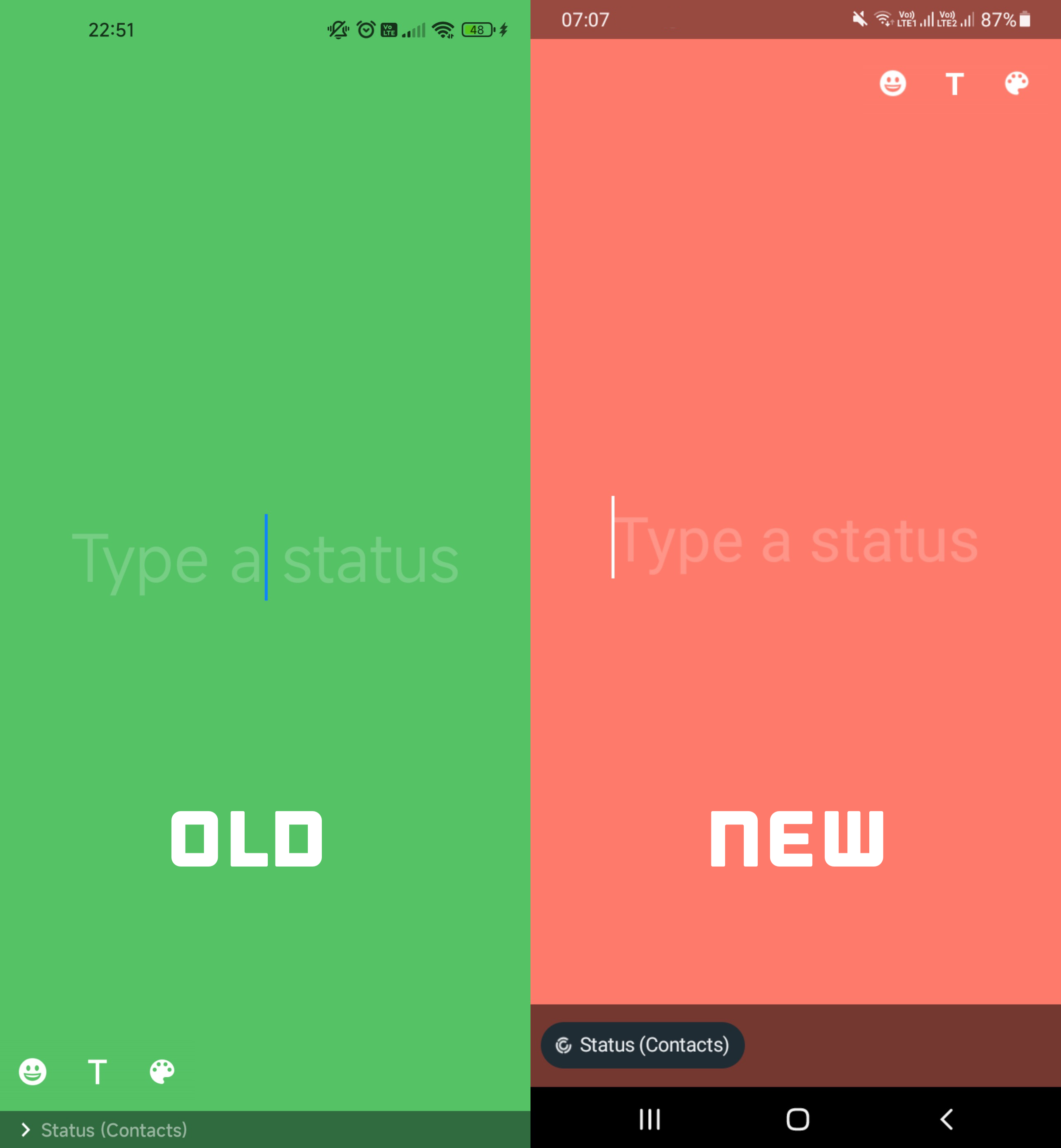
As you can see in this screenshot, WhatsApp is moving the emoji, text, and background color selector to the top of the screen, so the section is now the same as the one we have on WhatsApp for iOS. In addition, if the redesigned caption view is already enabled for your WhatsApp account, it will be also visible when creating a text status update. Note that thanks to the caption view, you can quickly change the audience for the current text status, but you still need to open WhatsApp Privacy Settings to change who can receive your future status updates.
The changes are available to some beta testers and more activations are planned in the next few days.
Follow WABetaInfo on Twitter to always be up to date about WhatsApp news, and you can discover all other changes implemented on WhatsApp beta for Android, iOS, Web/Desktop, and Windows!
Let us know on Twitter if you like this article and you can visit this page to discover where you can find WABetaInfo!
A Discord Server invite link is available! Join now to discover more about WhatsApp and you can chat, give advice, ask for help, and read my announcements!