WhatsApp announces an official CarPlay app on the App Store
WhatsApp is releasing a native CarPlay app to let users send messages, make calls, and access favorite contacts from their car dashboard. The interface minimizes distractions to help drivers keep their eyes on the road and avoid unnecessary interruptions.
| Key Points | Details |
|---|---|
| Story about: | WhatsApp for CarPlay |
| Status: | Available |
| Compatibility: | WhatsApp for iOS 26.13.74 has been designated as a compatible update. |
| Availability info: | WhatsApp for CarPlay is available to all users after installing the latest update on the App Store. |
| Previous news: | WhatsApp is testing paid channels with premium subscriptions! |
WhatsApp launches a native app compatible with CarPlay
Last week, WhatsApp released a compatible app with CarPlay on TestFlight. The new app simplifies how drivers interact with their messages. WhatsApp for CarPlay offers a native interface directly on the car display. It lets users see recent chats, view contact details, and start messages or calls more intuitively. By offering basic interactions, drivers can keep their attention focused on the road.
Beta testers were the first to experience the new CarPlay interface. This allowed WhatsApp to receive initial feedback on usability, performance, and any glitches before the wider public release. However, it seems the release happened earlier than we expected, as WhatsApp for CarPlay is finally available on the App Store. Following the release of the latest WhatsApp for iOS 26.13.74 update, which is available on the App Store, we discovered that WhatsApp is releasing an official app compatible with CarPlay.
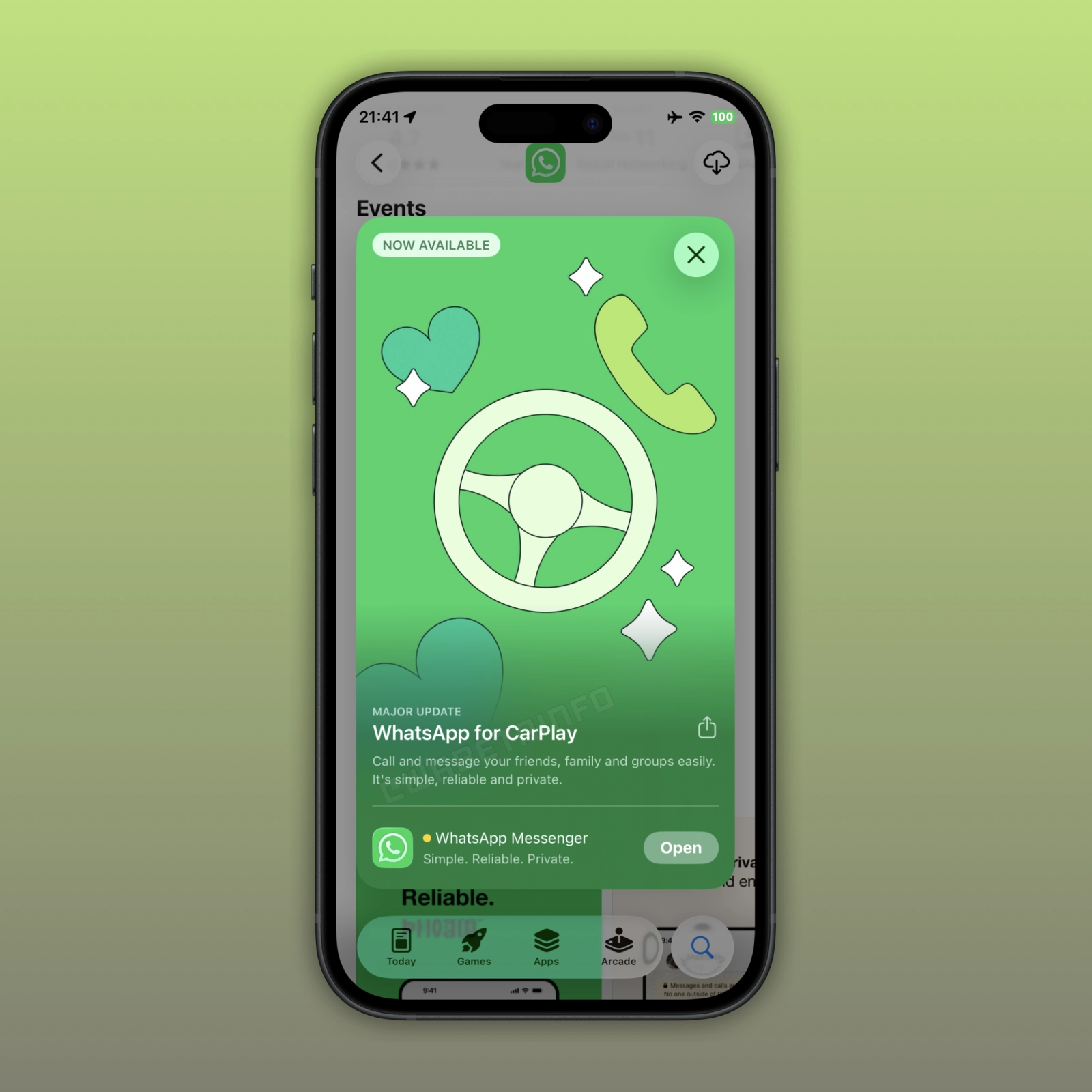
With the latest update available on the App Store, WhatsApp announced an important event related to the app. The event highlights WhatsApp for CarPlay, a native app designed to provide seamless messaging and calling directly from the car dashboard. The banner marks the new app as a major update. In the new event, WhatsApp notes that users can message and call their friends, family, and groups easily from the new app. The app is simple, reliable, and private, as messages and calls are still end-to-end encrypted.
Before the native app was available, users had to rely on Siri to interact with CarPlay. Voice commands often misinterpreted messages, and users could not see recent chats or contact details directly on the screen. This made it complicated for users to respond quickly while driving. There was not even a dedicated interface for call history or favorites. In contrast, the new native app brings all these features directly to the dashboard. This makes it easier for users to manage their messaging and calling interactions since everything is now accessible through a native interface.
The official app presents three tabs to make it easier for users to choose what they want to do in the app. Users can find the chat list by selecting the first tab. The chat list is not designed to let users open specific conversations. Instead, it is used to check recent chats where there may be unread messages. This limitation minimizes distractions while driving. As a result, users can keep their attention on the road instead of reading full conversations.
The call history is available in the second tab. Here, users can scroll through a chronological list of incoming, outgoing, and missed calls. The interface displays timestamps and contact names, making it easier to see who they have recently communicated with. It is also possible to tap on a contact in the call log to quickly return a missed call. Compared with the previous Siri‑only experience, this tab provides a more organized and intuitive way to manage recent communications. Although the experience is still focused on core actions rather than full detailed logs, it gives drivers a convenient way to stay on top of calls while using CarPlay. The interface shows profile icons next to all entries. This helps users identify contacts at a glance.
The third tab offers access to favorite contacts. In this section, users can quickly find the people they contact most often without scrolling through the entire chat list. Tapping a favorite lets drivers start a call or send a message with fewer steps than before. Note that this dedicated section syncs with the user's favorites from WhatsApp on their iPhone.
WhatsApp for CarPlay is available to users who install the latest WhatsApp for iOS update from the App Store. The new app will automatically appear on the CarPlay dashboard once the iPhone is connected. Once the latest update is installed, the app will give immediate access to messaging, calls, and favorite contacts.
Stay Connected with WABetaInfo
Following WABetaInfo on X is the best way to stay informed about new features under development and those released to WhatsApp beta for Android, iOS, Web, and Desktop. We love hearing your feedback, so let us know what you think! You can also explore our dedicated page to discover all our services, or join our Discord Server to chat with others, get help and advice, and stay up to date with the latest WABetaInfo announcements.